Skip to content




Hexcal Studio™ Plus
Free Shipping
30-Day Returns
1-Year Warranty
Upgraded Power Station
Consolidate your setup with 8 AC outlets and a combined 160W fast-charging output.
Upgraded Power Station
Consolidate your setup with 8 AC outlets and a combined 160W fast-charging output.
Up to
13
Devices power support
Clutter Elimination
Studio Plus embeds the ultimate clutter management solution for helping you build a true clutter-free space.
Clutter Elimination
Studio Plus embeds the ultimate clutter management solution for helping you build a true clutter-free space.
Under
5 mins.
Clutter-Free Setup
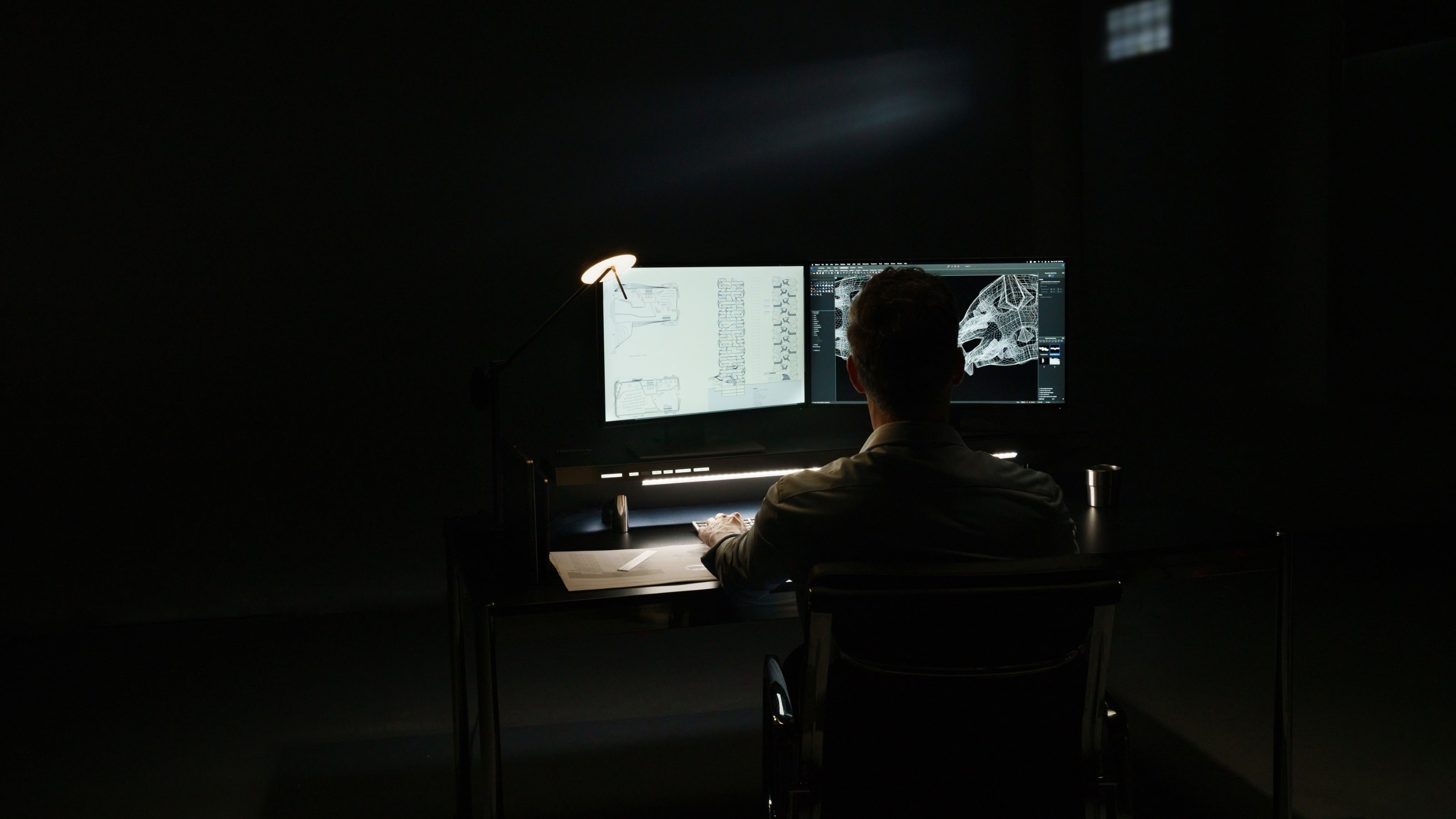
Fatigue-Free Lighting
Studio Plus provides non-directional task lighting to completely relieve eye strain during long work sessions.
Fatigue-Free Lighting
Studio Plus provides non-directional task lighting to completely relieve eye strain during long work sessions.
Up to
95%
Eye-strain reduction
Space Optimization
Studio Plus maximizes your arm-reachable desktop space to help you build an optimized productivity zone.
Space Optimization
Studio Plus maximizes your arm-reachable desktop space to help you build an optimized productivity zone.
Up to
2x
Workspace Efficiency
Effortless plug-and-play for all your devices.


Desktop PDU Support
Server-grade desktop power supply.
8x
AC outlets with circuit breaker
4 Type
US/EU/UK/AU models
Fast USB Charging
Quick access to a PD-powered USB port.
3x
USB & Type-C power ports
160w
Fast charging output
100W
Max single-port output
Wireless Charging
Effortlessly manage your wirelessly charged devices.
2x
Devices at the same time
30w
Total output
Qi
Certified
Maximize your productivity in a clutter-free space.


The Ultimate Cord Solution
Instant and easy decluttering for everyone.
40” × 6” × 1.6”
Cord storage chamber
3D Cord Organizer
Multi-directional routers for seamless cord channeling.
12x
Cord channels
Data Bridging Ports
Conceal peripherals inside while accessing data directly on your desktop.
2x
USB 3.2 bridging ports
20Gbps
Data transfer speed limit
Immersive lighting for consistent performance.
Fatigue-free Light
Glare-free working environment to maintain your focus.
Below-eye-level
Task lighting system
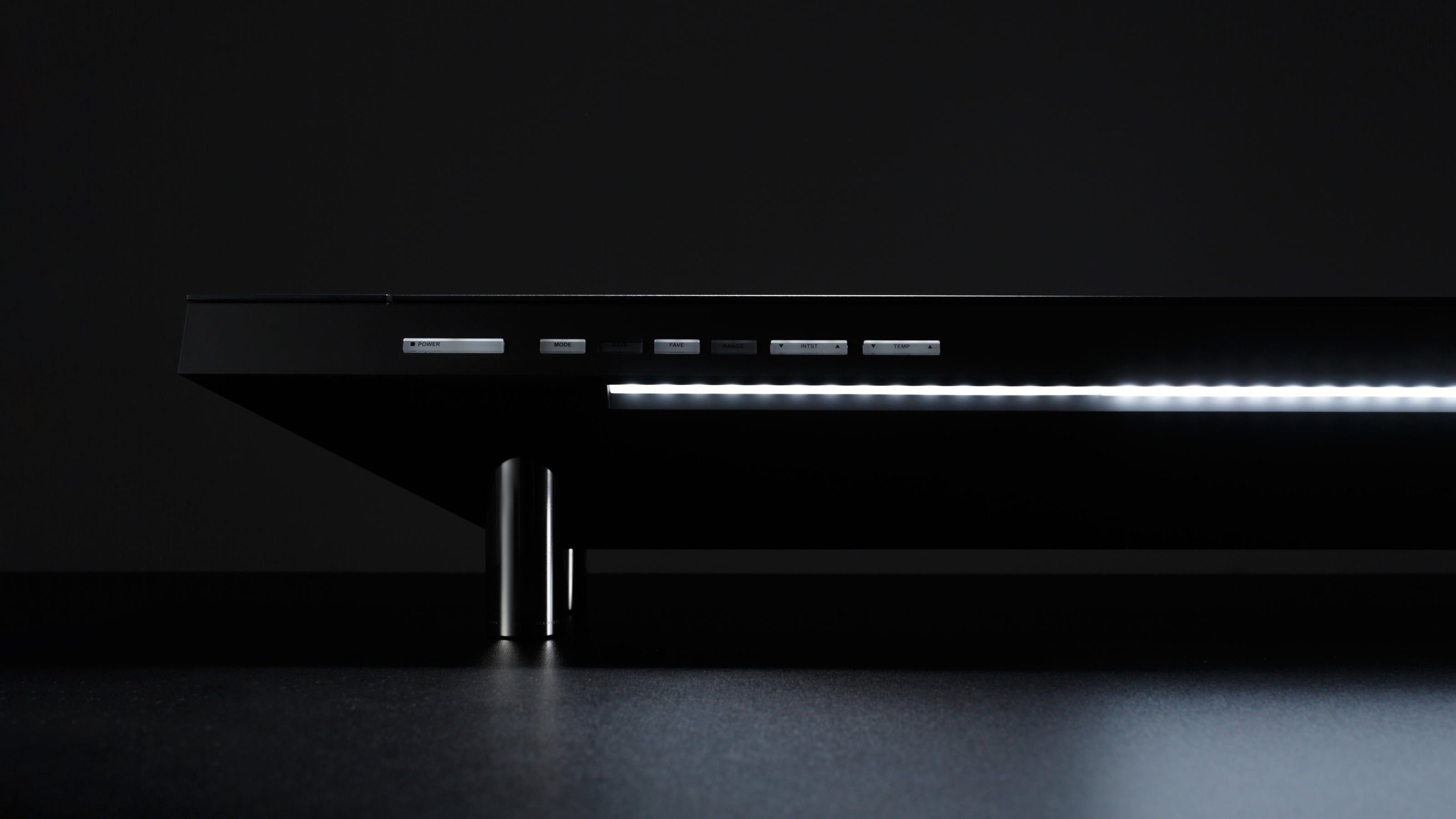
Extended Lighting Uniformity
Discover the true tone of color.
95% CRI
Integrated with expert LEDs
40"
Ultrawide light source
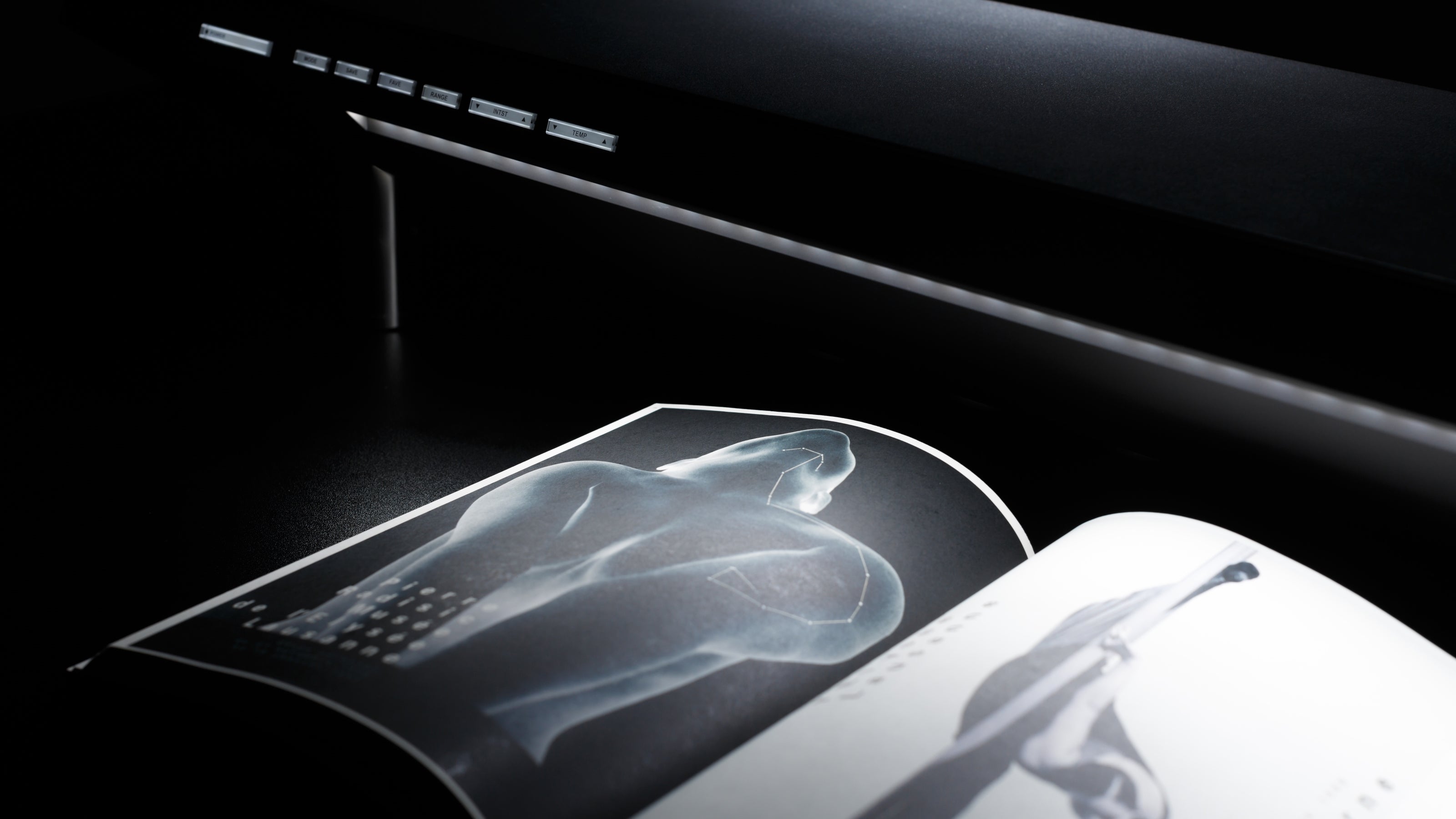
Save Your Favorites.
Users can save multiple lighting configurations for various scenarios.
1,280
Possible light configurations
Transform any desk into a professional workstation.
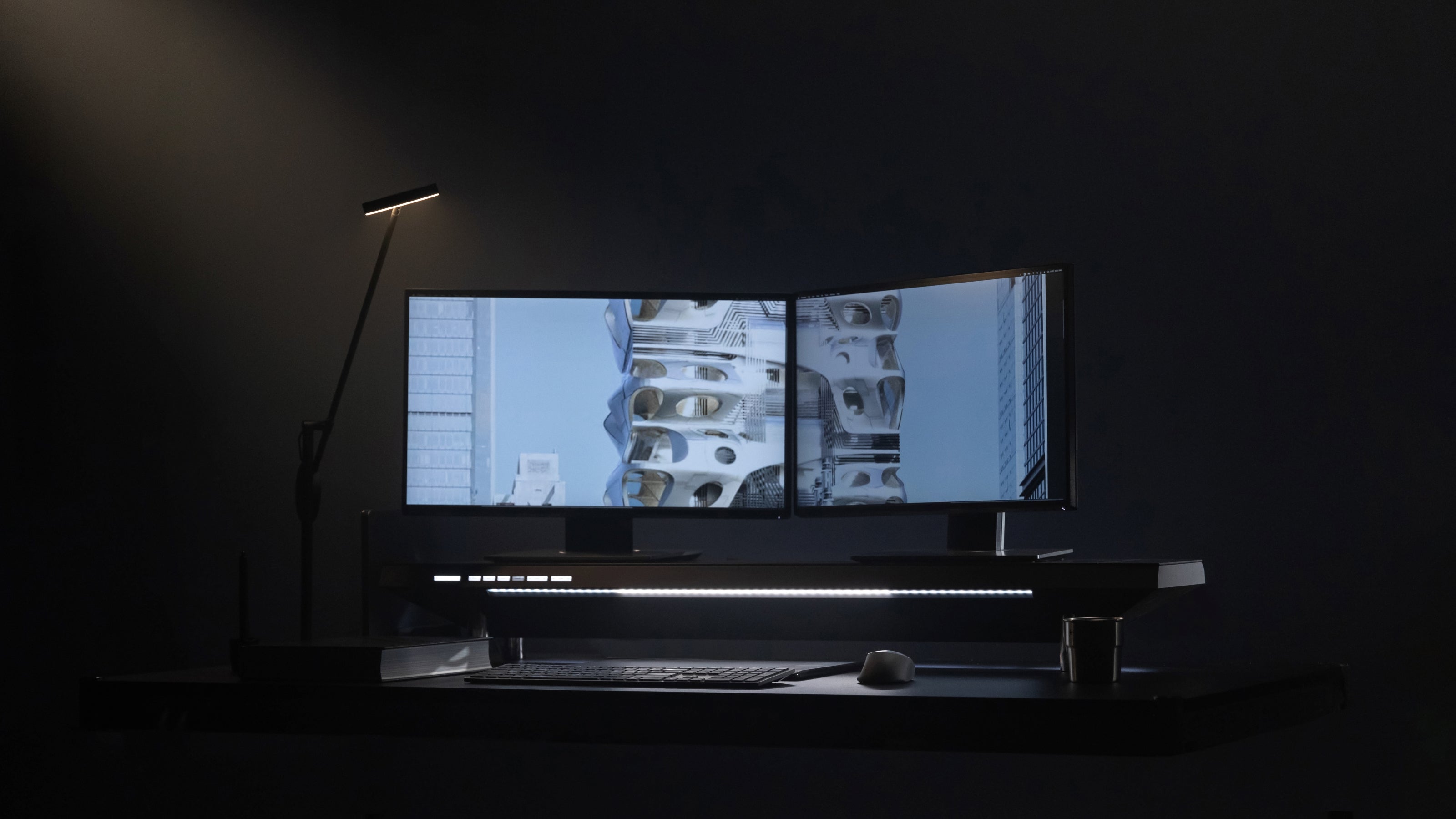
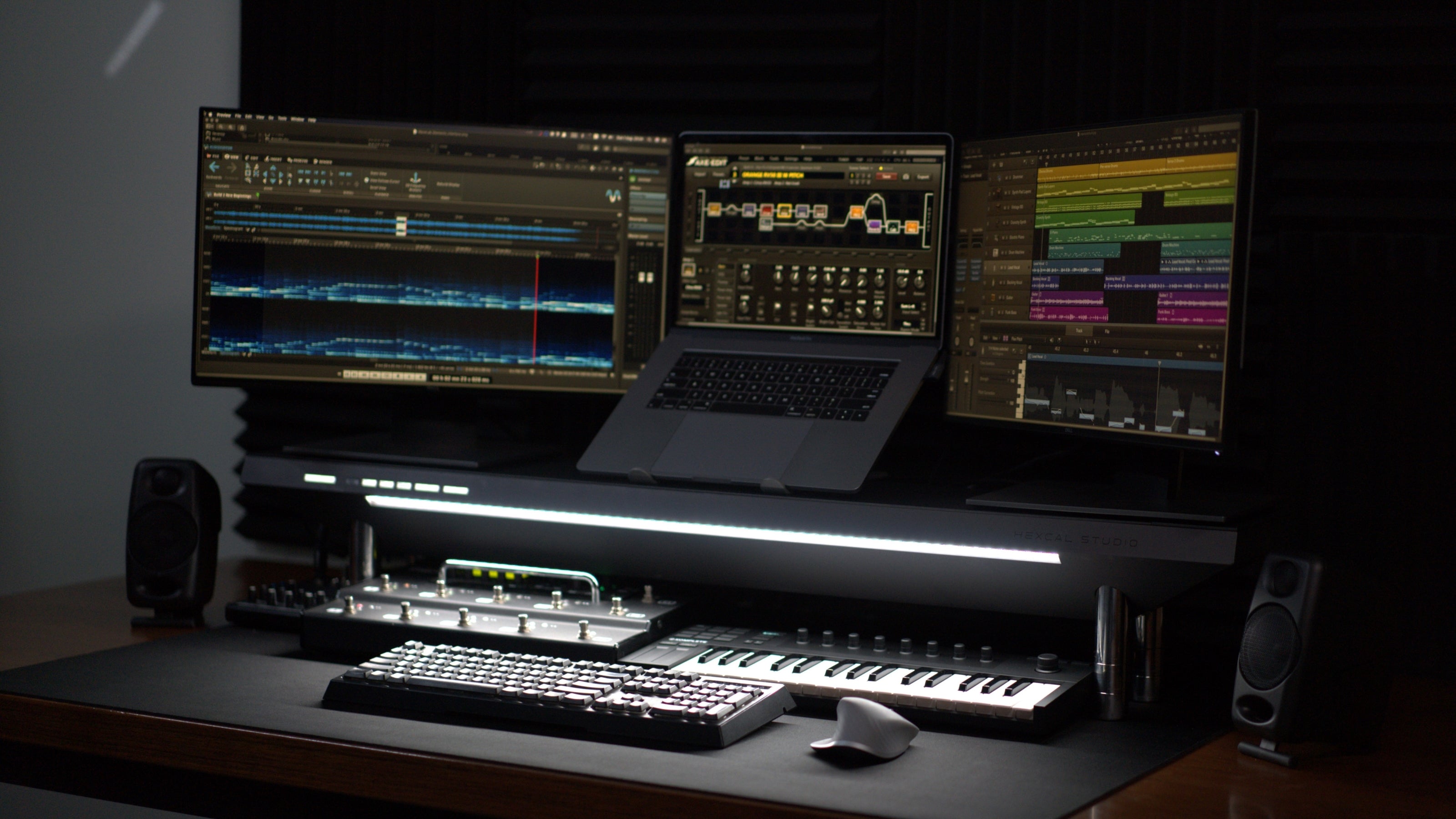
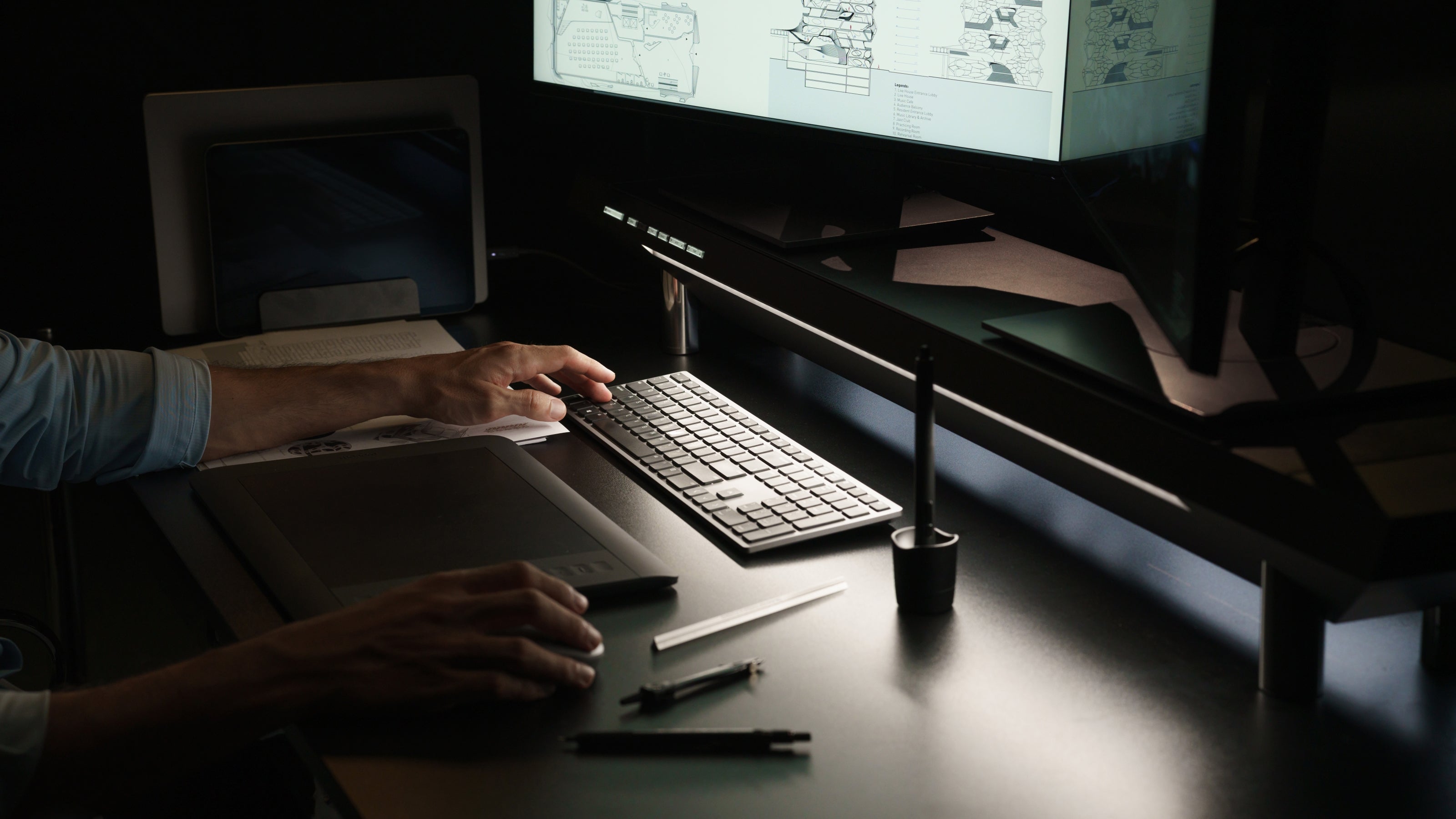
Workspace Expansion
Maximize your desk space for greater flexibility.
Multi-layered
Space above, space inside, space underneath.
47.3" x 7.8"
Top surface dimension
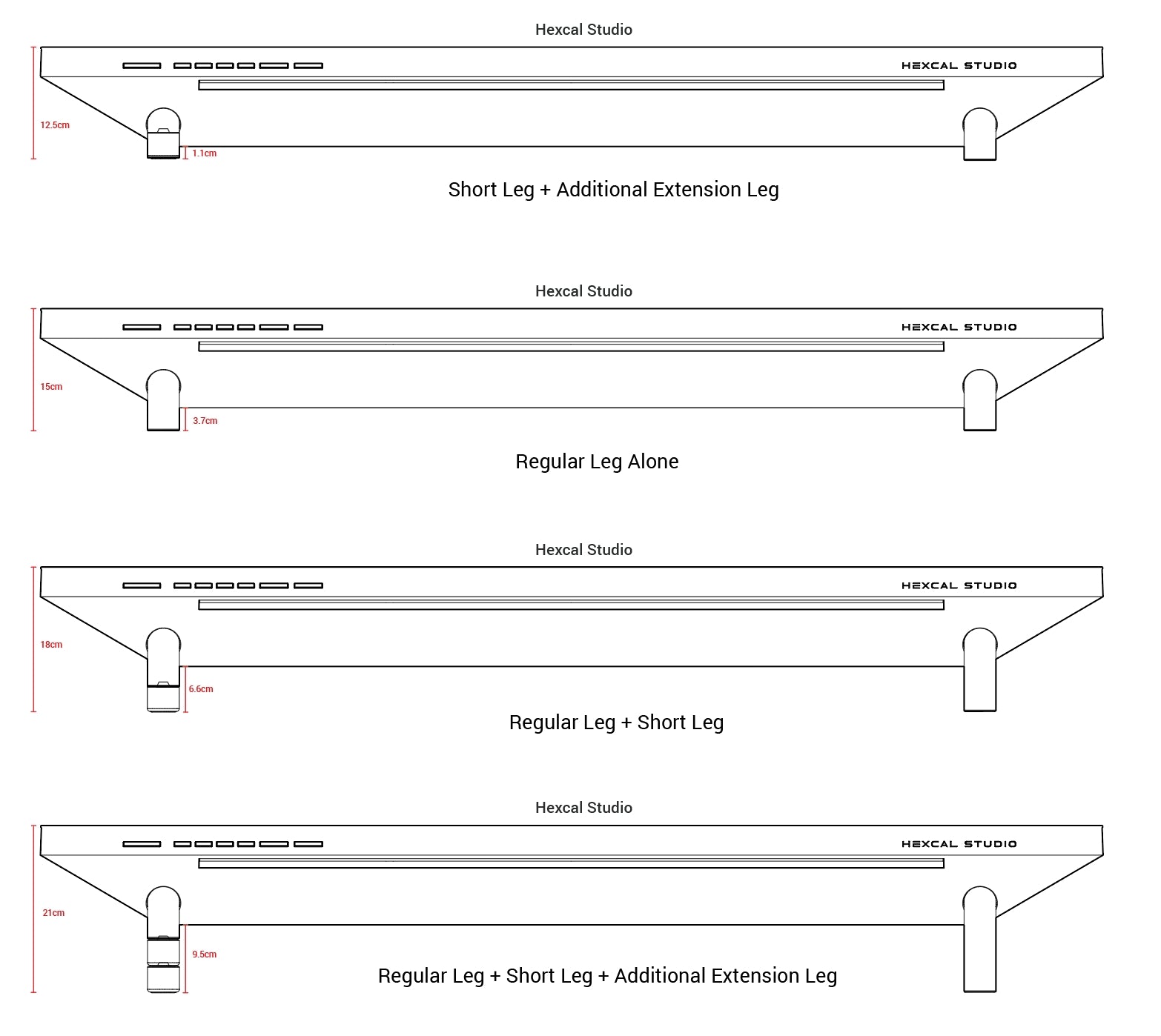
Adjustable Heights
Ergonomic design for a height that is adjustable to your needs.
2
Default height options
4
Height options with Extension Feet accessory.
Everything Within Arm’s Reach
Keep all your desktop devices organized, charged, and ready to go.
Compatible
with desks longer than 43" and wider than 23.6"
Compatible
with standing desks and monitor mounts
Crafted like furniture, designed like technology.


Specifications


What's in the box
1 x Hexcal Studio™ Plus (with two-level adjustable legs)
2 x USB-C Bridging Extension Cable
10 x Cord Stripe
1 x User Manual
Size and Weight
Size:
Single Leg Mode: 47.3'' x 8.7'' x 5.9''
Double Leg Mode: 47.3'' x 8.7'' x 7.1''
* Third leg can be applied for even higher bottom space (must purchase separately)
Chamber Size: 40'' x 6'' x 1.6''
Weight with Package: 33.07 lbs.
Product Weight: 21.7 lbs.
Surface Load Limit: <101lbs.
Ports
8 x Receptacle
1 x Type-C Power Port: 20V/5A (PD2)
1 x Type-C Power Port: 20V/3A (PD1)
1 x Quick Charging Port: 20V/3A (USB-A)
2 x Wireless charger: 30W Max / 15W Each / Qi Protocol
2 x Type-C Bridging Port: Supports USB 3.2 Data Transmission
Multiple-Port Output
Single Port Output
- USB-C (PD2): Up to 100W
- USB-C (PD1): Up to 60W
- USB-A: Up to 60W
Dual Port Output (Max 160W)
- PD2 + PD1: 100W + 60W
- PD2 + USB-A: 100W + 60W
- PD1 + USB-A: 15W Shared (7.5W + 7.5W)
Triple Port Output (Max 115W)
- PD2 + PD1 + USB-A: 100W + 7.5W + 7.5W
Light Configuration
CRI: 95%
Temperature Control : 16-Level
Intensity Control: 16-Level
Emission Range Control: 20'' - 40''
Certification
CE/CB/UKCA
Electrical Rating
Input: 100-250V, 50/60Hz
Configure to Order
Configure your Studio with additional extension legs.
The following diagrams show the US version for reference only.
Technical FAQ
Can it replace a docking station?
For many users, yes—either fully or partially depending on workflow complexity.
- It integrates up to 160W total charging power, including a 100W USB-C PD port for laptops.
- It supports USB 3.2 high-speed data transfer up to 20Gbps for external drives and peripherals.
- It includes dual wireless charging pads for mobile devices.
- It centralizes power distribution, charging, and cable management into a single unit.
- It can replace many everyday tools such as basic USB docks, charging hubs, and cable management systems.
- However, users requiring multi-display video routing, Ethernet, or enterprise-grade I/O expansion may still prefer a dedicated docking station alongside it.
What’s the difference between Hexcal Studio™ Plus and the original Hexcal Studio™?
Hexcal Studio™ Plus is an upgraded version of our original Studio, designed for power users and high-performance workflows.
- Quadrupled Power: USB charging jumps from 40W to 160W total, adding a dedicated 100W USB-C PD port to fast-charge high-performance laptops directly.
- 40x Faster Data: Integrated data bridging ports are upgraded from USB 2.0 (480 Mbps) to USB 3.2 (20 Gbps) for lightning-fast external SSD transfers.
- New Color Option: Adds a premium Silver anodized aluminum finish alongside the classic Dark Grey to match modern Mac Studio and laptop setups.

How much cable clutter can it actually hide?
It is designed to dramatically reduce visible desktop cables by consolidating everything into a hidden internal system.
- It conceals power adapters, charging bricks, monitor cables, USB hubs, and excess cable length inside its integrated chamber.
- All connections are routed through an internal Power Distribution Unit (PDU) instead of spreading across the desk.
- It supports full internal organization of charging cables, adapters, and peripheral wiring.
- In most setups, only one visible power cable remains between the unit and the wall outlet.
- The result is a visually clean, minimal, and highly organized workspace surface.
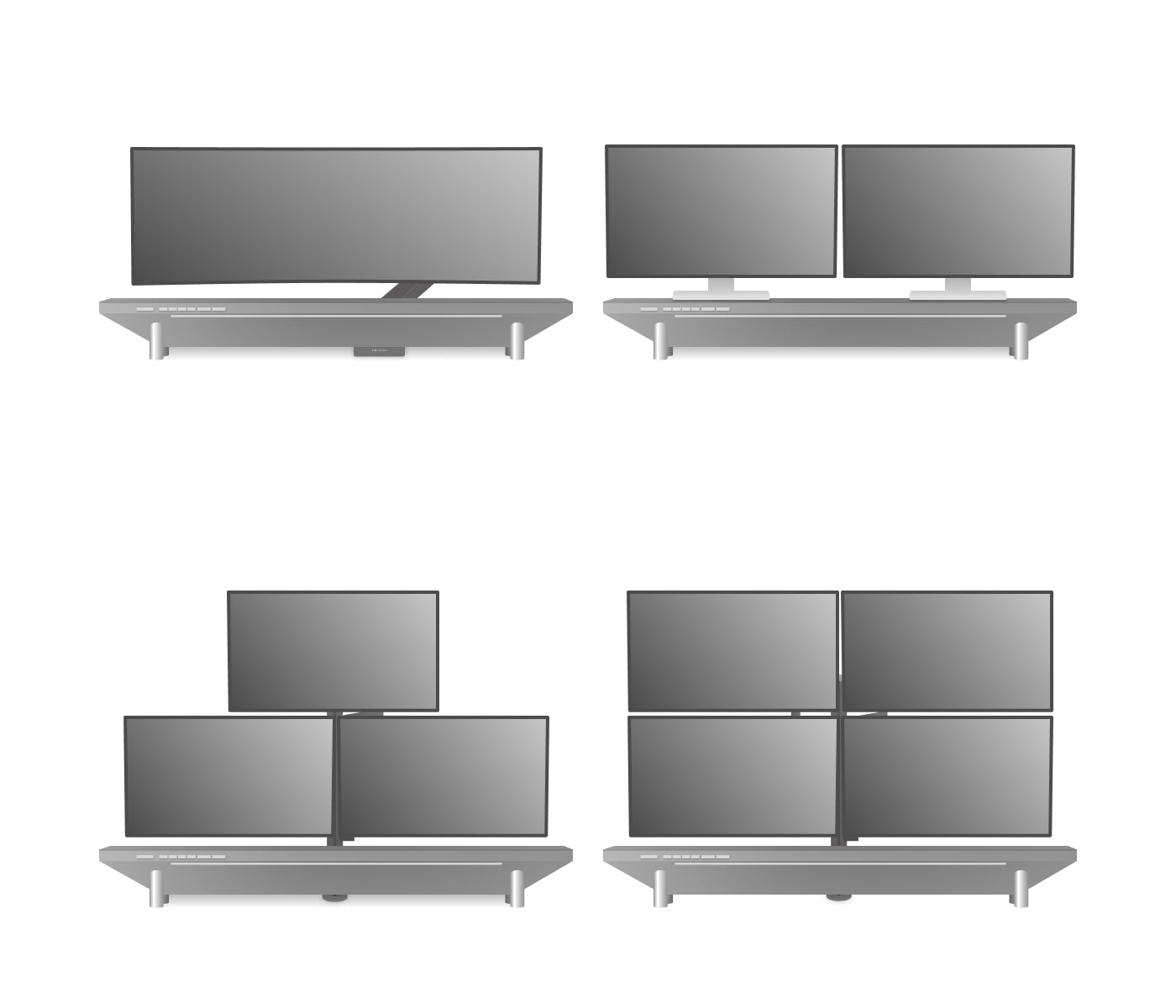
Can it support dual, triple, and ultrawide monitor setups?
Yes, absolutely. The premium unibody structure is engineered to serve as the structural anchor for complex, multi-display workstations:
- Single / Ultrawide Setup: Seamlessly accommodates premium professional displays and massive panoramic curved monitors (e.g., Apple Studio Display, Samsung Odyssey G9 49" or Neo G9 57"). Pro Tip: For oversized curved monitors, we highly recommend utilizing a Heavy-Duty Monitor Arm mounted to the desk.
- Dual-Monitor Setup: Tailored perfectly for dual 27-inch setups, providing full desktop integration for power routing and data connectivity.
- Triple-Monitor Array (Three 27-inch screens): The ultimate foundation for triple-monitor workflows: Secure your displays using a standard desk-mounted triple-arm stand. Place the Studio Plus flat on your desktop directly underneath the floating displays. Route all video and display power cords into the hidden central channel, connecting them directly to the internal Power Distribution Unit (PDU) to eliminate visible desktop clutter.
Is it worth it if I already use a monitor stand?
Yes—especially if you want more than just monitor elevation.
- It goes beyond a traditional monitor stand by combining workspace organization, power management, charging, and cable consolidation into one integrated system.
- It can replace multiple desktop accessories, including monitor risers, USB hubs, charging stations, wireless chargers, cable trays, and power strips.
- Instead of managing scattered tools, it creates a centralized workstation hub that simplifies your entire desk setup.
- It is most valuable for users with multiple devices, external monitors, and frequent charging needs.
Can I purchase and use it internationally?
Yes. To naturally support worldwide production spaces, the underlying electrical grid system is manufactured across four distinct localized hardware iterations containing specific internal AC outlets and matching country wall plugs:
- The US version(Type B) can be used in the United States, Canada, Mexico, Japan and Taiwan regions.
- The UK version(Type G) can be used in in United Kingdom, Ireland, Malaysia, Singapore, Hong Kong and Arabian Peninsula.
- The EU version(Type F) can be used in most EU countries and South Korea.
- The AU version (Type I) can be used in Australia, New Zealand, and Argentina.
For a complete list, please check "Plug & socket types around the world" at worldstandards.eu
How does it optimize professional remote work and Mac-based setups?
It functions as the ultimate command center for pro-grade remote workstations and Apple ecosystems.
- Aesthetic Synergy: The new Anodized Silver finish is explicitly calibrated to match the metallic finish and premium design language of Mac Studio, Studio Display, and MacBook Pro hardware layouts.
- Cross-Device Power Hub: Remote workers can jump-start their workstations instantly by plugging a single USB-C cable from the front panel's 100W PD port to power their primary laptop, while peripherals connect directly to the built-in data bridges.
- Visual Purity for Video Calls: By housing all secondary hubs and monitor adapters inside the internal chamber, it ensures your visible desk stays visually pure and distraction-free for home office video conferencing.
What desk size is recommended for it, and can I use a monitor arm with it?
Hexcal Studio™ Plus measures 47.3" × 8.7" × 5.9" (1200 × 220 × 150 mm) and is designed to sit on top of your desk as a complete workspace hub.
- For the best experience, we recommend a desk width of at least 55" (140 cm). Larger desks provide additional space for monitors, peripherals, and accessories.
- Monitor arms should be mounted directly to the desk, not to the Studio Plus itself. Due to the Studio Plus design and integrated functionality, monitor arm clamps cannot be attached to the unit.
- Before purchasing a monitor arm, please ensure your desk provides sufficient rear clearance and thickness for the clamp mechanism.
If you're looking to build a complete workspace ecosystem with Studio Plus, a standing desk, monitor arms, and premium accessories, we recommend exploring The Ultimate Command Center, our fully integrated desk setup designed to maximize organization, ergonomics, and productivity.
What type of workspace is it designed for?
It is designed for modern, high-device-density workstations where power, connectivity, and organization need to be centralized.
- Ideal for remote professionals, developers, designers, content creators, video editors, and gamers.
- Supports setups using laptops, external monitors, and multiple peripherals simultaneously.
- Works especially well in MacBook Pro, Mac Studio, and Apple ecosystem-based setups.
- Fits dual-monitor, ultrawide, and multi-monitor workstation configurations.
- Optimized for standing desks, home offices, and creative studio environments.
- Best suited for users who want a clean, consolidated, and distraction-free workspace foundation.
How much desk clearance does it provide?
Hexcal Studio™ Plus provides adjustable desk clearance ranging from 0.4" to 3.75", depending on the leg configuration and Extension Kit setup. This allows users to customize monitor height, storage space, and desk ergonomics based on their workspace needs.