Gifts for Tech Guys Who Have Everything: Ideas That Aren't Clichés
The person who already has a favorite keyboard, a carefully chosen monitor and strong opinions about both can still be a wonderful person to buy for. Look at what he makes, listens to and enjoys when the work is finished. There is usually something worth discovering there.
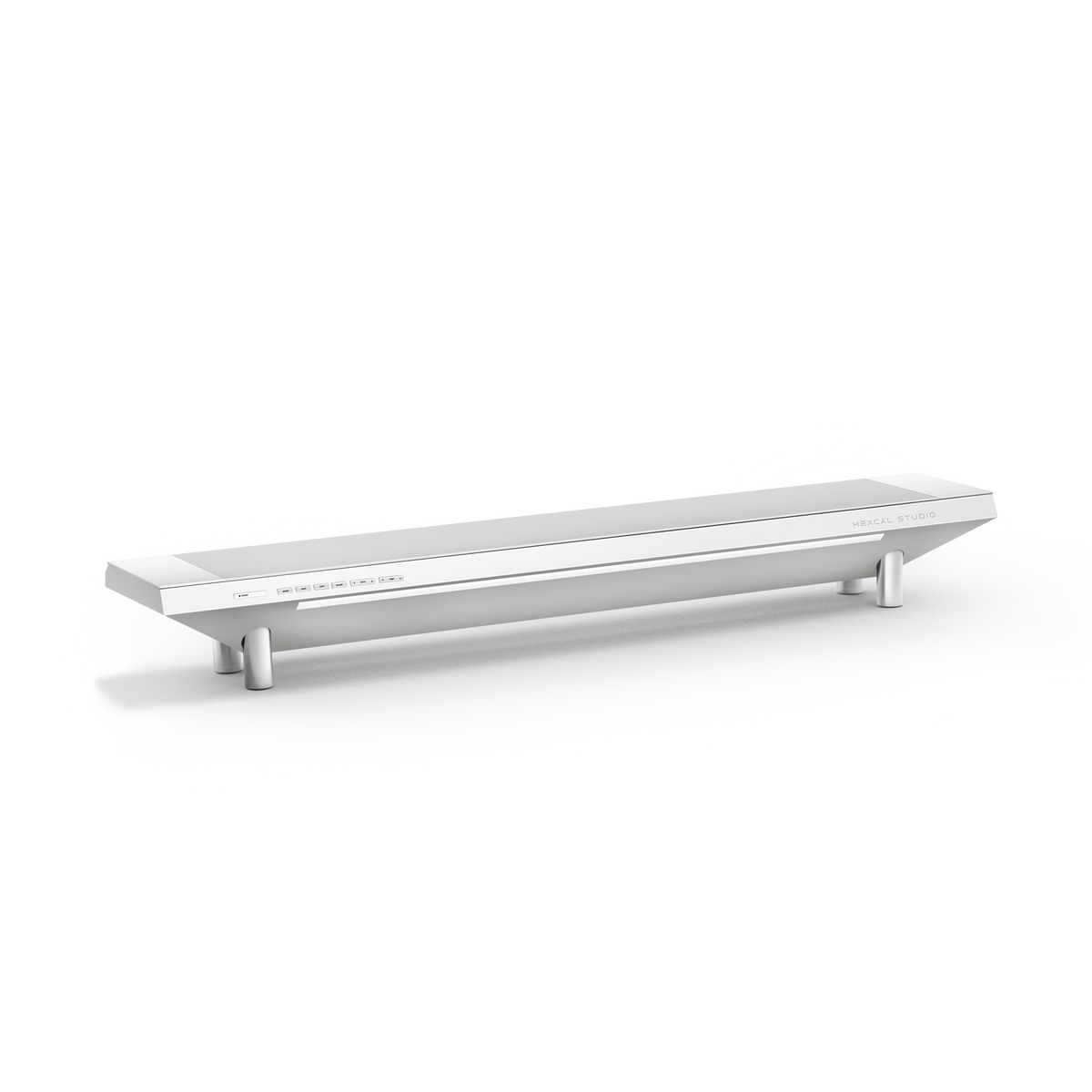
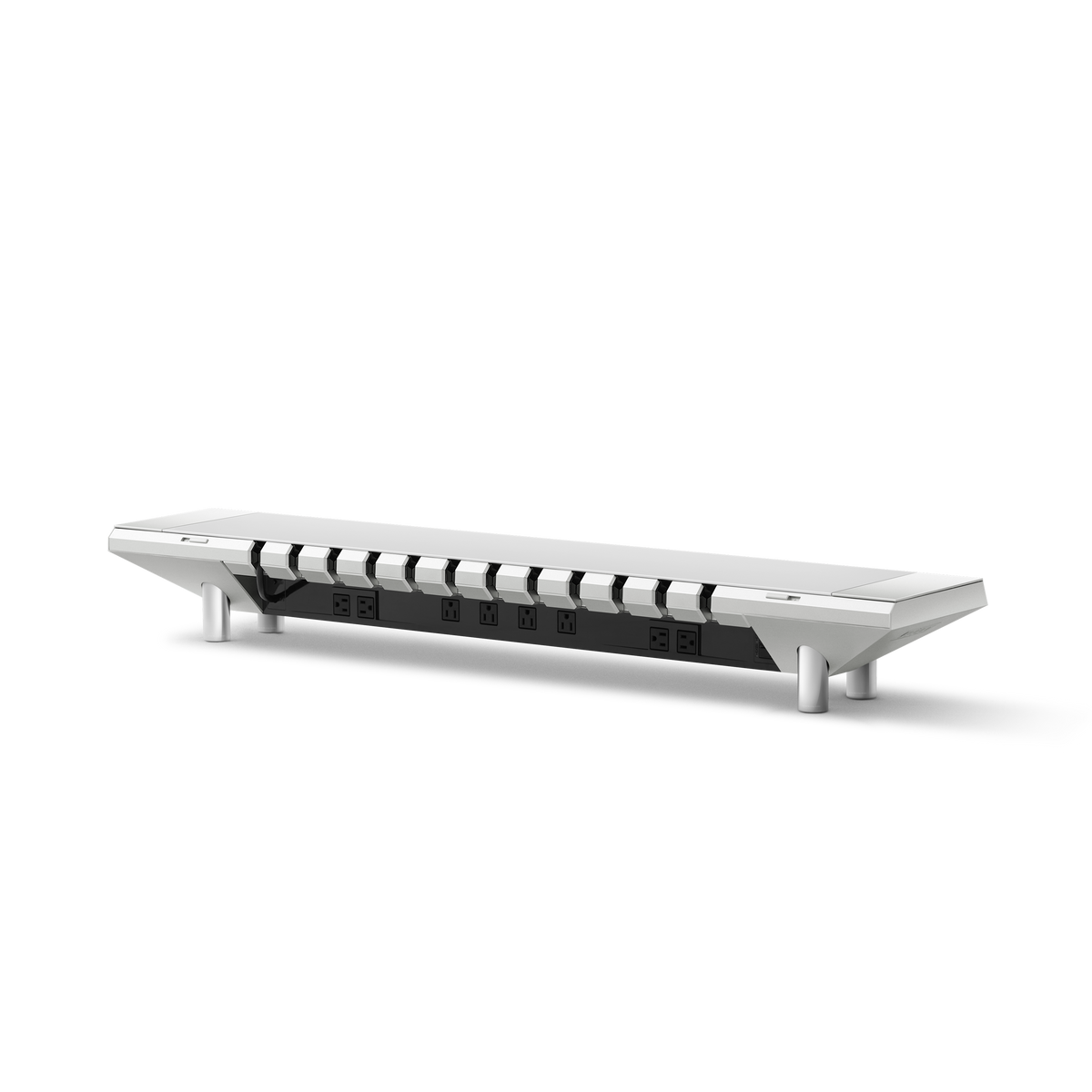
At Hexcal, we design premium workspaces around the relationship between objects: how a screen sits above the desk, where light falls, how devices connect, and what deserves to stay within reach. That is the point of view behind this collection. Alongside Hexcal Studio and our Monitor Mount System, we have selected complementary products from Apple, Nanoleaf, Teenage Engineering and other makers with something distinctive to offer.
Some gifts change an entire workspace. Others introduce a satisfying physical control, a new way to make music, or a small moment of play. Each has a particular person in mind. Start with the interest you recognize, then follow the details before choosing the model.
Find the gift that matches his curiosity
| What he cares about | Start here | The reason to choose it |
|---|---|---|
| A beautiful Mac workspace | Apple Studio Display | A considered visual center for the things he reads, edits and makes |
| Making the whole desk work together | Hexcal Studio Plus, Gen2 or Core | Integrated lighting, power and cable organization in one desk system |
| Games, films and atmosphere | Nanoleaf PC Screen Mirror Lightstrip | Screen colors that extend into the space behind the monitor |
| A genuinely useful multi-screen layout | Hexcal Monitor Mount System | A way to arrange existing displays around the work |
| Music and industrial design | Teenage Engineering OB–4 | A speaker with sound he can rewind and loop by hand |
| Drawing, photography or editing | TourBox Elite | Physical controls for frequently repeated creative adjustments |
| Streaming and a personal control console | Elgato Stream Deck + | Visible shortcuts, rotary controls and configurable actions |
| Architecture, CAD or 3D modeling | 3Dconnexion SpaceMouse Wireless | A second-hand controller for navigating three-dimensional work |
| Information without another busy screen | TRMNL OG | An electronic-paper dashboard for chosen information |
| Independent games and playful design | Playdate | A little yellow handheld with an unusual way to play |
| Making beats from everyday sounds | Teenage Engineering PO-33 K.O! | A small sampler that turns listening into an activity |
These are alternative directions, not a shopping list for one desk. A recipient who loves his current monitor may get far more pleasure from lighting or a music device than from replacing the screen.
Apple Studio Display: the screen worth building a desk around
A display occupies an enormous part of a workspace, even when the computer itself disappears beneath it. Studio Display is a compelling gift for someone who cares about how that space looks and spends much of the day reading, designing or working with images on a Mac.
The appeal is the combination of a 27-inch 5K canvas and an object that can anchor the rest of the desk. A generous photograph, a page of typography and a dense editing interface give that canvas different purposes. As a gift, it makes most sense when you know what he is upgrading from and why the new screen would matter.
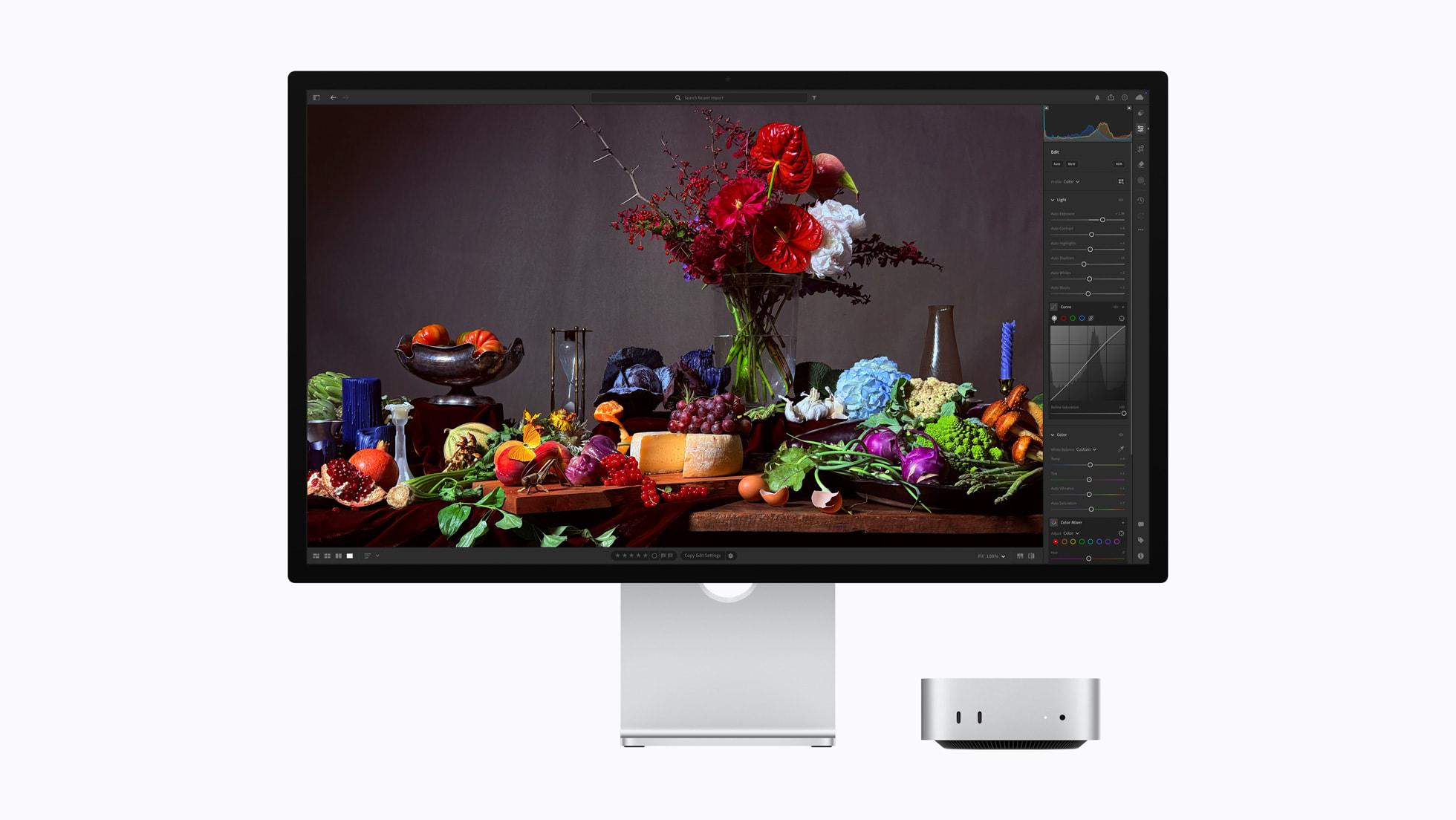
The choice of stand deserves as much attention as the glass. Apple offers tilt-adjustable and height-adjustable stands, plus a VESA mount configuration. If he plans to use a monitor arm, choose around that plan from the beginning. Do not order a standard stand model assuming it can simply attach to his existing mount.
This is also a 60Hz display. Someone shopping primarily for high-refresh competitive gaming has a different brief. Check Apple's current computer and operating-system requirements against his exact Mac before buying; the latest model's compatibility should not be inferred from an older Studio Display review.
Hexcal Studio: give the whole workspace a point of view
Some people already own excellent individual devices but have never quite resolved the space between them. The power strip is visible, chargers occupy several corners, and the monitor platform and lighting feel like separate purchases. Hexcal Studio brings those decisions together.
Studio Plus is our choice for a generous, permanent workspace with substantial USB charging needs. The raised platform, integrated lighting, power and cable organization give the desk a clear horizontal structure. It is a gift for someone who enjoys the whole environment as much as the computer inside it.
Choose the version by the desk and the devices, rather than automatically buying the most expensive one:
- Studio Plus suits a wide setup and higher USB power demand. It provides up to 160 W of total USB output, with up to 100 W from one USB-C PD port. Those are different limits, not figures to add together.
- Studio Gen2 is the full-width alternative when its lower USB charging capacity is sufficient for the equipment already on the desk.
- Studio Core brings the concept to a more compact workspace. Its 36-inch platform has a recommended desk width of at least 40 inches; Gen2 and Plus use a 47.3-inch platform with a recommended desk width of at least 55 inches.
Measure the usable surface, leave room for speakers and controls, and consider whether the monitor's current height already works. Studio is not a substitute for a video dock. The Studio Series comparison is the useful next step for checking which model fits the recipient's setup.
Nanoleaf screen-mirroring light: bring the picture into the room
There is a particular pleasure in a film or game whose color seems to spill beyond the display. Backlighting can make the wall behind a monitor part of the scene while leaving the front of the desk visually quiet. This is one of the more immediately expressive gifts in the collection.
The Nanoleaf PC Screen Mirror Lightstrip is a good candidate for someone who already likes his monitor and wants a different experience around it. It connects to a computer through USB-C and uses the Nanoleaf Desktop App on Mac or Windows to reflect on-screen colors. The flexible strip fits monitors up to 32 inches. This model is controlled through the desktop app, not the Nanoleaf mobile app.
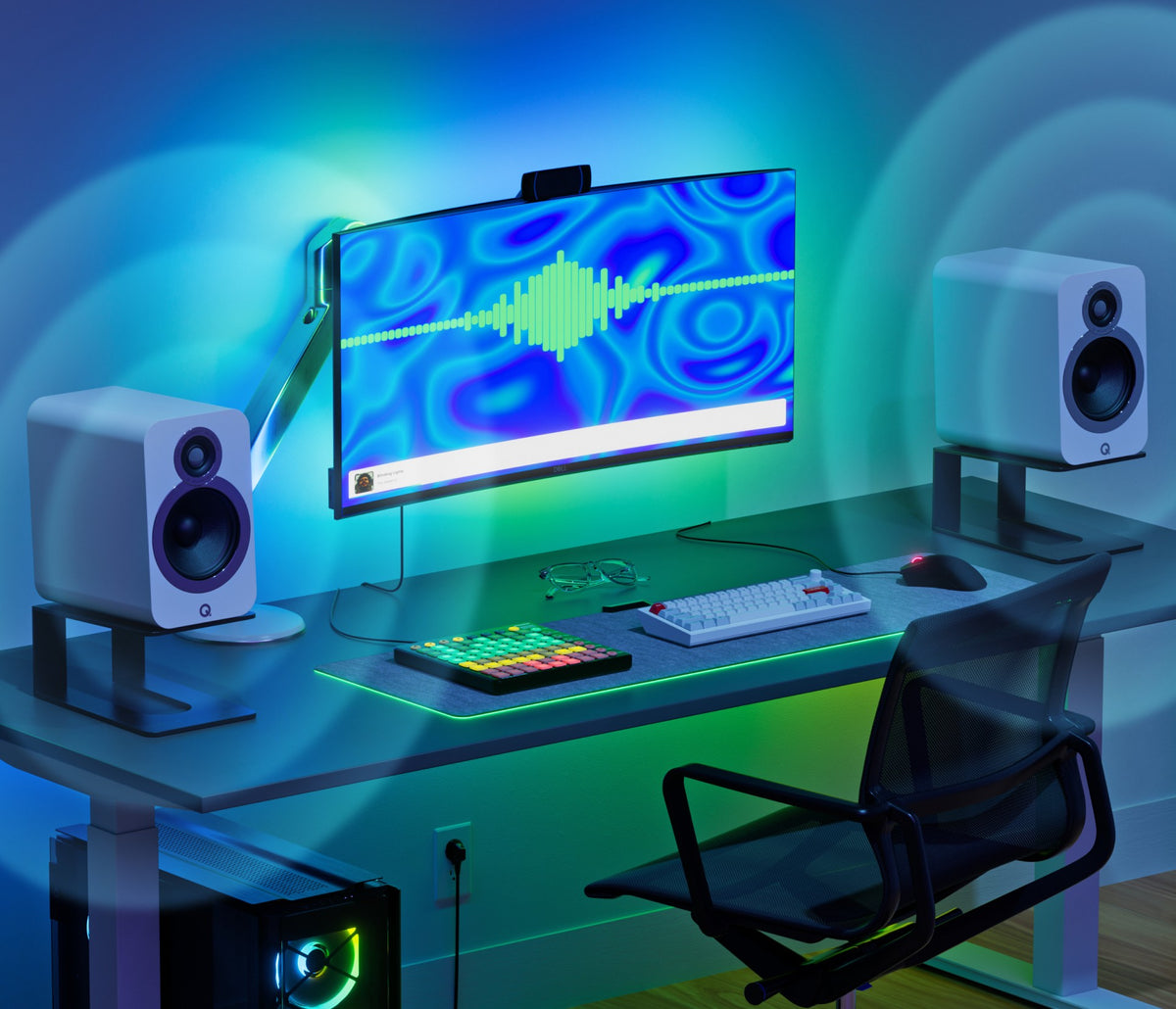
The distinction matters when shopping: an ordinary colored lightstrip may offer attractive preset scenes without following the picture. A TV kit that uses a camera, or a system that captures an HDMI signal, is a different installation. Choose the actual PC screen-mirroring product for this use.
For a restrained setup, the appeal is the hidden installation and the option to choose when the effect runs. Someone doing color-critical work may prefer it switched off while editing and on for films afterward. Check the monitor size, the rear mounting surface and his willingness to keep desktop software running before making it a surprise.
Hexcal Monitor Mount System: a gift for the way he sees his work
For a multi-screen user, the arrangement of the displays can be more consequential than another display. A reference screen might belong above the main canvas. A vertical secondary screen might hold documents. Two screens that currently compete for desk space might work better in a deliberately planned layout.
Hexcal Monitor Mount System offers dual, triple and quad configurations for those different requirements. The gift is the ability to shape a workspace around what the person actually does. It is especially relevant when several separate monitor bases are dictating the layout instead.
Buy this one with a little information. Record the exact screen models, their weight without stands, their VESA mounting pattern, and the intended arrangement. Then check the selected mount configuration and the desk's mounting point. The published clamp range is 10–45 mm; an apron, crossbar or obstructed rear edge can still change the installation.
If Studio Display is part of the plan, its VESA configuration is the starting point for that conversation. Matching a mounting pattern alone does not establish that every proposed combination has been tested together. Screen dimensions, reach, cable clearance and desk space still need consideration.
For someone with one well-positioned screen, choose another gift in this guide. This system earns its place when there is a real multi-monitor layout to improve.
Teenage Engineering OB–4: sound you can reach out and play
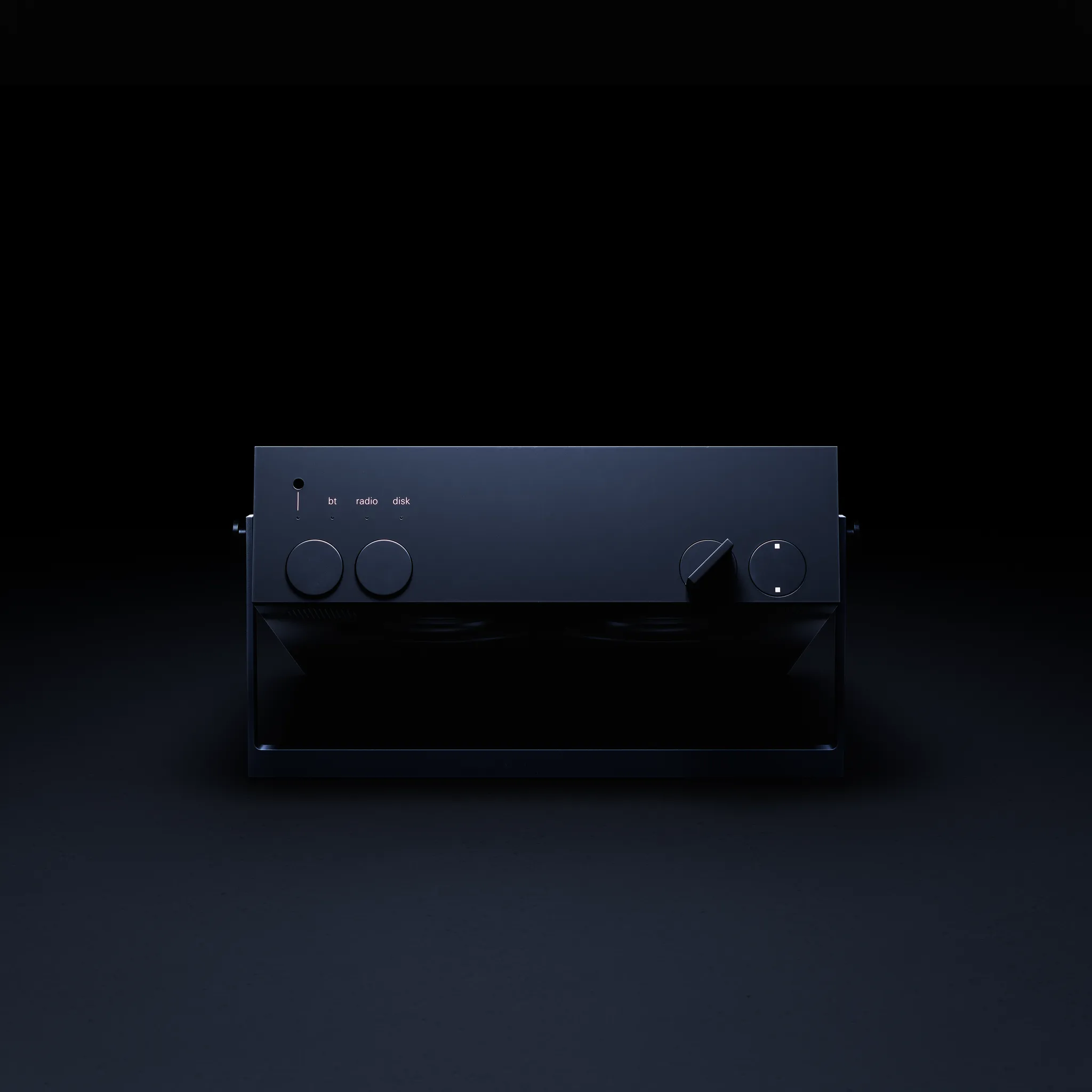
OB–4 has the appeal of a carefully designed radio and the curiosity of a small musical object. Its physical controls invite an action: turn, rewind, listen again. That makes it a particularly interesting gift for someone who enjoys both music and the way products feel in the hand.
Alongside Bluetooth, FM and line-in listening, it keeps a rolling two-hour recording that can be rewound and looped. A moment of radio can become something to explore. The reason to choose it is that interaction, rather than a longer checklist of smart-speaker functions.
Imagine the recipient who already has headphones for work but likes to put music into the room when a project is finished. OB–4 offers a different ritual from putting the headphones back on. The same physical presence makes it a plausible companion to a desk built around a few deliberate objects.
It is a more specific gift than a conventional speaker. If he simply wants background audio and already has a system he loves, the extra interaction may be irrelevant. For someone who wants a fixed two-speaker desktop system, KEF LSX II LT is another route worth considering; its placement and wired connection between speakers call for a different arrangement. Choose according to how he listens, not just how the product photographs.
TourBox Elite: put the creative work under his fingertips
Watch someone edit a photograph or draw digitally and the same adjustments recur: brush size, zoom, a parameter that needs nudging, a timeline that needs another look. A physical controller is interesting when it gives those familiar actions a place under the other hand.
TourBox Elite is the more focused choice here for a photographer, illustrator or editor who wants to configure controls around creative software. Its differently shaped buttons and rotary controls, together with tactile feedback, offer a way to develop a physical vocabulary for repeated actions. The specific mapping should follow the recipient's work.
That makes it a personal gift, but also one that asks for participation. Someone who enjoys refining shortcuts may welcome it; someone who dislikes learning another input device may leave it unused. Ask what software he uses and whether he has wanted a controller before ordering.
Choose the model carefully. The Elite discussed here supports Mac and Windows; the Elite Plus has a different feature set, including iPad support. Do not assume that every TourBox bearing a similar name supports the same devices. A preset can help someone begin, but it does not prove that every function in every software version will be available.
Elgato Stream Deck +: a small control room of his own
Stream Deck + suits a slightly different instinct: the desire to see and organize a set of actions in front of you. Its eight LCD keys, four rotary controls and touch strip can become a personal console for streaming, audio control or regularly used computer actions.

A person who streams might want scene changes and microphone controls close at hand. Someone who builds elaborate workflows might enjoy making the device respond differently as applications change. Those are useful reasons to choose it; the excitement comes from deciding what belongs on the controls.
Compared with TourBox, the visual keys are the point of distinction to consider. Choose TourBox for the person attracted to a compact creative controller operated by feel. Choose Stream Deck + for the person who wants labeled actions and a visible control surface. Buying both as a surprise creates more overlap than most people need.
Check the plugins or shortcuts for the intended job first. Elgato notes that not every Stream Deck plugin supports the dials. Before buying, name one action he would want on a button and check how to configure it in that application.
SpaceMouse Wireless: a very good gift for a very specific mind
A 3D designer spends time moving around an object as well as changing the object itself. SpaceMouse Wireless gives that navigation a dedicated physical control: push, pull, twist or tilt the cap to move through a supported three-dimensional scene while the other hand continues working with a standard mouse.
It is an unusually thoughtful direction for an architect, engineer or 3D creator whose work you understand. The gift recognizes a particular activity rather than a general enthusiasm for gadgets. It also has a clear reason to sit on an otherwise restrained desk.
The word “supported” is essential. Look up the exact application in 3Dconnexion's software list and confirm operating-system and driver requirements. Someone who spends most of the day writing, browsing or working in two dimensions has little reason to own it. Even a regular CAD user may have an established input preference worth respecting.
The Bluetooth Edition of SpaceMouse Wireless is the model considered here. Pair it with a note explaining the project that made you think of him: the model he has been building, the room he has been drawing, the object he keeps rotating on screen. That observation gives this specialist gift its meaning.
TRMNL: a quieter place for the information he cares about
A small electronic-paper display can give selected information a place in the room without turning the desk into another full computer screen. TRMNL OG is worth considering for someone who likes the idea of a personal dashboard and enjoys deciding what should appear on it.
A calendar, weather information or a chosen personal metric can have a useful home there. The attraction is the act of choosing: the screen should answer something the recipient actually wants to glance at. If he has no such question in mind, a dashboard becomes another object asking to be configured.

This is a gift for the interested organizer or tinkerer. Account connections, plugins and the initial setup are part of the proposition. The electronic-paper format is also a better match for glanceable information than for moving video or a constantly changing control interface.
TRMNL's consumer-device FAQ describes a one-time purchase with software and plugin access rather than a required recurring subscription. Check the current terms and the particular integration before ordering.
Playdate: leave room for something delightfully unnecessary
A gift collection for a technology lover should have room for play. Playdate is a small yellow handheld with a black-and-white screen and a fold-out crank used as an input in some games. It has a clear personality before the first game begins.

Its appeal is curiosity about game design. An unusual control invites different kinds of ideas, and a modest screen can put the emphasis on what a game does with its constraints. For someone interested in independent games, illustration or product design, that is a more compelling story than another comparison of computing power.
Playdate includes the 24 games of Season One, delivered after setup over a series of weeks. More games are available through its Catalog, including paid titles. The screen has no backlight, and the crank controls games rather than charging the battery.
Choose it for someone who enjoys trying unfamiliar games. A person whose wish list is entirely about major console releases may want something else. Here, the little device earns its place because it offers an enjoyable activity beyond the workday, with an object that is itself interesting to handle.
PO-33 K.O!: turn the sounds around him into a new hobby
For the person who taps rhythms on the desk or wonders how a beat was made, a small sampler can be an invitation to start making something. The PO-33 K.O! uses a built-in microphone to capture sounds and turn them into material for patterns.
A knock on a surface, a spoken sound or a small environmental noise becomes something to arrange. The pleasure is in trying an idea and hearing it come back differently. It is a more active gift than another way to play an existing music collection.
The total sampling memory is 40 seconds, and the device uses two AAA batteries. Those limits are part of choosing this particular instrument: it asks for short, deliberate experiments and some time with the controls. Include the batteries and a link to the official guide so the first evening can begin with an activity.
This is an interest-led choice. If the recipient wants to listen to music, OB–4 is the more relevant direction. If he already produces music with a mature setup, ask whether a small standalone sampler appeals to him. A music-making gift succeeds when the process is something he wants to explore.
Bring the gift into the life he already has
If the choice still feels wide, think about the moment you want to give him.
A workspace he is proud to sit down at. Studio Display and Hexcal Studio address different parts of that picture: the screen and the desk around it. Choose the one that resolves his current wish. For a large purchase, a planned setup day together can be more thoughtful than guessing the configuration.
A different atmosphere after work. Someone with a screen he loves may appreciate Nanoleaf backlighting or OB–4 more. One changes how the room looks; the other changes how he listens and interacts with sound. Neither requires replacing the central computer.
A tool that notices what he makes. TourBox, Stream Deck + and SpaceMouse have different users. The useful question is the actual action: adjusting brushes, running a stream, or moving around a 3D model. Knowing that action is worth more than buying the controller with the longest feature list.
Permission to enjoy something new. Playdate and PO-33 make room for exploration. They work best when you can connect the choice to an interest he already has, while leaving him something new to discover.
For more budget-led choices within Hexcal, explore our Christmas gift guide for desk setup lovers. If the priority is the everyday working routine, our gifts for people who work at a computer guide takes that route in more detail.
Questions before choosing
What do you buy a tech guy who has everything?
Choose around a specific interest or a meaningful change to his surroundings. A tactile creative controller, a screen-mirroring lightstrip, a carefully planned Studio setup or an unusual game device each has a different reason to belong. First find the reason that sounds like him.
Can a gift that needs software still be a good choice?
Yes, when configuring it is something the recipient will enjoy or willingly do. Check the computer, operating system and specific application. A lightstrip, controller or dashboard should have a clear purpose before it asks for another installation.
Which gifts work when you do not know his desk dimensions?
Start with interests that do not require mounting furniture or rearranging screens. Playdate or PO-33 may suit the right recipient; a specialist controller still calls for knowing his software. Save Studio, display mounts and screen replacements for a choice you can measure or discuss together.
Should you buy several items as a complete setup?
Only when the recipient wants a workspace change and you can plan it with him. A thoughtful single item can be a complete gift. For a combined setup, check each product's power, data, mounting and space requirements separately, and leave room for the things he already loves.