The Perfect Christmas Gift Guide for Desk Setup Lovers and Home Office People
Hexcal brings design and engineering to premium workspaces, from integrated Studio workstations and standing desks to monitor arms and everyday desk essentials. Power, lighting, organization and the way a desk looks are considered together, so each piece has a role in the space around it.
This is Hexcal's 2026 gift guide: a selection from our collection for people who value a thoughtfully put-together workspace. The recommendations range from small accessories to larger upgrades, with budget, daily use and the recipient's existing setup guiding the choice.
If you know little about someone's desk, start with something they can carry: a pouch for chargers and adapters, or a small cable-organizing kit. If you know their monitor and desk dimensions, an arm or storage upgrade becomes a more considered gift. A standing desk or integrated workstation is a purchase to choose together.
Start with the workspace you know
| What you know about the recipient | Start here | What could change the choice |
|---|---|---|
| They commute with chargers, adapters and small devices | Tech pouch | Their bag may already have enough organization; check the pouch's size |
| They want to tidy cables at a permanent desk | Cable kit; a tray for power strips and adapters | Clips, ties and a tray solve different parts of the problem; check attachment rules |
| Their monitor stand takes up space they want back | Monitor arm | You need the screen model, weight without its stand, VESA pattern and a suitable mounting point |
| Their work surface holds notebooks and small belongings | Drawer | Check the clear space under the desktop and what must fit inside |
| They want one surface for a keyboard and mouse | Desk mat | Measure the usable area and ask about their preferred surface texture |
| They are planning a larger home-office upgrade | Studio or a standing desk, chosen together | Room dimensions, working height, power configuration and installation all matter |
For a coworker whose workspace you have never seen, keep the gift portable. For a partner or parent, a quick look at the actual desk can open up more useful choices. A photograph helps with layout; the monitor's model number and a few measurements settle the questions a photograph cannot.

Under $50: choose between carrying, routing and everyday access
Prices below are in USD and were checked on November 10, 2026. They are product prices before any applicable tax or delivery charge; check the current product page and checkout total against your gift budget.
The Cable Management Kit, $29, suits someone who wants to organize several cable runs. Its mix of reusable straps, ties, clips and sleeves gives them different ways to group cables and secure a route. That makes it a useful small project for a home desk or PC setup. It is less suitable for someone who wants an accessory they can open and use immediately: they still have to sort the cables and decide where each run belongs. At a managed office desk, check whether adhesive clips or other attachments are allowed.
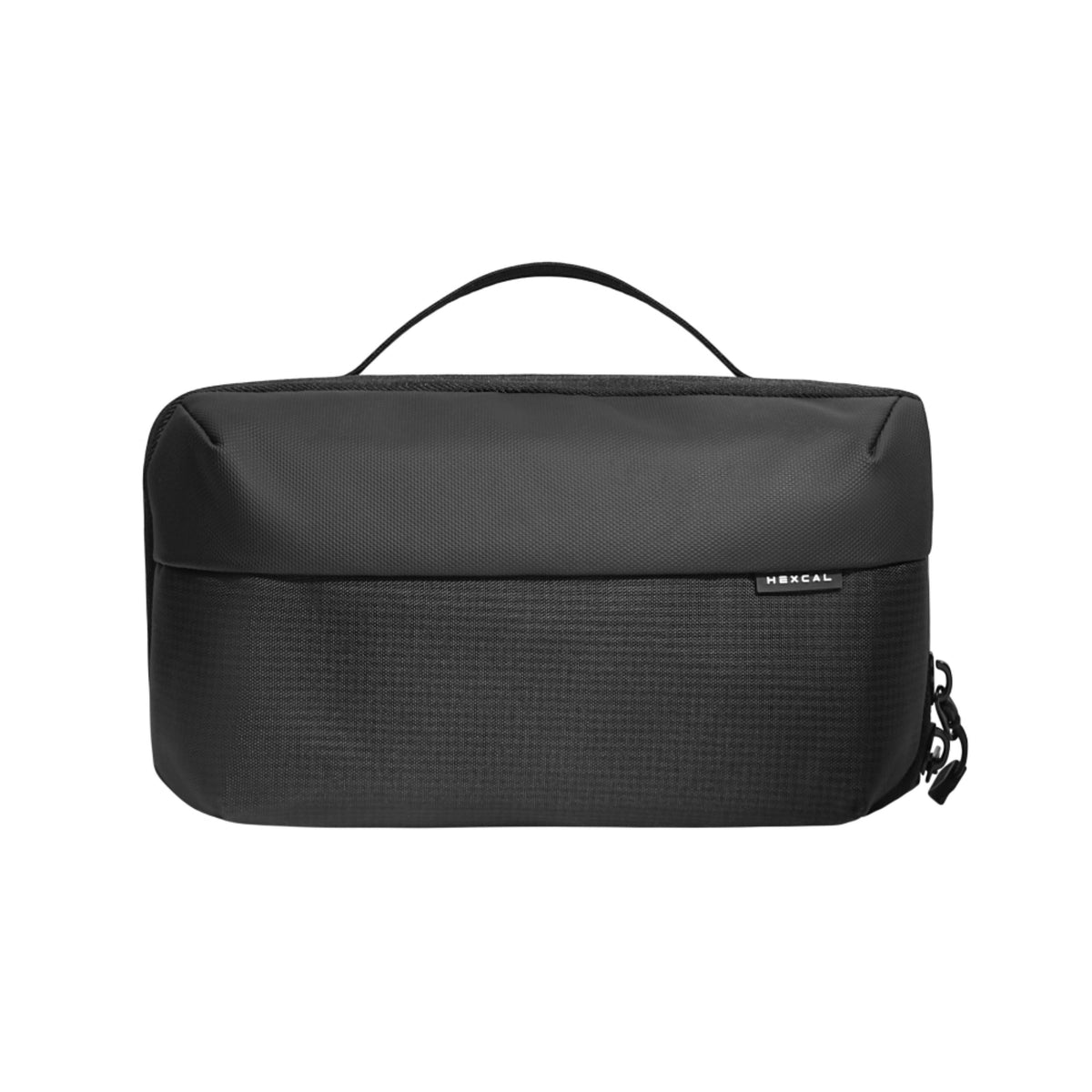
The Tech Pouch, $47.20, suits someone who carries the same accessories between places. It gives a charger, adapters, cables and small items one place in their bag. The decision is between organizing the bag and organizing the desk: a hybrid worker may benefit from the pouch at both locations, while a tray stays with one desk. Check the pouch's 240 × 150 × 70 mm dimensions against the bag they actually use. It is an accessory pouch, not a laptop sleeve, and a large charger still needs to fit.
Cable anchors, $31.20 for four, suit a smaller problem: keeping a cable within reach. Compare these with the kit if the recipient's cable routing is already tidy but a charging lead keeps falling behind the desk. If the budget is a strict $30, the set is above it; the $29 kit only fits if any additional charges also fit your cap.
A magnetic charging cable, $31.20–$47.20, needs a device check. Before choosing one, confirm the connector, the device it will charge and the required charging or data capability. The price range covers options, so choose the actual version before wrapping it. If you cannot find out what phone or laptop they use, a pouch avoids that compatibility decision.
$50–$150: buy one upgrade for a problem they have mentioned
This range includes a monitor arm, a mat and a drawer. Their prices overlap, but their jobs do not. A recipient who wants room below the screen may value an arm; someone who keeps moving notebooks out of the way may prefer storage.
| Option | Product price | The reason to choose it | Check before ordering |
|---|---|---|---|
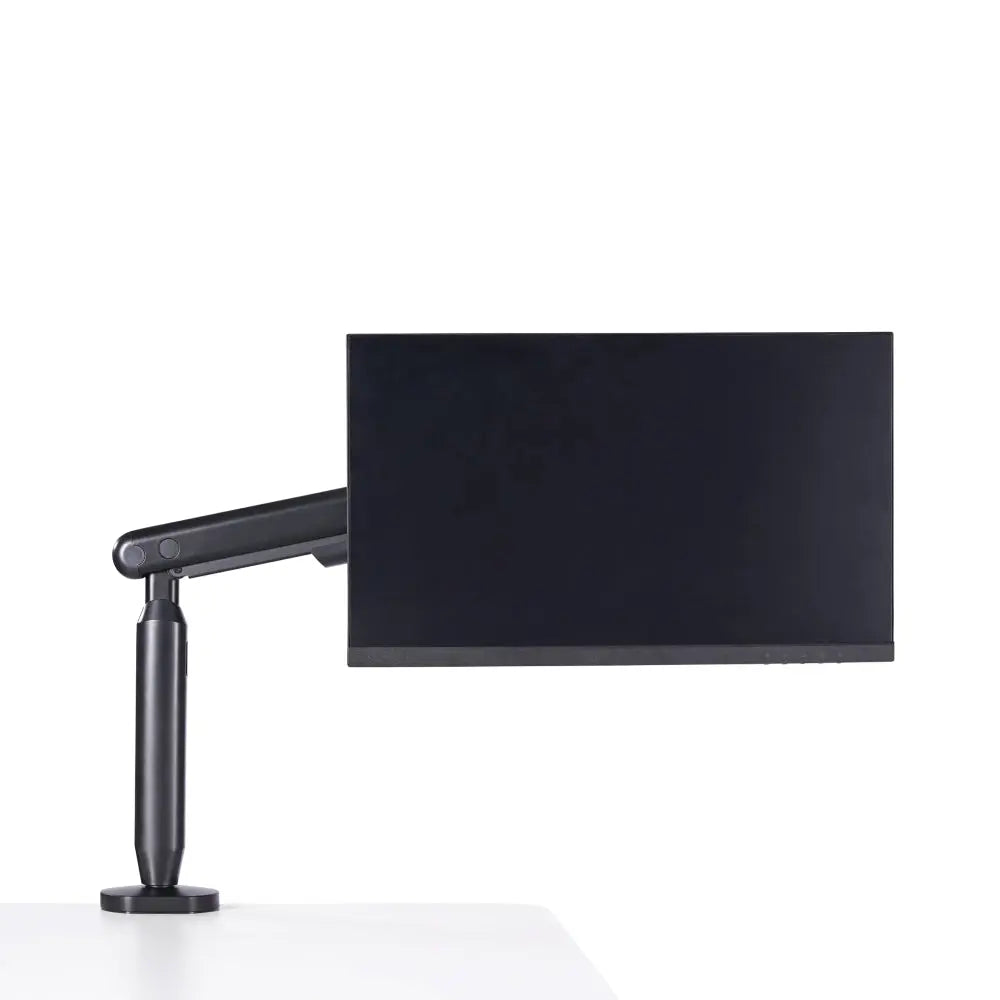
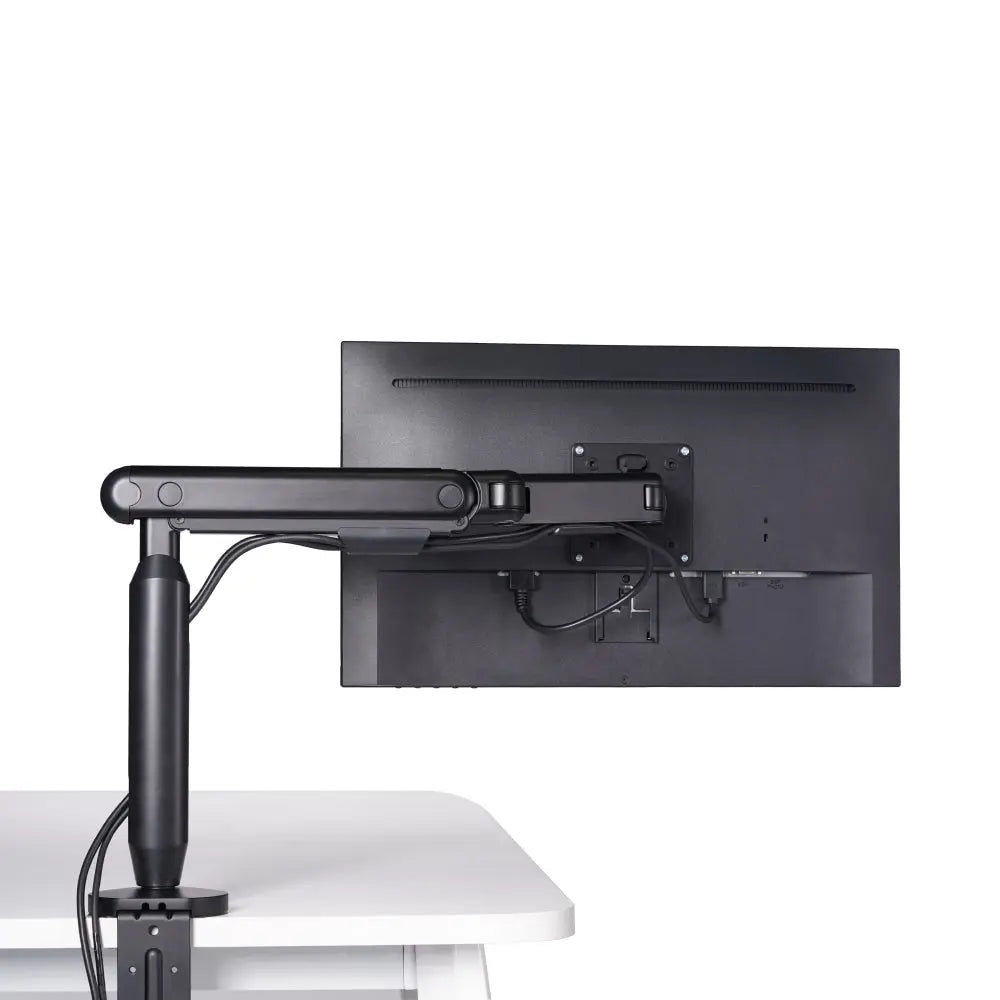
| Single Monitor Arm | $79.20 | Move a compatible screen off its original stand and adjust its position | Screen weight, VESA pattern and the desk's mounting area |
| Heavy Duty Monitor Arm | $129 | Mount a large or heavy display that needs its particular load and size range | Exact screen model, flat versus curved rating, mounting geometry and installation help |
| Desk Mat Bundle | $118 | Give the keyboard and mouse a shared surface | Space for an 800 × 400 mm mat, surface preference and whether a wrist rest is wanted |
| Under-Desk Drawer | $138 | Move small belongings from the work surface into storage | Clear mounting space, desktop structure and the size of the items to store |
Single arm or heavy-duty arm?
The Single Monitor Arm is the starting point for a compatible screen up to 35 inches, weighing 3–11 kg without its original stand. Its VESA plate supports 75 × 75 and 100 × 100 mm patterns. The stated desktop thickness range is 10–80 mm for the clamp or 10–35 mm for the grommet mounting option.
Those are specifications for this Hexcal model, not universal rules for every monitor arm. A desk can be within the thickness range and still have a frame rail, beveled edge or other obstruction where the clamp must sit. Ask for a photo of the underside as well as the thickness. Check the screen model even when its diagonal size looks ordinary; size alone does not establish weight or mounting compatibility.
The Heavy Duty Monitor Arm has a different use case and mounting range: up to 57 inches, 2–27 kg for flat displays or 2–22 kg for curved displays, with 10–45 mm stated clamp thickness. Paying more for it does not improve a gift if the recipient's screen and desk are better matched to the single arm. For a large display, agree on the model and installation plan with the recipient. The monitor-arm compatibility guide covers the mounting point in more detail.
Mat or drawer?
A mat is useful when the recipient wants a different work surface or a defined area for the keyboard and mouse. Measure the usable space in front of the monitor, including the keyboard, mouse travel and any microphone or laptop stand. A rectangular desktop dimension alone does not tell you whether an 800 × 400 mm mat will sit comfortably in that arrangement. Ask about texture and whether they want a wrist rest; those are preferences a specification sheet cannot settle.
A drawer is the better category when the issue is where to put small belongings between uses. Hexcal's drawer is 31.1 inches wide overall, with a 27.5 × 8.4 × 2.2-inch storage space and a 22 lb stated load limit. It requires a wood-based desktop at least 20 mm thick. Check the underside for desk rails, controls and other accessories, and leave space for the drawer to open. Compare the internal dimensions with the objects they intend to put away, especially a laptop in its sleeve. The overall width and height are not the usable storage dimensions.
Neither option replaces cable routing. For a power strip and adapters below the desk, move to the tray comparison below.
$150–$500: distinguish cable storage from screen mounting
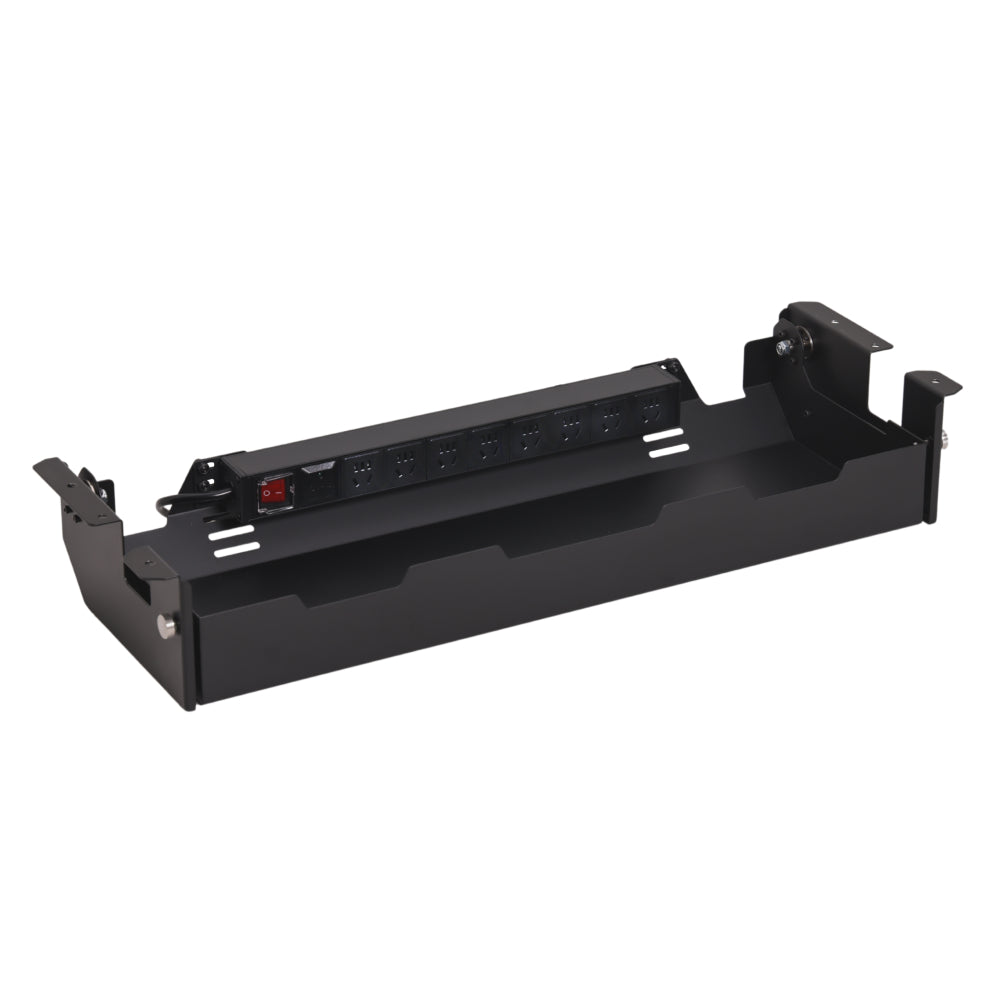
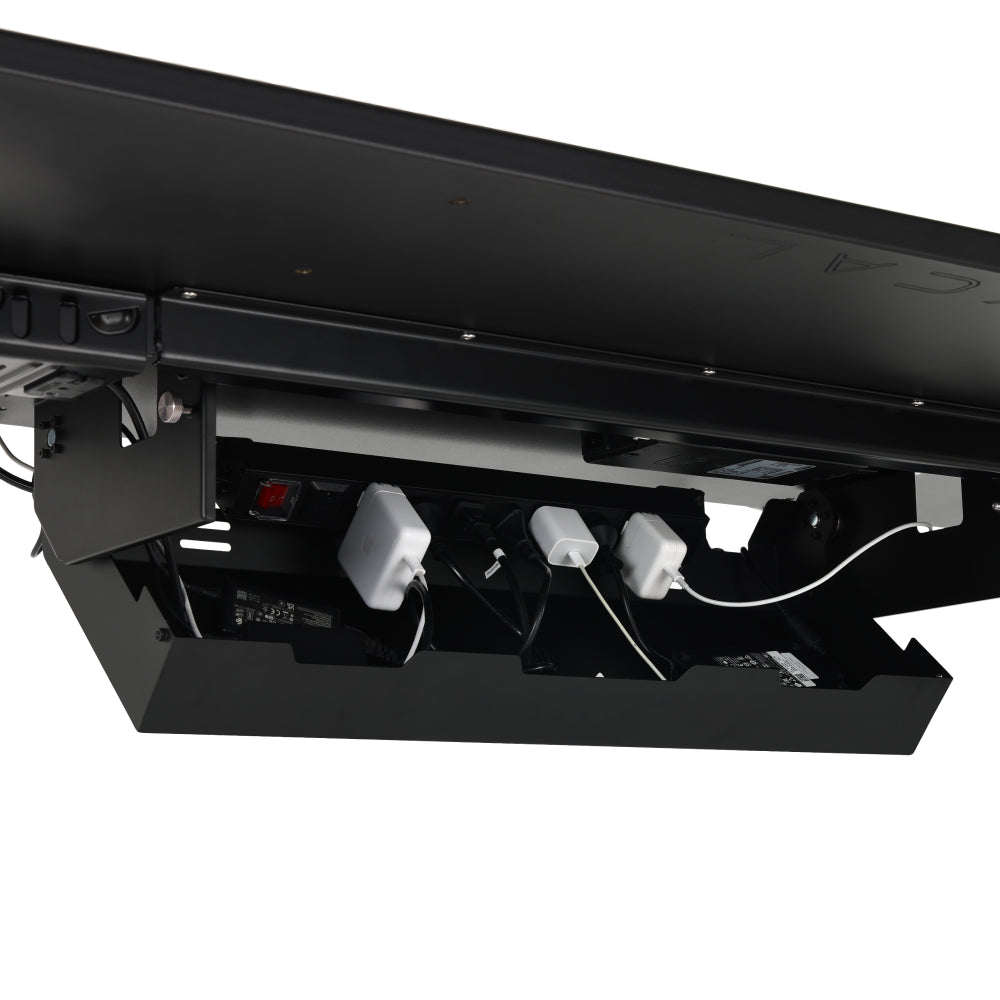
The Under-Desk Cable Management Tray, $158, is for the power strip, adapters and excess cable below a permanent desk. A cable kit groups and secures runs; the tray gives the bulkier equipment a place to sit. If loose adapters occupy the floor, the tray addresses something a desk mat or pouch will leave unchanged.
For this tray, check the 31.1-inch overall width, the intended mounting space, a wood-based desktop at least 20 mm thick, and the 15 lb load limit. Leave room for connectors, access to the power strip and the desk's existing structure. Confirm the destination's socket and power configuration when selecting it. If it is going on a standing desk, the cable route must allow the desk to move through its full working range without pulling a plug or catching a cable. The standing-desk cable guide explains that separate routing task.
The Monitor Mount System, $188–$328, belongs on the shortlist when the recipient wants to mount multiple screens. Before choosing a configuration, find out how many screens they use, their exact models, whether they want them stacked or side by side, and where the mounting point can go. Compare it with separate arms only after those requirements are known. Buying the system as a surprise leaves the most important configuration decisions to chance.
At this budget, it is also reasonable to buy one smaller item and leave the rest unspent. If a pouch solves the problem you know about, a larger budget does not create a need for mounting hardware.
Four gift situations, with the tradeoff made explicit
These are example shopping situations, not reports of customer purchases. Product totals exclude tax and delivery.
A $60 budget for someone who works between home and an office
Suppose they carry their charger and adapters each day, and you do not know the dimensions of either desk. The $47.20 pouch is the straightforward choice if it fits their bag and they do not already have an organizer they like. An arm might improve one desk, but you do not have the information or permission needed to choose it. Spend against the travel routine you know about.
A $150 budget for a single-screen home desk
Suppose the recipient wants space under a 27-inch screen. You have checked that the display weighs 6 kg without its stand, uses 100 × 100 mm VESA, and has a clear mounting area on a 25 mm desktop. Those details put the single arm on the shortlist at $79.20, subject to the desktop material, reach and installation checks. The $129 heavy-duty arm is not automatically the better present; it addresses a different screen and mounting requirement. If the actual complaint is notebooks covering the surface, discuss the drawer instead.
A $250 budget for a desk with adapters on the floor
After checking the tray's dimensions and mounting requirements, a $158 tray plus a $29 cable kit totals $187. The tray holds the bulky equipment; the kit helps route the leads. This combination makes sense when both jobs need doing. A charging accessory may look neater in a gift box, but it would leave the floor equipment where it is. Check the loaded weight and access before deciding this is the right combination.
A generous budget for a parent rebuilding a home office
Ask which parts of the setup they want to change before choosing a large gift. If the existing desk is staying, an integrated riser may be relevant. If its height or room footprint is wrong, start with the desk decision. Choose the size, finish and configuration together, then plan delivery and assembly. You can still keep the presentation a surprise while agreeing on the equipment.
For a fixed office exchange, use the coworker gift guide to think through the setting and confirm every item's current price against the agreed cap. For a parent with an established hobby desk, the home-office gifts for dad guide goes further into choosing around what is already there.
$500 and above: choose the workstation together
An integrated riser can be a considered gift for someone who wants screen support, power and lighting in one unit. First establish where the screen should sit, how much room the unit leaves for the keyboard and other equipment, and whether its power configuration suits the destination.
Within the Studio range, Core is $549, Gen2 is $749 and Plus is $949. Core's shorter 36-inch format starts with a different space requirement from the 47.3-inch Gen2 and Plus. The product guidance calls for a desk at least 40 inches wide for Core or 55 inches for Gen2 and Plus; check depth and the actual equipment layout as well. These are starting requirements, not a guarantee that every desk of that width will suit the finished setup.
Choose the larger format for a layout that benefits from the additional surface and fits it. Plus becomes relevant when its higher USB charging output matches the recipient's devices and power needs. A high purchase budget alone is not a reason to choose it. Confirm the individual ports and charging requirements on the product page; power and USB features do not establish that a unit replaces the recipient's video dock.
The Studio comparison page is the next step once you know the available space and devices. A standing desk at $989–$1,299 or an Inspire chair at $799 needs an additional conversation about working height, body fit, room access and setup. For a chair, include the recipient in the choice. Read the warranty's scope and exclusions as service terms; its length does not tell you how long an individual product will last.
Before you order: ask four specific questions
- “What do you keep moving out of the way?” The answer distinguishes a screen stand, loose belongings, a charging lead and under-desk equipment. Each points to a different gift category.
- “Does this stay at your desk or travel in your bag?” A portable gift can work across locations. A mounted gift needs a desk the recipient controls.
- “Can you send the model number and a photo of the space?” For a mount, include the monitor model and the underside of the desk. For storage, include the frame rails and what needs to fit inside.
- “When will you open and install it?” Check the current delivery estimate, return terms and any installation arrangements against that date. A holiday gift may sit wrapped for weeks before the recipient can try it.
If the recipient would rather choose a large item themselves, agree on it together and give a smaller accessory on the day. That keeps an expensive purchase tied to their preferences without leaving all the research to them.
Continue with the question that remains
- Buying during a sale: the Black Friday desk setup checklist covers purchase order and the checks to make before a discount becomes relevant.
- Choosing an arm: the monitor-arm buying guide for Black Friday expands the load, mounting and parts comparison.
- Choosing a desk: the standing-desk Black Friday guide is the desk-specific part of the series.
- Choosing for a screen-based workday: the computer-worker gift guide organizes options around the daily setup.
- Buying for an established enthusiast: start with gifts for tech guys or premium desk gifts, then verify the equipment they already own.
- Arranging a team exchange: the office gift exchange guide covers the occasion and the rules to agree before shopping.
- Decorating rather than upgrading equipment: use the individual desk decoration ideas or shared-office decoration guide.
- Comparing Hexcal models: the Hexcal holiday guide provides the brand-specific continuation.