Ideen für die Schreibtischbeleuchtung: Warum eine Monitor-Lichtleiste einer herkömmlichen Schreibtischlampe überlegen ist

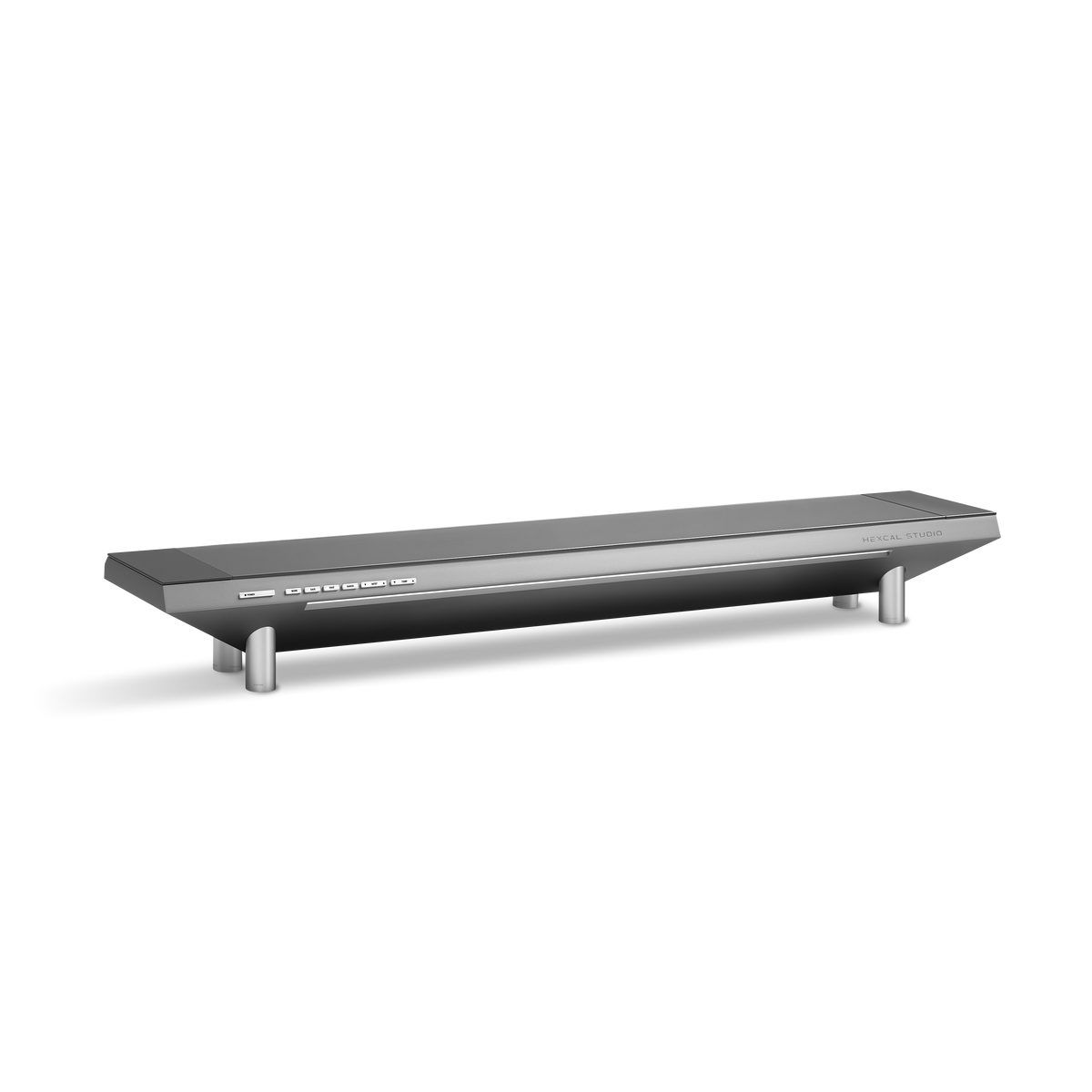
Die meisten Schreibtischbeleuchtungskonzepte scheitern aus dem gleichen Grund: Sie fügen einem Schreibtisch, der nicht mehr Licht benötigt, zusätzliches Licht hinzu. Der Bildschirm vor Ihnen ist bereits ein 300-Nit-Panel, das acht Stunden lang Photonen auf Ihr Gesicht strahlt. Wenn Sie eine helle Schreibtischlampe daneben anbringen, haben Sie nichts gelöst. Sie haben eine zweite Lichtquelle eingeführt, die mit der ersten konkurriert, einen harten Reflex über das obere Drittel Ihres Displays wirft und Ihre Pupillen dazu zwingt, den Kontrast auszugleichen. Die herkömmliche Antwort auf einen dunklen Arbeitsplatz ist "kaufen Sie eine hellere Lampe". Die richtige Antwort ist, eine kleinere Menge Licht genau an der richtigen Stelle zu platzieren und es vollständig vom Bildschirm fernzuhalten. Das ist das ganze Argument für eine Monitor-Lichtleiste, und deshalb integriert eine Plattform wie das Hexcal Studio ihre Beleuchtung in die Struktur, anstatt Sie eine weitere Lampe positionieren zu lassen.
Wichtigste Erkenntnisse
- Allgemeine Richtlinien für die Bürobeleuchtung sehen etwa 300–500 Lux am Schreibtisch für Bildschirm- und Papierarbeiten vor; darüber hinaus neigt zusätzliches Umgebungslicht eher dazu, Bildschirmblendung als Klarheit zu verursachen.
- Eine Monitor-Lichtleiste punktet durch ihr asymmetrisches optisches Design: Der Strahl ist nach unten und vorne auf die Tastatur und den Schreibtisch gerichtet, niemals zurück in das Panel, das Reflexionen verursacht.
- Für anhaltende Bildschirmarbeit ist eine mittlere Farbtemperatur meist am angenehmsten: warm genug, um das klinische Blau von Tageslicht-LEDs zu vermeiden, kühl genug, um den Text scharf zu halten.
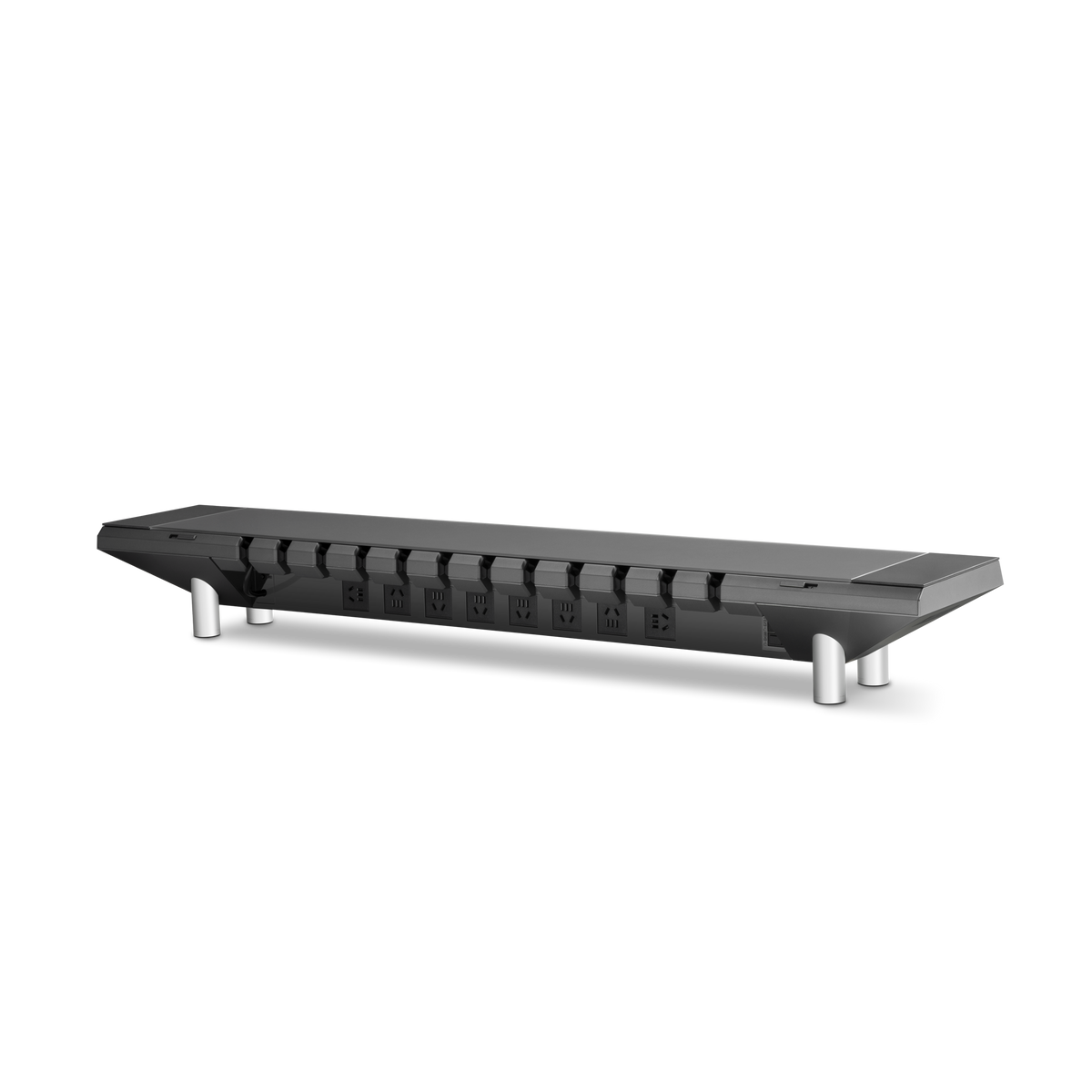
- Wählen Sie eine Klemmleiste, wenn Sie einen Bildschirm und sonst nichts beleuchten möchten; wählen Sie eine integrierte Plattform (Hexcal Studio), wenn Sie Beleuchtung, Stromversorgung und Kabelführung als ein einziges System lösen möchten.
- Integrierte Beleuchtung eignet sich nicht für einen wandmontierten schwebenden Schreibtisch ohne Oberfläche für einen Sockel oder ein Gehäuse. Für diese Einrichtung ist immer noch eine klemmbare Leiste erforderlich.

Stufe 1: Das Problem diagnostizieren, bevor man auch nur ein Watt hinzufügt
Bevor Sie etwas kaufen, messen Sie, was Sie haben. Allgemeine Richtlinien für die Bürobeleuchtung legen eine angenehme Schreibtischbeleuchtung bei etwa 300–500 Lux für gemischte Bildschirm- und Papierarbeiten fest, und wenn Sie weit darüber hinausgehen, kehren sich die Effekte um. Der Grund ist kontraintuitiv: Mehr Umgebungslicht erhöht die Helligkeit von allem um Ihren Monitor herum, was den Kontrast des Bildschirms selbst abflacht und Sie dazu zwingt, die Displayhelligkeit als Ausgleich zu erhöhen. Eine kostenlose Luxmeter-Telefon-App wird Ihnen innerhalb von dreißig Sekunden sagen, ob Ihr Schreibtisch unterbelichtet (unter 300 Lux), richtig beleuchtet oder überflutet ist. Der häufige Fehler ist nicht ein zu dunkler Schreibtisch. Es ist ein ungleichmäßig beleuchteter, mit einer hellen Deckenleuchte hinter Ihnen, die eine Reflexion auf das Glas wirft.
Dies ist der diagnostische Schritt, den die meisten Anleitungen zur Schreibtischbeleuchtung überspringen. Sie springen direkt zu Produktlisten. Die Lösung für "Reflexion auf meinem Bildschirm" ist fast nie "mehr Lumen". Es ist die Verlagerung des Lichts unterhalb und vor der Sichtlinie, was genau die Aufgabe ist, für die eine Monitor-Lichtleiste entwickelt wurde.

Stufe 2: Der asymmetrische Strahl – was eine Lichtleiste tatsächlich bewirkt
Eine Monitor-Lichtleiste ist eine lineare LED-Leuchte, die auf dem oberen Rahmen Ihres Displays ruht. Ihr entscheidendes Merkmal ist nicht, dass sie Platz auf dem Schreibtisch spart, obwohl sie das tut; es ist das asymmetrische optische Design. Anstatt Licht in einem symmetrischen Kegel wie eine Schreibtischlampe abzustrahlen, lenkt die Optik den Strahl nach unten und vorne, auf die Tastatur und die Schreibtischoberfläche, während der Bildschirm hinter einer scharfen Abschaltlinie abgeschirmt wird. Kein Licht erreicht das Panel, sodass keine reflektierende Blendung in Ihre Augen zurückgeworfen wird.
Eine Schreibtischlampe kann dies nicht zuverlässig leisten. Ihr Gelenkarm bietet Flexibilität, aber dieselbe Flexibilität bedeutet, dass der Lichtkegel nur einen unachtsamen Stoß davon entfernt ist, über Ihr Display zu streichen. Tipp: Wenn Sie bereits eine Lampe besitzen und sich weigern, sie zu ersetzen, positionieren Sie sie leicht hinter und seitlich der Tastatur, niemals neben oder hinter dem Monitor, wo sie direkt in Ihre Augen spiegeln würde. Es ist ein Workaround, keine Lösung.

Stufe 3: Farbtemperatur und der Mythos des Tageslichts
Die dritte Variable ist die Farbtemperatur, gemessen in Kelvin, und hier gehen die meisten Schreibtischbeleuchtungsideen falsch, indem sie "Tageslicht" verfolgen. Eine 6500K Tageslicht-LED sieht in einem Ausstellungsraum produktiv aus und fühlt sich um 21 Uhr klinisch an. Für anhaltende Bildschirmarbeit ist eine mittlere Farbtemperatur meist die bequemere Wahl: warm genug, um den Blaustich zu mildern, kühl genug, dass der Text scharf bleibt und Sie nicht einschlafen. Der ernsthafte Schritt ist eine einstellbare Temperatur, so dass der Schreibtisch wärmer wird, wenn der Raum dunkler wird.
Dies ist genau der Hebel, den eine integrierte Plattform besser nutzt als eine feste Leiste. Die integrierte Beleuchtung des Hexcal Studio Plus bietet drei diskrete Modi – Warm, Kühl und Tageslicht – über einen vollen Bereich von 2700K bis 6500K mit einstellbarer Helligkeit, so dass die gleiche Oberfläche, die Ihre Geräte mit Strom versorgt, auch ihr eigenes Leuchten anpasst. Eine Clip-on-Leiste mit fester Temperatur kann sich nicht an den Raum anpassen. Eine einstellbare Einrichtung ist die Art, mit der Sie nach der ersten Woche aufhören zu basteln, weil das Licht bereits der Stunde entspricht, anstatt Sie dazu zu zwingen, zwischen zu blau und zu dunkel zu wählen.
Mehr erfahren