Minimalistische Schreibtisch-Setup-Ideen für maximale Konzentration: Ein 3-Regel-System

The most common way people chase a minimalist desk is also the way that fails: clear everything off the surface, take the photo, then watch the items creep back over the next two weeks. That is aesthetic subtraction, not minimalism. Removing tools until the desk looks empty does nothing to protect your focus. The clutter simply moves to a drawer, and you keep reaching for things mid-task. The best minimalist desk setup ideas are about integrating what you need so completely that nothing on the surface competes for your attention, rather than simply owning less. That is what an integrated platform like the Hexcal Studio is built for: a desk that stays in flow all day, not just one that looks calm in a single photo.
Key Takeaways
- Minimalism is integration, not subtraction. Hide-and-forget setups regress within weeks because the tools you removed are still the tools you need.
- Visual clutter has a measurable cost. Princeton Neuroscience Institute fMRI work shows competing stimuli suppress each other's activity in the visual cortex.
- Every time you reach for a buried tool you trigger a task switch, and Sophie Leroy's 2009 research shows each switch leaves "attention residue" that degrades the next task.
- Follow three rules in order: consolidate power to one source, reclaim the surface by going vertical, then anchor what remains so the clean state holds.
- Route cables in four phases and contain them under the desk, so the surface stays clear without a visible cord on top.
- Skip this if you rely on a constant physical archive or work better as a deliberate maximalist. A single clean surface fights that workflow instead of supporting it.
Why "Empty" Is the Wrong Goal for a Focus Desk
A minimalist desk is supposed to do one job: keep your attention on the work, not the environment. There is hard science behind why that matters. Researchers at the Princeton Neuroscience Institute used fMRI to show that multiple stimuli in the visual field compete for neural representation, mutually suppressing each other's activity in the visual cortex. A surface scattered with chargers, sticky notes, and a tangle of cables actively competes for the processing capacity you want spent on the task, rather than fading into neutral background.
This is why "empty" is the wrong target. A bare surface that forces you to open a drawer for headphones, then a bag for a dongle, generates a task switch every time. The goal of good minimalist desk setup ideas is not fewer objects on display; it is fewer interruptions to your attention, which reframes the whole project from decorating to engineering.

The Hidden Cost: Attention Residue From Every Reach
Here is the part most desk-aesthetic guides miss. Dr. Sophie Leroy of the University of Washington introduced the concept of "attention residue" in her 2009 paper in Organizational Behavior and Human Decision Processes: when you switch from one task to another, part of your attention stays stuck on the first task, leaving fewer cognitive resources for the second. Separate research by Gloria Mark found that knowledge workers switch or self-interrupt roughly every three minutes. A messy desk multiplies those switches, because every hunt for a buried cable is a micro-interruption that leaves residue behind.
A truly minimalist setup attacks this at the source: if the tool you need is already in reach and the cable is already routed, you never break context to find it. That is why the system below treats minimalism as a focus system rather than a look.
A Pre-Purchase Minimalist Desk Checklist
Before buying anything, run this five-step audit. It costs nothing and prevents the most common mistake: adding gear to a desk that has an organization problem, not an equipment problem.
- Step 1, Clear and quarantine. Take everything off the desk into a box. Only items you physically touched in the last seven working days earn a spot back on the surface; everything else goes to storage.
- Step 2, Count your power origins. Tally every wall strip, laptop brick, and phone charger feeding the desk. Each is a cable pulling in its own direction, and your target is one.
- Step 3, Measure the desk. Note the desktop thickness. Clamp-mounted arms need a 10–80 mm edge; under-desk trays and drawers need a wooden top of at least 25 mm (0.98"). This decides what fits before you order.
- Step 4, Map the vertical plane. List what could leave the horizontal surface entirely: the monitor, the lamp, the speakers. Anything that moves up or under is one less object competing for attention.
- Step 5, Define your anchor zone. Mark the keyboard-and-mouse footprint you use daily. That fixed rectangle is the only region that must stay on the surface, and it is what you anchor in Rule 3.
Rule 1: One Surface, One Power Source
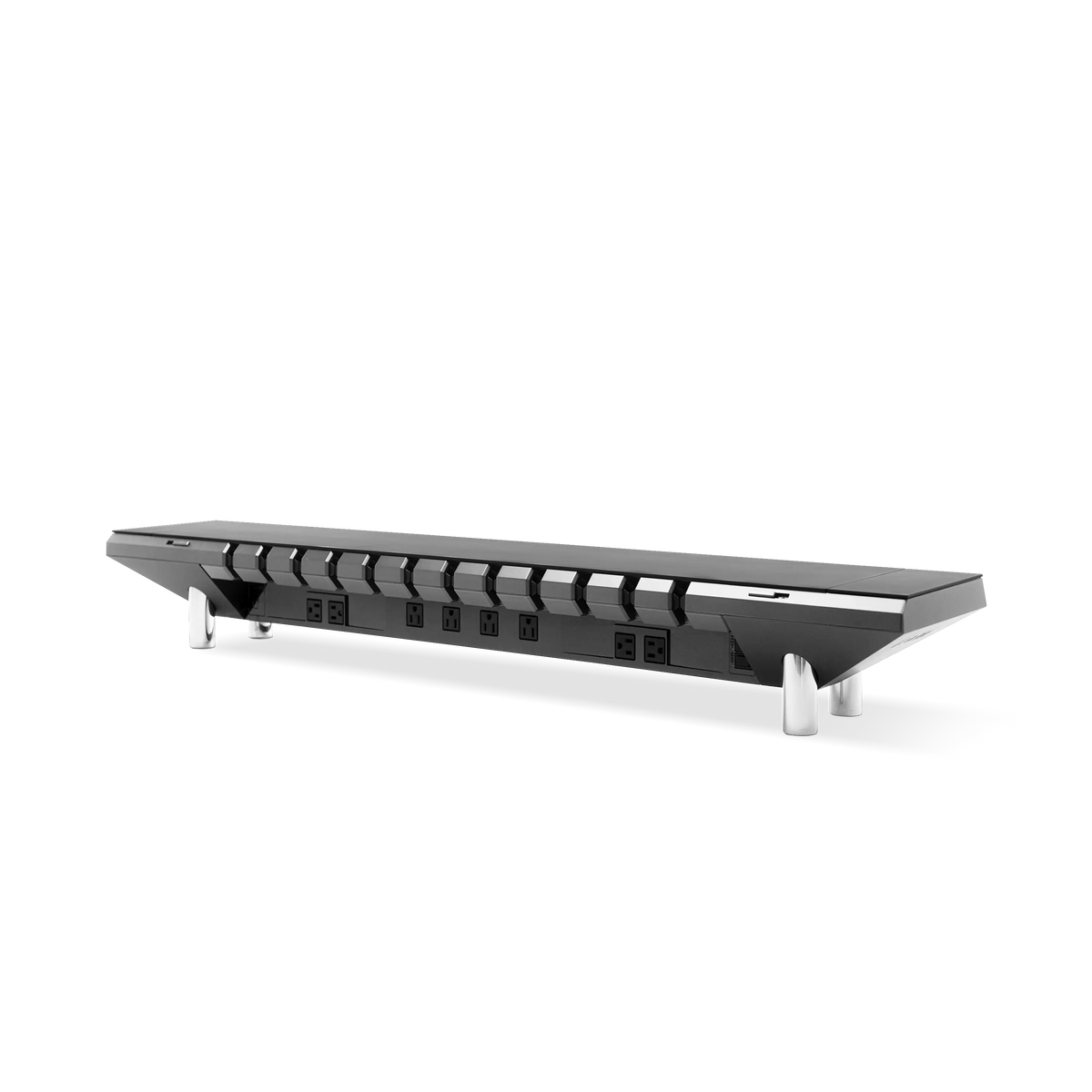
The fastest route to a cluttered desk is multiple power origins: a wall strip, a laptop brick, a phone charger, each pulling a cable in its own direction. Consolidating to a single power source built into the surface removes the most visible source of noise before you style anything. The Hexcal Studio platform carries 1,440W of distributed power with over-current protection, a USB-C Power Delivery port rated to 27W, and dual USB-A Quick Charge ports, all drawn from one isolated supply that keeps building power separate from device power. One origin means one clean surface, with the cabling handled underneath rather than on display.
The practical test for Rule 1: can you charge your laptop, phone, and one accessory without a single visible charger on the desktop? If not, you have a power-source problem masquerading as a clutter problem.

Rule 2: Reclaim the Surface With Vertical Space
The largest object on most desks is the monitor stand, and it eats the prime real estate directly in front of you. Lifting the display onto a Single Monitor Arm clears that footprint entirely and returns the exact area where clutter tends to pool. The arm supports screens up to 35" and 3–11 kg (6.6–24.2 lbs), mounts to 75x75 or 100x100 VESA, tilts +60° to -60°, swivels +90° to -90°, and reaches a full extension of 483 mm (19"), so the screen lands precisely where your eyes want it while the surface beneath it opens up. If you are still weighing a monitor arm versus a stand, the deciding factor for a focus desk is which one gives the surface back.
Vertical thinking applies to lighting too. The Hexcal Studio integrates task lighting with over 1,000 configurable settings into the platform itself, which removes the desk lamp, another bulky, cable-trailing object, from the surface. This is where minimalist desk setup ideas live or die: anything you can move off the horizontal plane is one less thing to look past.

Rule 3: Anchor What Remains So It Stays Put
A clean surface that drifts out of alignment by Thursday is not minimalist; it is high-maintenance. Anchoring is what makes the clean state self-sustaining. A Magnetic Desk Mat Bundle defines a fixed keyboard-and-mouse zone: the mat measures 800 × 400 mm at 3.5 mm thick, which is close to full keyboard-and-mouse coverage, and the magnetic wrist rest (780 × 80 × 28 mm) locks to it so nothing slides out of place. On the Hexcal Studio, a left-right surface lock holds the top steady, and the platform is rated for up to 101 lbs (46 kg) of cover load, so a full peripheral kit stays put through daily use. Anchoring is what turns "tidy for now" into "tidy by default."

A Wire-by-Wire Cable Routing Plan
Most cable clutter comes down to the absence of a routing plan, not a shortage of clips. Run cables in four phases and the surface stays clear without a single cord visible on top.
- Phase 1, Separate power from data. Bundle power cables on one side and data cables on the other; mixing them creates the tangle you can never trace later.
- Phase 2, Build one exit. Route every cable toward a single drop point at the back edge, leaving a short service loop so devices can still move. One exit beats six cords draped over the front lip.
- Phase 3, Contain it under the desk. On a wooden desk, an Under Desk Cable Tray hides light adapters at up to 2 kg (4.4 lbs) and mounts to any wooden top of 25 mm or more; an Under Desk Drawer handles heavier gear at up to 10 kg (22 lbs) with a 200 mm (7.8") pull-out. On an integrated platform, the Hexcal Studio routes everything through its patented 3D Cord Organization System, so there is nothing to hide in the first place.
- Phase 4, Lock and forget. Secure the routed bundle so it holds shape. Good cable management is done once, not re-done every week.
Where Minimalism Fits, and Where It Does Not
A single clean surface is not universally right. If your work depends on a physical archive you reference constantly, such as reference books, sample swatches, or printed proofs, forcing those into deep storage adds friction instead of removing it, and your "minimalist" desk would create more task switches than it prevents. Deliberate maximalists who think better surrounded by their tools are in the same category. Match the philosophy to how you actually work, whether that desk sits in a corner office or a small home office where every inch counts.
There is a flip side worth naming. The minimalist-desk corner of the internet runs on a churn of trendy accessories, the gadget of the month that promises a cleaner desk and becomes clutter itself by next quarter. A desk you can actually keep clean is built once from a small set of durable, integrated pieces, not from a rotating bag of impulse buys. To be clear, the Hexcal Studio, Studio Plus, Single Monitor Arm, and Magnetic Desk Mat Bundle named here are Hexcal-designed and manufactured, so this is the method behind our own hardware rather than a neutral roundup, offered to use with or without it. If you would rather have distributed power, integrated lighting, and an anchored surface arrive as one platform, the Hexcal Studio Plus delivers 160W of total output with a 100W USB-C PD port and four 65W DC outputs, the consolidated version of every idea in this guide. A focus desk is not an empty desk; it is an integrated one.
By the Hexcal team.