Home Office Setup Ideas for Small Spaces: A 3-Zone Plan

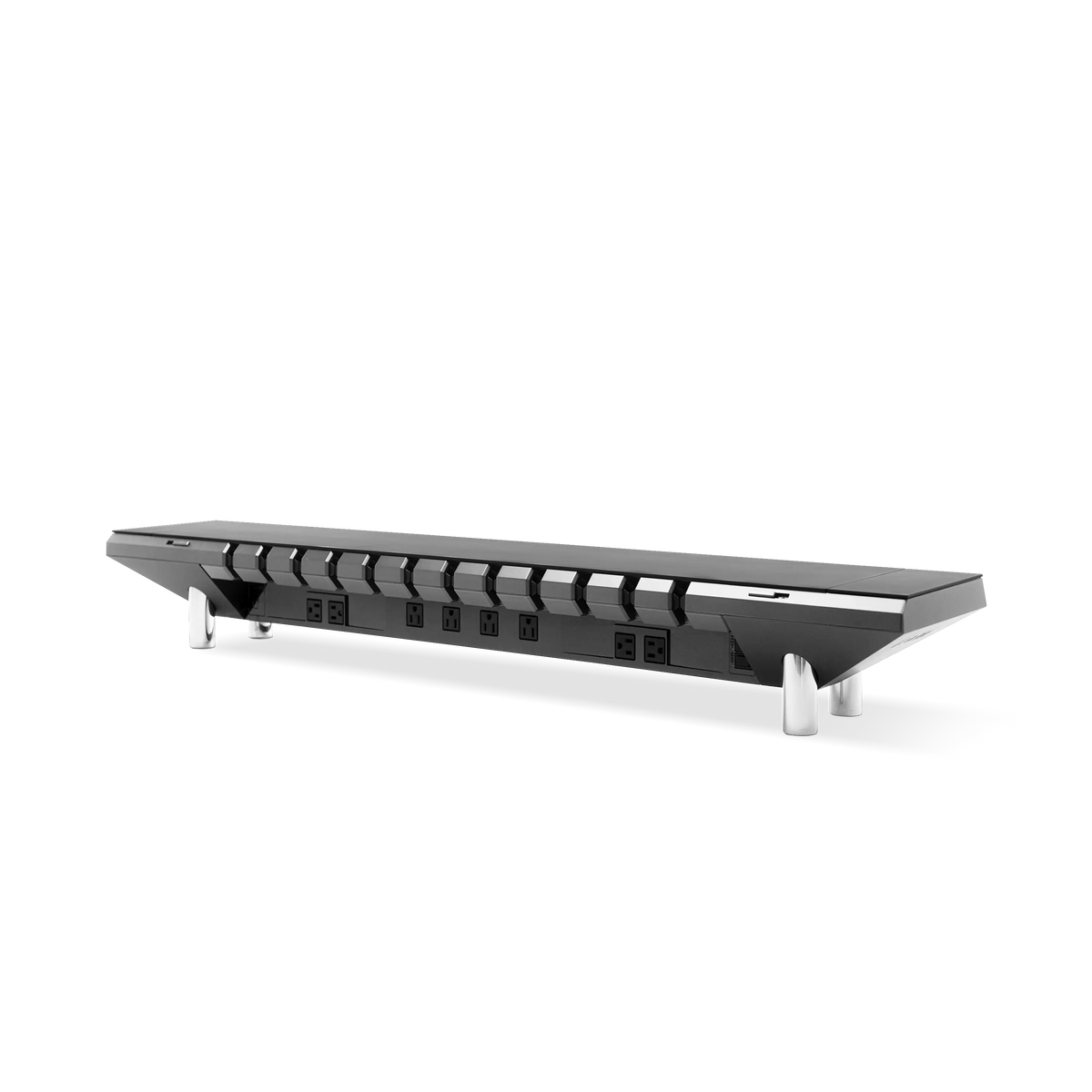
When a home office has to fit into a corner of a bedroom or a strip of the living room, the standard advice is to buy smaller: a tiny desk, a compact chair, a mini monitor. That shrinks the wrong thing. A small space is not a furniture problem; it is a layout problem. Cram undersized gear into a tight footprint and you get a workspace that is both cramped and cluttered, because the real problem was that every function fought for the same flat surface. The home office setup ideas that actually work in small spaces do the opposite of shrinking: they layer the room vertically and fold several jobs into one piece of hardware, the way a platform like the Hexcal Studio pulls power, lighting, and cable management into a single footprint instead of three.
Key Takeaways
- Plan in three zones, not by square footage: a work zone, a vertical zone, and a power zone each follow different rules in a small room.
- Keep the work surface deep, not small. OSHA's Computer Workstations eTool puts the preferred monitor viewing distance at 20 to 40 inches (about 50 to 100 cm), so a desk needs depth to be ergonomic.
- Go vertical to reclaim the floor: a monitor arm lifts the display off the desk and hits OSHA's 15-to-20-degree downward viewing angle without a footprint-eating stand.
- Consolidate power into one source. The Hexcal Studio delivers 1,440W of distributed power with over-current protection, removing the floor strips small offices trip over.
- Who should skip this: rooms with no wall or desk edge to mount to, and shared stations running three or more monitors that need a wider footprint than one platform provides.
Why Small Spaces Need a Zone Plan, Not Smaller Stuff
A cramped workspace fails on attention before it fails on comfort. The biased-competition model of visual attention (Desimone and Duncan) describes how objects competing for the same field of view suppress one another's processing in the visual cortex, so a desk piled with gear quietly drains the focus you sat down to use. The fix is better-organized space. That is why the strongest home office setup ideas for small rooms start by assigning every function its own zone rather than letting everything pile onto one surface.
Three zones cover a small office: the work zone (the surface and the few things that stay on it), the vertical zone (everything you lift off the floor and off the desktop), and the power zone (where electricity enters and how it routes). Treat them as separate problems and a four-by-four-foot corner can hold a workspace that feels twice its size.

Zone 1: The Work Surface, Reclaim Depth Don't Shrink It
The reflex in a small room is a tiny desk. The better move is a normal-depth surface kept clear, because depth is what lets you place the monitor at a healthy distance. OSHA's Computer Workstations eTool recommends a monitor viewing distance of 20 to 40 inches (about 50 to 100 cm) and a desk deep enough to hold the screen at least 20 inches from your eyes. A surface too shallow forces you closer than that and strains your eyes no matter how tidy the room looks. OSHA recommends 20 to 28 inches of vertical leg clearance (height) under the desktop, so the space below the surface matters as much as the space on top of it.
Keep the surface deep and clear, then push the clutter elsewhere, the same discipline behind a good minimalist desk setup that trades visible tools for an open plane. A sit-stand frame like the Elevate Standing Desk fits this brief: its desktop runs 0.6 to 0.8 m deep (24 to 31 inches), enough to satisfy that viewing-distance rule, while the Hexcal Studio absorbs power, cables, and lighting so the work surface stays open instead of buried.

Zone 2: Go Vertical to Buy Back the Floor
In a small office the floor and the desktop are your two scarcest resources, so the rule is blunt: anything that can leave the horizontal plane should. The monitor is the biggest offender. A stock stand plants the display on the prime real estate directly in front of you, while a monitor arm clears it entirely. The Hexcal Single Monitor Arm supports displays up to 35 inches and 3 to 11 kg (6.6 to 24.2 lbs) on 75x75 or 100x100 mm VESA, with +60°/-60° tilt, +90°/-90° swivel, and 483 mm (19") of reach. That range lets you hit OSHA's comfortable viewing angle of 15 to 20 degrees below horizontal, the alignment a too-low built-in stand cannot reach.
Vertical thinking extends to the desk itself. The Elevate Standing Desk climbs from 620 to 1,270 mm, so you can work standing when the room is too tight to push a chair back, and OSHA's guidance favors changing posture regularly over holding one position all day. Lift what you can off the plane and the small room opens up.

The Small-Space Toolkit: Mount It, Fold It, Store It Vertically
Beyond the monitor, three moves reclaim the most space per square foot. Mount: the Single Monitor Arm clamps to a desk 10 to 80 mm thick or drops through a grommet hole 10 to 35 mm thick, so the display floats and the footprint underneath disappears. Fold and stow: keep the surface reserved for active work and move everything passive below it, where under-desk storage such as a cable tray or a shallow drawer holds cables and supplies off the visible plane. Route vertically: send power and data up one desk leg instead of across the floor.
This is also where discipline matters. The small-space corner of the internet is full of trendy fold-away organizers and mini gadgets that promise to fix a tight room and become clutter themselves within a season. We do not build that way. A small office that stays functional is assembled from a few durable, integrated pieces bought once and kept for years, not a drawer of impulse buys. Chasing the gadget of the month is how a small office ends up more crowded than when you started.
Zone 3: One Power Source, Routed Out of Sight
Small offices collect floor-run power strips faster than any other space, because the outlet is usually far from the corner you carved out. Those strips are the cables you trip over and the clutter you can never style around. Collapsing them into one source fixes both. The Hexcal Studio carries 1,440W of distributed power with over-current protection, USB-C Power Delivery up to 27W, and dual USB-A Quick Charge ports from a single isolated supply, and it holds up to 101 lbs on the surface. One origin means one set of cables to route, and in a small room that is the line between a workspace and a hazard. Where a laptop, a display, a tablet, and a phone all need feeding at once, the Studio Plus steps that up to 160W total with a 100W USB-C port and four 65W DC outputs.

Lighting: The Zone Everyone Forgets
Small rooms are often lit by one overhead fixture that throws shadows straight across the desk. Adding a freestanding lamp costs you the footprint you just fought to reclaim. Integrated lighting solves this without taking surface space: the Hexcal Studio builds task lighting with over 1,000 configurable settings into the platform, so the light is even and shadowless without another object on the desk. Good light keeps a tight, enclosed corner from feeling like a cave, and in a small office that matters more than most people budget for.
Where This Zone Plan Breaks Down
The 3-zone approach assumes two things: a wall or desk edge to mount hardware to, and a single primary workstation. Two situations break it. A room with no usable wall and a free-floating desk in the middle leaves nowhere to clamp an arm or anchor storage, so the vertical zone collapses. And a shared station running three or more monitors needs a wider footprint than any single platform provides. At that point an L-shaped desk for a corner office wraps the work across two walls, and you are planning a multi-desk room rather than optimizing a small one. Match the plan to the room you actually have.
Putting the Zones Together
A small home office is not a compromise; it is a layout exercise. Keep the work surface deep and clear, push every non-essential up into the vertical zone, route all power to a single source, and refuse the disposable gadgets that quietly recrowd the corner. Plan it in zones and a tight space stops feeling tight. If you would rather have power, integrated lighting, and a clear surface arrive as one platform instead of assembled piece by piece, the Hexcal Studio Plus is the consolidated version of every idea in this guide.
For transparency: the Hexcal Studio, Studio Plus, Elevate Standing Desk, and Single Monitor Arm named here are Hexcal-designed and -manufactured products, not a neutral third-party roundup. The zone method works with or without our hardware.
By the Hexcal team.