Kabelmanagement für einen höhenverstellbaren Stehschreibtisch: Das Problem mit der Kabelablage unter dem Schreibtisch, für das niemand eine Lösung findet.

Einmal die Kabel aufräumen und fertig. Diese Annahme gilt für einen feststehenden Schreibtisch und scheitert leise in dem Moment, in dem Ihr Schreibtisch sich zu bewegen beginnt. Ein höhenverstellbarer Stehschreibtisch bewegt sich jeden Arbeitstag durch einen vertikalen Bereich. Beim Hexcal Elevate Stehschreibtisch beträgt dieser Bereich 620–1270 mm: ungefähr 650 mm Bewegung, die jedes Kabel hinter dem Schreibtisch absorbieren muss, und das zweimal, jedes Mal, wenn Sie zwischen Sitzen und Stehen wechseln. Eine standardmäßige Kabelwanne unter dem Schreibtisch wurde entwickelt, um Kabel an einem Schreibtisch zu verstecken, der sich nie bewegt. Schrauben Sie sie ohne Neugestaltung der Geometrie an einen beweglichen Rahmen, und Sie verwalten keine Kabel. Sie ziehen sie langsam aus ihren Buchsen.
Das Ergebnis ist der Ausfallmodus, vor dem Sie niemand warnt: ein Netzteil, das bei voller Stehhöhe aus einer Steckdosenleiste gerissen wird, ein USB-C-Kabel, das an der Übergangsstelle vom Schreibtisch zum Boden über seine Belastungsgrenze hinaus gebogen wird, ein Monitor, der nur dann das Signal verliert, wenn der Schreibtisch hochgefahren ist. Die Lösung ist keine bessere Wanne. Es ist die Behandlung der Kabelführung unter dem Schreibtisch als dynamisches System mit einem Pufferbereich, einer Wartungsschleife und einem Zugentlastungsplan. Das ist die Perspektive, die dieser Leitfaden verwendet, und es ist dieselbe, die wir in den Hexcal Elevate Stehschreibtisch integrieren.
Wichtige Erkenntnisse
- Ein höhenverstellbarer Schreibtisch mit einem Bereich von 620–1270 mm benötigt pro Kabelweg einen Kabelpuffer von ungefähr 650 mm. Kabelwannen für feste Schreibtische berücksichtigen diesen Weg nicht.
- Der einzige höchste Fehlerpunkt ist der Übergang vom Schreibtisch zum Boden, wo Kabel bei jeder Hebebewegung unter ihrem eigenen Gewicht nachgeben. Hier zählt der dynamische Biegeradius, nicht die statische Führung unter der Tischplatte.
- Eine Faustregel besagt, dass die Biegung eines Kabels ungefähr das 4- bis 10-fache seines Außendurchmessers beträgt, aber an einem beweglichen Schreibtisch biegt sich das Kabel wiederholt, planen Sie daher eine sanfte Krümmung statt einen engen Knick am Übergang ein.
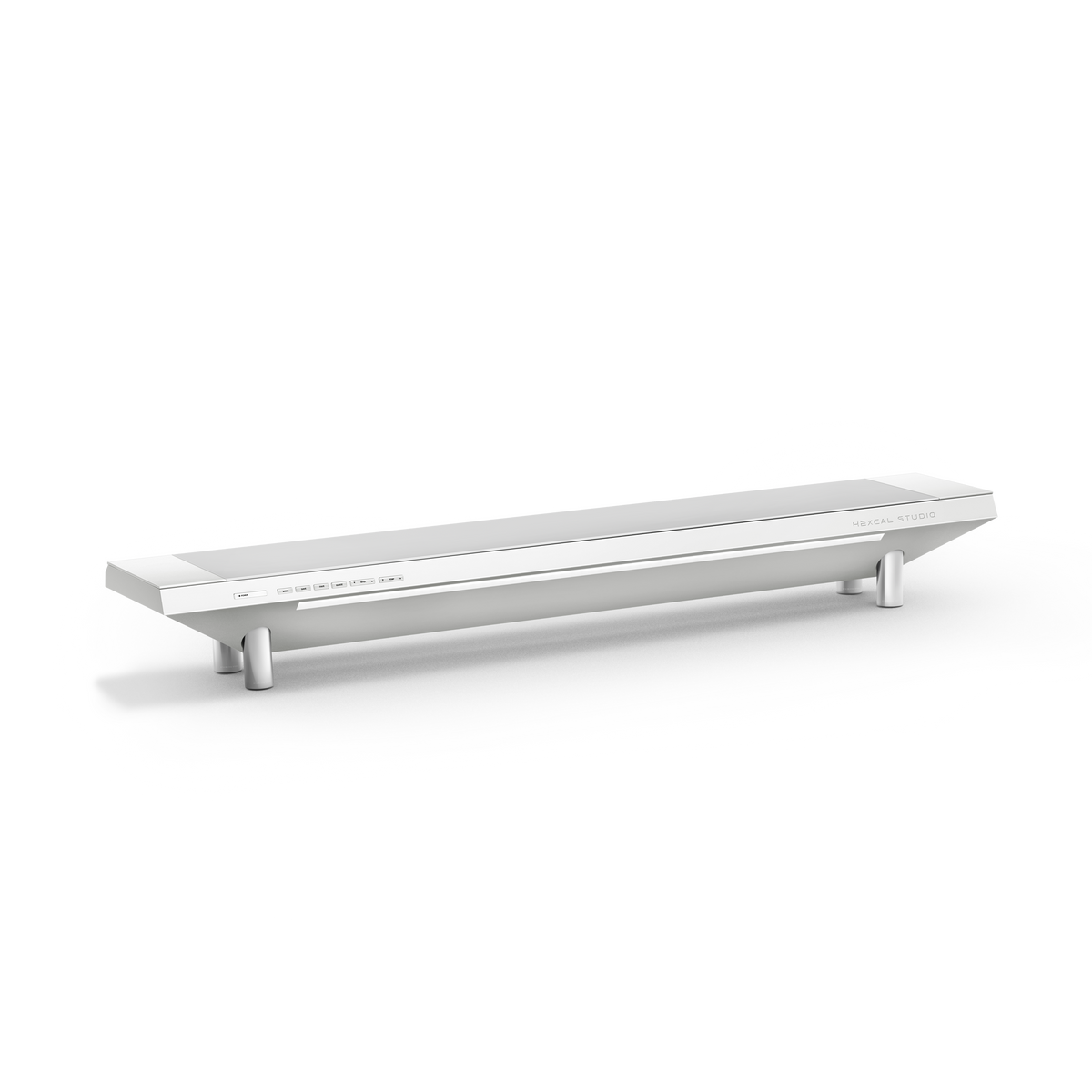
- Wählen Sie einen reinen Kabelwannenansatz, wenn Ihr Schreibtisch feststeht; wählen Sie eine integrierte Strom- und Kabelplattform wie die Hexcal Studio, wenn sich der Schreibtisch bewegt und Sie den Pufferbereich eher eingebaut als improvisiert haben möchten.
- Dieser Ansatz geht von einem Schreibtisch mit einer Montagefläche unter dem Schreibtisch aus. Er gilt nicht für wandmontierte schwebende Schreibtische ohne Rahmen zur Befestigung einer Wartungsschleife.

Warum ein beweglicher Schreibtisch statische Kabelverwaltung bricht
Stellen Sie sich die Kabelführung als drei Segmente vor: Schreibtischplatte zur Untertisch-Kabelwanne, Kabelwanne entlang des Rahmens und Rahmen hinunter zur Wandsteckdose. Bei einem festen Schreibtisch sind alle drei statisch, sodass eine Kabelwanne, die einfach das mittlere Segment versteckt, das sichtbare Problem löst. Bei einem höhenverstellbaren Schreibtisch bewegt sich nur das Segment von der Schreibtischplatte zur Kabelwanne mit der Oberfläche, aber das Segment vom Rahmen zum Boden ändert bei jedem Zyklus seine Länge. Wenn der Schreibtisch auf 1270 mm hochfährt, muss das untere Segment zusätzliche ~650 mm nachgeben; wenn er auf 620 mm herunterfährt, muss dieser Spielraum irgendwo aufgewickelt werden, ohne zu knicken.
Die meisten Benutzer geben ihre Kabelführung innerhalb eines Monats auf, nicht weil sie faul waren, sondern weil die Geometrie gegen sie arbeitete. Ein aufgewickeltes Kabel, das in Sitzhöhe ordentlich aussah, wird in Stehhöhe zu einem straffen Faden, und die wiederholte Spannung lockert die Anschlüsse. Dies ist die Lücke, die handelsübliche Kabelwannen unter dem Schreibtisch offen lassen: Sie behandeln das Symptom (sichtbare Kabel) und ignorieren die Mechanik (Bewegung). Der ganze Sinn der Kabelverwaltung unter einem Schreibtisch mit beweglichem Rahmen ist es, diese 650 mm zu absorbieren, ohne dass jemand darüber nachdenken muss.

Phase 1: Berechnen Sie Ihren Pufferbereich
Bevor Sie eine einzige Klemme kaufen, messen Sie den Verfahrweg. Nehmen Sie den Bereich des Schreibtisches, 620–1270 mm beim Elevate, und die Differenz ist Ihr minimaler Puffer pro Kabel: 650 mm. Jedes Kabel, das etwas auf der Tischplatte mit etwas auf dem Boden verbindet (Stromkabel, Dock-zu-PC, Schreibtischsteuerungskabel), benötigt mindestens so viel Spielraum, plus einen Puffer, damit das Kabel bei voller Höhe niemals unter Spannung steht.
Die Kabel, die am ehesten versagen, sind die kürzesten. Eine 1 m lange Stromleitung an einem Schreibtisch mit 650 mm Verfahrweg hat nach der Verlegung fast keinen Spielraum mehr, so dass sie bei jedem Stehzyklus gegen ihren Stecker zieht. Die Kabel, die halten, sind diejenigen, die mit einer bewussten Wartungsschleife gebaut wurden: eine feste Schlaufe aus überschüssigem Kabel, die in der Nähe des Mittelpunkts des Rahmens verankert ist, so dass der Schreibtisch aus der Schlaufe speist und nicht aus dem Stecker. Zuerst den Puffer einplanen; die Kabelwanne kommt an zweiter Stelle.

Phase 2: Aufbau der Wartungsschleife und des Ankerpunkts
Eine Wartungsschleife ist die wichtigste Struktur bei der Kabelführung an einem beweglichen Schreibtisch, und genau das kann eine flache Kabelwanne allein nicht leisten. Die Schleife befindet sich nahe dem vertikalen Mittelpunkt des Rahmens und ist so verankert, dass sich die Schleife öffnet, wenn der Schreibtisch hochfährt, und schließt, wenn er herunterfährt. Das Kabel streckt sich niemals vollständig und wickelt sich niemals eng auf. Verankern Sie die Oberseite der Schleife an der beweglichen Tischplattenbaugruppe und die Unterseite an einem festen Punkt in Bodennähe, sodass der Verfahrweg über die Schleife verteilt wird, anstatt sich an einem Stecker zu konzentrieren.
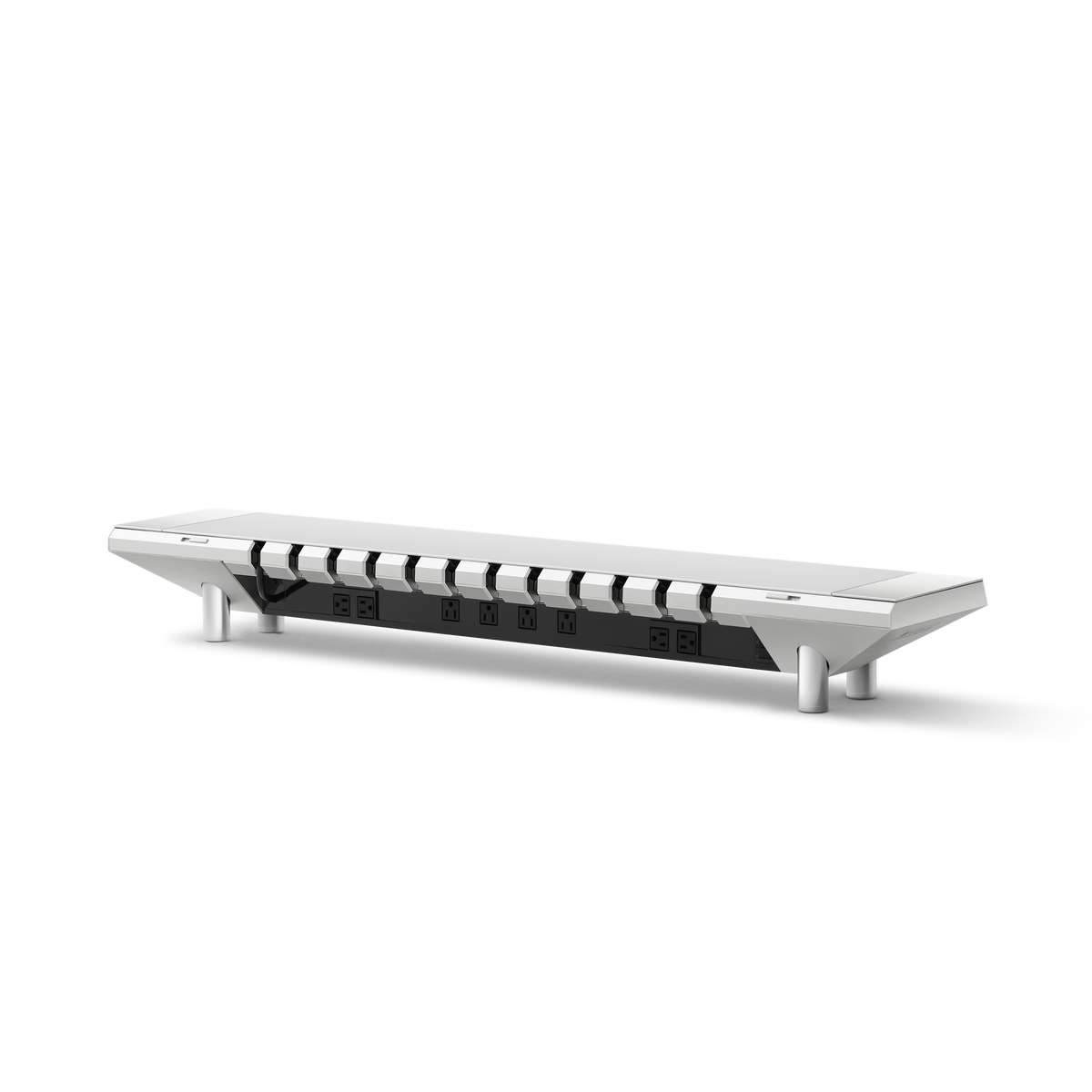
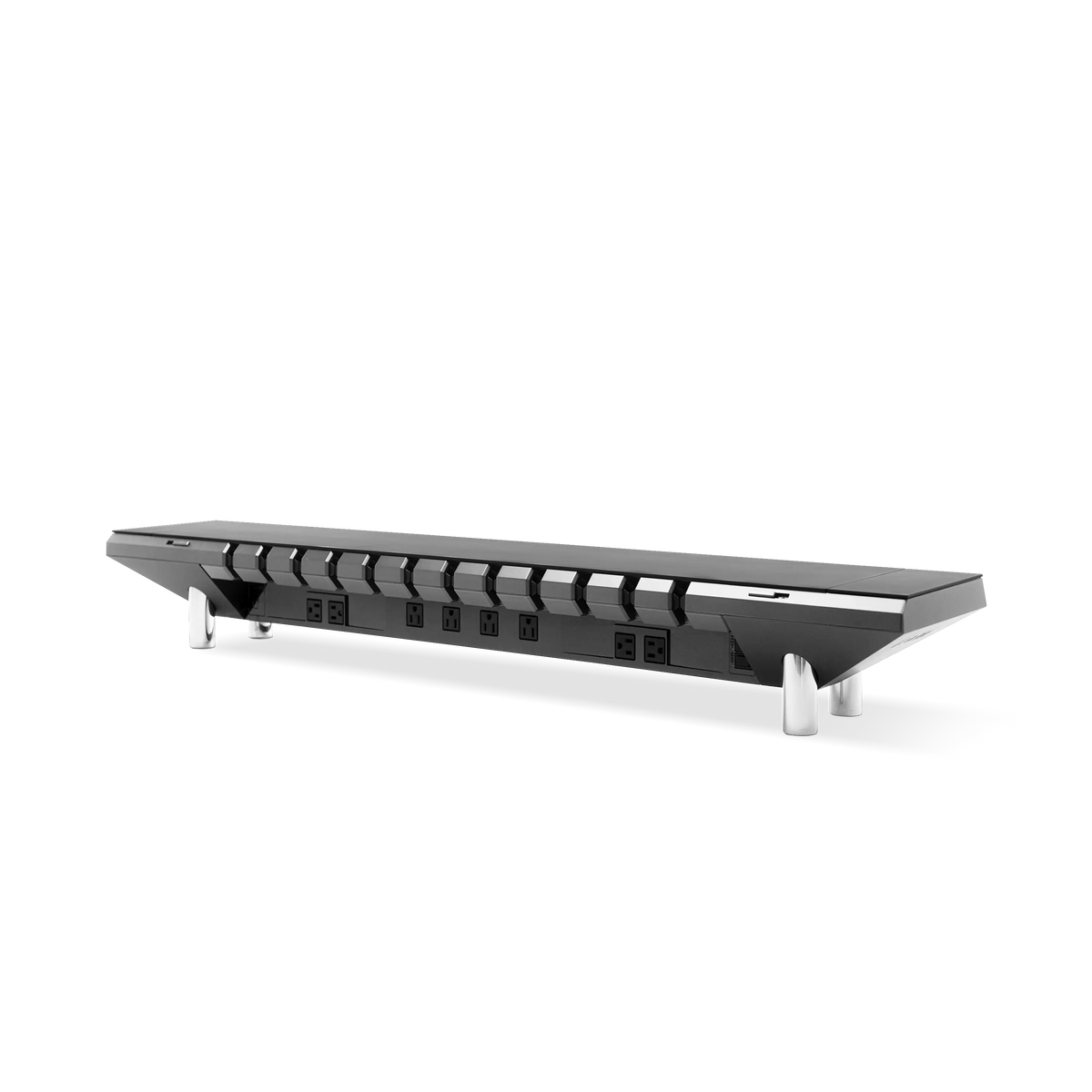
Hier erweist sich eine integrierte Plattform als vorteilhafter als eine Tüte mit Clips. Die Hexcal Studio leitet Strom und Daten durch ein patentiertes 3D-Kabelorganisationssystem und einen Kanal hinter dem Schreibtisch, sodass die Schleife einen definierten Weg hat, anstatt frei in der Luft zu baumeln. Die Studio zentralisiert auch die Stromversorgung: Ihre 1440 W verteilte Versorgung mit USB-C Power Delivery und zwei USB-A bedeutet weniger separate, bodengebundene Kabel, die verwaltet werden müssen, da die Tischplatte zur Stromquelle wird. Weniger Bodenzuleitungen bedeuten von vornherein einen geringeren Pufferbereich, der gelöst werden muss. Das sauberste Kabel ist das, das Sie nie zur Wand verlegen mussten.
Phase 3: Schutz des Biegeradius am Übergang
Der Übergang vom Schreibtisch zum Boden ist der Punkt, an dem Kabel sterben. Bei voller Stehhöhe hängt ein Stromkabel unter seinem eigenen Gewicht und biegt sich an der Stelle, wo es den Rahmen verlässt, und an einem beweglichen Schreibtisch wiederholt sich diese Biegung Tausende Male im Jahr. Statische Kabelverwaltung ignoriert dies, weil die Kabel eines feststehenden Schreibtisches sich nie biegen. Die eines beweglichen Schreibtisches tun dies jedoch, was sie in eine völlig andere technische Kategorie einordnet.
Der Biegeradius ist die Spezifikation, die dies regelt. Eine gängige Faustregel besagt, dass die Mindestbiegung ungefähr das 4- bis 10-fache des Außendurchmessers eines Kabels beträgt, je nach Konstruktion. Das Detail, das für einen Stehschreibtisch wichtig ist, ist, dass wiederholtes Biegen einen Leiter weitaus schneller ermüdet als eine einzelne statische Biegung, sodass ein Schreibtisch, der sich zweimal täglich um 650 mm bewegt, einem Kabel mehr abverlangt, als ein fester Schreibtisch jemals würde. Verlegen Sie Kabel so, dass sie am Übergang sanft gekrümmt sind, anstatt sich scharf über eine Rahmenkante zu biegen, und fügen Sie eine Zugentlastungsklemme hinzu, die das Gewicht vom Stecker nimmt. Diese einzige Änderung trägt mehr zur Langlebigkeit der Kabel bei als jede Kabelwanne.
Kabelwanne, Kabelkanal oder integrierte Plattform: Eine Entscheidungstabelle
Nicht jedes Setup benötigt das komplette System. Die richtige Antwort hängt davon ab, wie viel sich Ihr Schreibtisch bewegt und wie viele bodengebundene Kabel Sie haben. Die folgende Tabelle vergleicht die drei gängigen Ansätze mit den Kriterien, die an einem beweglichen Rahmen wirklich wichtig sind.
| Ansatz | Am besten für | Bewältigt 650 mm Verfahrweg? | Pufferbereich integriert? |
|---|---|---|---|
| Flache Untertisch-Kabelwanne | Feste Schreibtische; Verbergen eines statischen Mittelabschnitts | Nein, nur mittlerer Abschnitt | Nein |
| Kabelkanal + Serviceschleife | DIY bei beweglichem Rahmen, bereit zum Messen und Verankern | Ja, wenn Sie die Schleife bauen | Manuell |
| Integrierte Stromversorgungsplattform (Hexcal Studio) | Bewegliche Schreibtische, bei denen Sie die Stromversorgung auf der Tischplatte zentralisieren möchten | Ja, weniger bodengebundene Kabel zu verwalten | Ja, durch Design |
Eine flache Kabelwanne ist bei einem feststehenden Schreibtisch tatsächlich die richtige Wahl. Es gibt keinen Verfahrweg zu absorbieren, daher wäre eine Wartungsschleife überdimensioniert. Der Fehler besteht darin, dieselbe Logik der flachen Kabelwanne auf einen höhenverstellbaren Rahmen zu übertragen und zu erwarten, dass sie hält.
Was ein beweglicher Schreibtisch erfordert, was ein fester nie getan hat
Ehrlichkeit ist hier wichtig, daher eine Offenlegung: Hexcal entwirft und baut den Elevate Stehschreibtisch und die Studio-Plattform, und der oben beschriebene Ansatz ist das, worauf wir hinarbeiten, und kein neutraler Test durch Dritte. Der klassische Fehler ist, einen Stehschreibtisch wie einen festen zu behandeln: eine Kabelwanne montieren, die Kabel fest verstauen und die Sache als erledigt betrachten. Ohne Pufferbereich zieht jede Hebebewegung am Stecker, und die Docks, die „nur bei Stehhöhe“ das Signal verlieren, sind nicht fehlerhaft. Es sind Kabel unter Spannung, die die Geometrie nie berücksichtigt hat.
Der Neuaufbau um eine Wartungsschleife und einen geschützten Übergang herum beseitigt diese Spannung. Die Lektion geht über unsere Hardware hinaus: Wenn Sie einen Leitfaden zur Schreibtischkabelverwaltung lesen, der Verfahrweg, Spielraum oder Biegeradius nicht erwähnt, wurde er für einen Schreibtisch geschrieben, der sich nicht bewegt. Der integrierte Ansatz existiert, weil die Physik eines beweglichen Rahmens unerbittlich ist.

Die Grenze: Wo dieser Ansatz aufhört
Dieses Rahmenwerk geht von einem Schreibtisch mit einem Rahmen und einer Untertisch-Montagefläche aus, um eine Serviceschleife zu verankern und einen Kanal zu verlegen. Es gilt nicht für wandmontierte, schwebende Schreibtische. Ohne Rahmen gibt es keinen Ort, an dem der untere Teil der Schleife befestigt werden kann, und das Bewegungsproblem nimmt eine andere Form an. Es geht auch davon aus, dass Sie echten Strom und Daten verlegen und nicht nur ein einziges Laptop-Ladegerät. Wenn ein Kabel Ihr gesamtes Setup ist, ist eine Zugentlastungsklemme am Übergang die einzige technische Lösung, die Sie benötigen, und eine vollständige Plattform wäre übertrieben.
Für alle, deren Schreibtisch sich bewegt und deren Einrichtung nicht, ist die Reihenfolge festgelegt: Pufferbereich einplanen, die Schleife bauen, die Biegung schützen. Ein Stehschreibtisch ist kein fester Schreibtisch, den man hochfahren kann. Es ist eine bewegliche Maschine, und ihre Kabel verdienen es, als Teil der Maschine behandelt zu werden. Wenn Sie das eher eingebaut als improvisiert haben möchten, ist die Hexcal Studio auf einem Hexcal Elevate Stehschreibtisch die Plattform, die wir genau für dieses Problem entwickelt haben. Gutes Kabelmanagement unter dem Schreibtisch an einem höhenverstellbaren Schreibtisch geht nicht darum, Kabel zu verstecken; es geht darum, ihnen Raum zum Bewegen zu geben.
Vom Hexcal-Team.