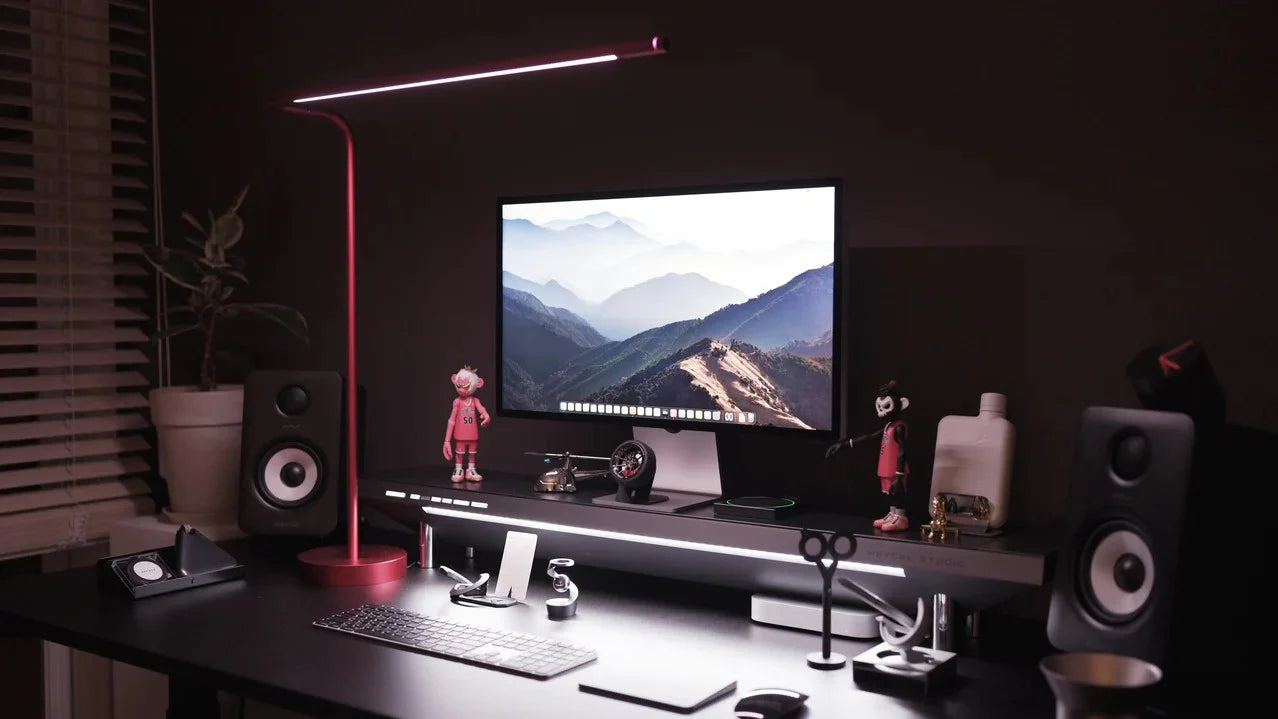
So bauen Sie einen langlebigen Schreibtisch-Arbeitsplatz (und pflegen ihn über die Zeit)
Einleitung: Das Geheimnis eines Arbeitsplatzes, der sich bewährt
Wenn es Ihnen wie den meisten Berufstätigen geht, haben Sie in die Einrichtung eines Arbeitsplatzes investiert, nur um alle paar Jahre festzustellen, dass Sie die Verkabelung erneuern oder Teile austauschen müssen. Dieser Kreislauf von temporären Verbesserungen ist frustrierend, teuer und nicht nachhaltig. Das Geheimnis eines wirklich großartigen Arbeitsplatzes ist Langlebigkeit – nicht das Jagen nach dem neuesten Gadget, sondern die Investition in eine solide Grundlage, Komponenten und Gewohnheiten, die Bestand haben. Dieser Leitfaden zeigt Ihnen, wie Sie Ihre nächste Arbeitsplatzoptimierung planen, sie effektiv pflegen und Ihren Arbeitsplatz zukunftssicher gestalten, sodass er sich mit Ihrem Lebensstil und der Technologie weiterentwickelt.
Beginnen Sie mit dem Fundament: Wählen Sie langlebige Elemente
Ein robustes Homeoffice beginnt mit einem soliden Fundament. Wenn Sie in hochwertige Materialien und intelligente Stromversorgungssysteme investieren, schaffen Sie nicht nur einen Arbeitsplatz, sondern Stabilität für viele Jahre.
2.1 Solider Schreibtisch und Materialien
- Investitionsqualität: Verzichten Sie auf Spanplatten oder billige Laminate. Entscheiden Sie sich für robuste Materialien wie Massivholz, Edelstahl oder Aluminium. Diese gewährleisten Stabilität und sind wackel- und kratzfest – wichtige Merkmale eines zukunftssicheren Schreibtisches.
- Anpassbares Design: Ein höhenverstellbarer Schreibtisch sorgt dafür, dass sich Ihr Arbeitsplatz mit Ihnen weiterentwickelt. Ein hochwertiger Stehschreibtisch schont Ihre Körperhaltung und verlängert die Lebensdauer Ihres Arbeitsplatzes.

2.2 Zuverlässige Stromversorgung und Konnektivität
Stromversorgung und Konnektivität sind oft die Schwachstellen einer ansonsten optimalen Ausstattung. Billige Steckdosenleisten fallen schnell aus, was zu Kabelsalat und Sicherheitsrisiken führt.

- Integrierte Stromversorgungslösungen: Ein Hub wie Hexcal Studio™ vereint hohe Leistung, Überspannungsschutz und Ladefunktion in einem robusten Aluminiumgehäuse. Er ist eine zukunftssichere Komplettlösung, die Kabelsalat und kurzlebiges Zubehör überflüssig macht.
- Zukunftssicheres Design: Achten Sie auf Hubs mit USB-A-, USB-C- und kabelloser Ladefunktion, um aktuelle und zukünftige Geräte zu unterstützen.
2.3 Zeitlose Ästhetik
Vermeiden Sie kurzlebige Trends. Wählen Sie eine neutrale Farbpalette – Schwarz, Weiß, Grau oder Naturholz – und klare Linien. So fügt sich jede Umgestaltung Ihres Schreibtisches im Laufe der Zeit nahtlos ein und sorgt für ein optisch stimmiges Gesamtbild.
Smart Design Choices for Long-Term Comfort
An enduring workspace isn’t static—it adapts. Making flexible ergonomic and organizational choices today prevents complete rebuilds later.
3.1 Ergonomic Essentials: Your Long-Term Health Investment
Ergonomics should evolve with you. Choose ergonomic home office upgrades that are adjustable and high-quality.
- Premium Monitor Arms: Heavy-duty arms like Hexcal’s Single or Heavy-Duty models let you fine-tune height, depth, and tilt, accommodating new screens or posture shifts.

- Regelmäßige Überprüfung: Überprüfen Sie alle paar Monate Ihre Körperhaltung und passen Sie die Höhe Ihres Schreibtisches oder die Position Ihres Monitors an, wenn sich Ihre Stuhlposition oder Ihre Sehfähigkeit ändert.
3.2 Flexible Layout & Modular Accessories
Modularity is the secret to a workspace that grows with you.
- Modular Systems: Hexcal’s integrated system connects its Studio hub, cable management, and monitor stands—so you can evolve your workspace without clutter.
- Stackable & Magnetic Add-ons: Look for magnetic organizers and stackable shelves that expand as your workflow changes.
3.3 Cable Management for the Long Haul
Tangled wires are the first sign your setup needs care.
- Built-In Channels: Use under-desk trays large enough for power bricks, not just cords.
- The Hexcal Advantage: Hexcal’s Cable Management Kit keeps wires hidden but accessible, making cleaning and upgrades simple while preserving your clean aesthetic.

Regelmäßige Pflege Ihres Schreibtisches: So bleibt er wie neu
Ein langlebiger Schreibtisch benötigt aktive Pflege. Regelmäßige Pflege sorgt dafür, dass er einwandfrei funktioniert und stets gepflegt aussieht.
4.1 Regelmäßige Reinigung und Staubkontrolle
Staub ist der stille Feind – er behindert die Luftzirkulation, verkürzt die Lebensdauer und lässt Oberflächen stumpf wirken.
- Wöchentliches Abwischen: Verwenden Sie Mikrofasertücher für alle Oberflächen; Nicht scheuernde Reinigungsmittel schonen Metall- und Glasoberflächen wie das Aluminiumgehäuse von Hexcal.
- Monatliche gründliche Reinigung: Ziehen Sie den Stecker und entstauben Sie Tastatur, Lüftungsschlitze und Kabelkanäle mit Druckluft.
- Kabelschutzhüllen: Ein gutes Kabelmanagement, wie es bei Hexcal-Systemen üblich ist, minimiert freiliegende Oberflächen und reduziert so die Staubansammlung.
4.2 Hardware-Check
Handeln Sie sofort, wenn etwas wackelt oder flackert.
- Halterungen und Arme prüfen: Überprüfen Sie alle sechs Monate Schrauben, Federn und Gelenke Ihrer Monitorarme und Ihres Stehpults auf Stabilität.
- Firmware-Updates: Aktualisieren Sie Ihre Smart-Geräte – Beleuchtung, Hubs oder Monitore –, um Kompatibilität und eine längere Lebensdauer zu gewährleisten.
4.3 Ergonomische und Komforteinstellungen Zeit
Ihr Komfort verändert sich, und Ihr Setup sollte es auch.
- Vierteljährlicher Check: Überprüfen Sie die Monitorhöhe, die Stuhlposition und die Ausrichtung der Tastatur. Halten Sie den oberen Bildschirmrand auf Augenhöhe, um Augenbelastung zu vermeiden.
- Beleuchtungskalibrierung: Passen Sie die Farbtemperatur der Beleuchtung saisonal an, um den Sehkomfort zu erhalten und Ihren zirkadianen Rhythmus zu unterstützen.
Wann und was man aufrüsten sollte
Selbst die besten Setups benötigen von Zeit zu Zeit Upgrades. Der Schlüssel liegt darin, strategisch und nicht impulsiv aufzurüsten – ein Kennzeichen der besten Upgrade-Pläne für Schreibtisch-Setups.
5.1 Schrittweise und gezielt aufrüsten
- Priorisieren Sie Effizienz und Gesundheit: Konzentrieren Sie sich auf die besten Upgrades für Ihren Homeoffice-Schreibtisch – wie ergonomische Stühle, Beleuchtung oder integrierte Stromverteiler –, die Komfort und Leistung verbessern.
- Vermeiden Sie Komplettumbauten: Halten Sie Ihren Schreibtisch, die Ästhetik und die Stromversorgung im Wesentlichen konstant; Ersetzen Sie nur defekte oder ineffiziente Teile.
5.2 Qualität vor Quantität
Qualität gewährleistet Langlebigkeit und Nachhaltigkeit.
- Der Hexcal-Standard: Produkte wie das Hexcal Studio™ bieten eine leistungsstarke und übersichtliche Basis, die auch zukünftige Technologiegenerationen unterstützt.
- Langlebigkeit bedeutet Wert: Langlebige Materialien und modulare Designs reduzieren Abfall und Lebenszykluskosten, sodass jedes Upgrade Ihres Schreibtisch-Setups langfristig lohnend ist.
5.3 Die Basis beibehalten
Ihr Schreibtisch und die integrierten Systeme sollten mehrere Generationen von Peripheriegeräten überdauern. Ein zukunftssicheres Schreibtisch-Setup hält die Basiskomponenten stabil und ermöglicht gleichzeitig die Weiterentwicklung von Peripheriegeräten wie Tastaturen oder Monitoren.

Tipps für Zukunftssicherheit: Design für die kommenden Jahre
Ein Arbeitsplatz, der sich über die Zeit bewährt, antizipiert Veränderungen. Diese zukunftssicheren Ideen für Ihren Schreibtisch helfen Ihnen, vorausschauend zu planen.
6.1 Erweiterbare Systeme wählen
Wählen Sie Komponenten, die sich mühelos weiterentwickeln lassen.
- Modulares Zubehör: Das Kabelmanagement und die Stromversorgungssysteme von Hexcal bilden ein einheitliches Ökosystem – Sie können es erweitern oder anpassen, ohne es auseinandernehmen zu müssen.
- Anpassbare Halterungen: Wählen Sie Monitorarme mit höherer Tragkraft für zukünftige Ultrawide- oder Dual-Screen-Upgrades.
6.2 Neue Technologien einplanen
Ihr Arbeitsplatz sollte Innovationen willkommen heißen, nicht behindern.
- Konnektivitätspuffer: Wählen Sie Hubs mit zusätzlichen Highspeed-USB-C-Anschlüssen und kabellosen Ladepads für Geräte der nächsten Generation.
- Platzplanung: Lassen Sie Freiräume für neue Technologien – wie VR-Setups oder Smart-Home-Hubs –, um Ihren Workflow aufrechtzuerhalten. Anpassungsfähig.
6.3 Nachhaltige Entscheidungen
Nachhaltigkeit und Langlebigkeit gehen Hand in Hand.
- Reparaturfreundlich: Setzen Sie auf robuste Materialien wie das Aluminium in Luft- und Raumfahrtqualität von Hexcal, das verschleißfest und leicht zu warten ist.
- Wiederverwenden und Umfunktionieren: Wenn Sie eine Komponente austauschen, verwenden oder verkaufen Sie ältere Geräte weiter, um Abfall zu reduzieren und ihren Wert zu erhalten.
Conclusion
Building a truly great workspace isn’t about chasing trends—it’s about commitment, care, and evolution. By choosing durable foundations, modular accessories, and consistent desk setup maintenance, your workspace transforms into a lasting, high-performance command center.Hexcal creates the premium, precision-engineered essentials that make this possible. Our ecosystem—spanning the Studio™ power hub, cable management kits, monitor stands, ergonomic furniture, and enterprise solutions—is designed to evolve with your workflow.Ready to plan your next desk setup upgrade? Explore the Hexcal Collection and build a workspace that inspires you for years to come.