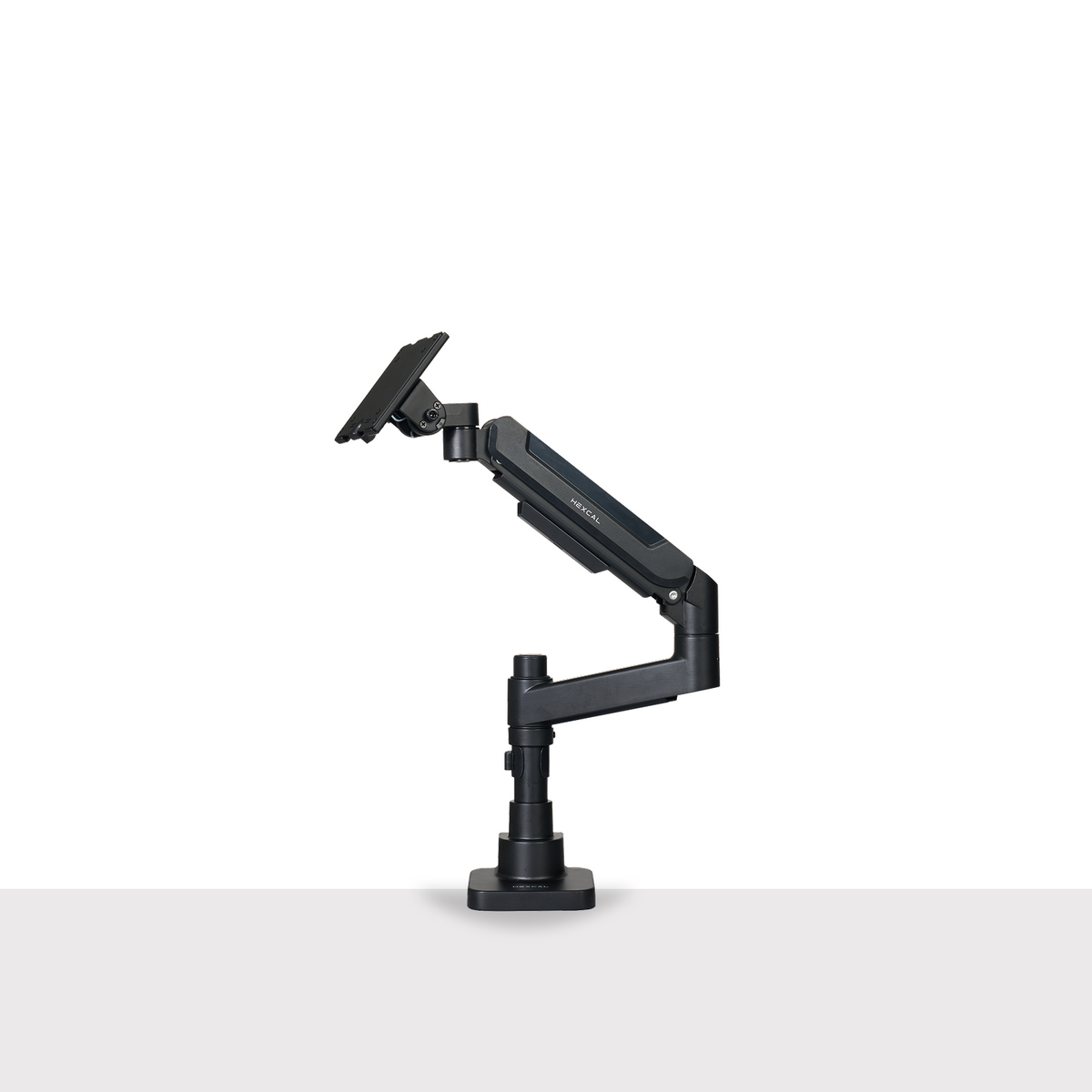
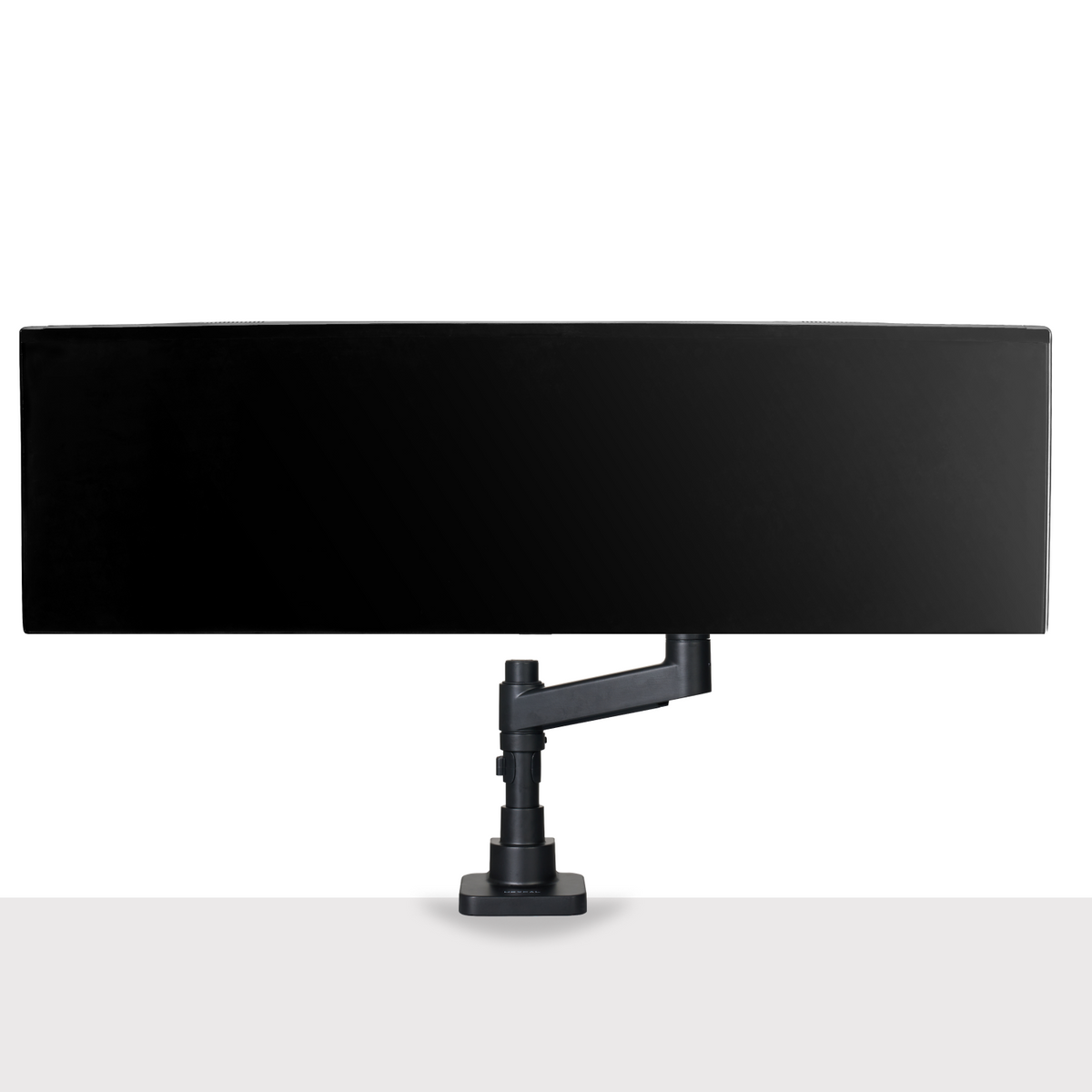
Hexcal Studio Monitor Stand as an important product of Hexcal office collection Hexcal Studio is an important product of Hexcal collections

Monitor Arms

Find the right monitor arm for your setup: the Single Monitor Arm for everyday ergonomics, the Heavy Duty Monitor Arm for ultrawide and curved screens up to 57" and 48 lb, the Monitor Mount System for stacked and multi-monitor arrays, and the Single Monitor Desk Mount for clean, space-saving installation.

SAVE 20%
Hexcal Single Monitor Arm holds a monitor on a desk.Hexcal Single Monitor Arm has built in cable management  to declutter your desktop.

Single Monitor Arm

Designer's favorite.Supports screens up to 35” and 24 lbs.
Sale price$79.20 Regular price$99.00
BEST SELLER
Heavy Duty Monitor Arm HexcalHeavy Duty Monitor Arm Hexcal

Heavy Duty Monitor Arm

Designed to support larger and heavier monitors. Perfect for ultrawides.
Sale price$129.00
NEW
Monitor Mount SystemMonitor Mount System

Monitor Mount System

Fits 2-4 screens. Max Load 44lbs per arm.
Sale priceFrom $188.00
Learn more
NEW
Single Monitor Desk MountSingle Monitor Desk Mount

Single Monitor Desk Mount

Supports 24"-49" monitors up to 44lbs.
Sale price$108.00

Hexcal Studio™

Many great ideas begin at a simple desk—whether in art, science, or engineering. Your workspace should inspire creativity, not hinder it. The Hexcal Studio™ helps declutter and organize, allowing you to focus on your work and ideas without distractions. We designed it to make your workspace disappear, so you can immerse yourself in the flow of your creativity and productivity.
Explore now >
The desk is messy with cable management before using Hexcal Studio.
The desk is clean and organized with Hexcal Studio's cable management function.
The desk is messy with cables before using Hexcal Studio.

Before

The desk is clean and organized after using Hexcal Studio's cable management function.

After

One-Stop Power

Studio helps you build up an all-in-one power space with all power types at one shot.

Up to

14

Devices power support

Learn More >

One-Stop Power

Studio helps you build up an all-in-one power space with all power types at one shot.

Up to

14

Devices power support

Learn More >

Clutter Elimination

Studio embeds the ultimate clutter management solution for helping you build a true clutter free space.

Under

5 mins.

Clutter-Free Setup

Learn More >

Clutter Elimination

Studio embeds the ultimate clutter management solution for helping you build a true clutter free space.

Under

5 mins.

Clutter-Free Setup

Learn More >

Fatigue-Free Lighting

Studio provides a non-directional task lighting for totally release your eye stress during a long-duty work.

Up to

95%

Eye-strain reduction

Learn More >

Fatigue-Free Lighting

Studio provides a non-directional task lighting for totally release your eye stress during a long-duty work.

Up to

95%

Eye-strain reduction

Learn More >

Space Optimization

Studio maximizes your arm reachable desktop space for helping you build up the ultimate performance space.

Up to

2x

Workspace Efficiency

Learn More >

Space Optimization

Studio maximizes your arm reachable desktop space for helping you build up the ultimate performance space.

Up to

2x

Workspace Efficiency

Learn More >
Explore now

Single Monitor Arm

Hexcal's Single Monitor Arm gives you full control over your monitor’s position, whether you're working through emails or gaming late into the night. Easily adjust the angle to suit your posture and comfort. Designed for performance and precision, it offers a customizable workspace and seamlessly integrates with other Hexcal products.
Explore now >
The user uses two single monitor arms on his desk for a dual monitor setting. The user uses two single monitor arms on his desk for a dual monitor setting.
Up to
24.2 lbs
Weight Capacity
Up to
35”
Supported Monitor Size
Fits
75/100
VESA Compatible
More than
+60°/-60°
Tilt Range
Explore now

Heavy Duty Monitor Arm

Engineered to support larger and heavier monitors, the Hexcal Heavy Duty Monitor Arm is ideal for ultrawide gaming displays up to 49" and 44 lbs (20 kg), including models like the Samsung Odyssey G9, Dell Alienware AW3423DW, and LG 45" UltraGear Curved Monitor. This sturdy arm securely mounts your monitor, letting you adjust its position and angle effortlessly, freeing up desk space and improving flexibility and productivity.
Explore now >
Up to
59.4 lbs
Weight Capacity
Up to
57”
Supported Monitor Size
Fits
75/100/200
VESA Compatible
More than
+60°/-20°
Tilt Range
Explore now
Hexcal Official

Are All Monitor Stands the Same? Exploring the Differences and Finding the Best Fit

Suppose you spend hours in front of your computer screens. In that case, you know the importance of a comfortable and ergonomic setup. One of the crucial elements of such a setup is a monitor stand. A monitor stand is a simple yet effective solution that can help you elevate your computer monitor to a comfortable viewing height. Doing so can reduce neck strain, prevent eye fatigue, and promote better posture. But are all monitor stands the same? While they may seem similar at first glance, various types of monitor stands have different features and benefits. In this blog post, we will explore the key differences among monitor stands and help you find the best fit for your needs and preferences.     Definition of Monitor Stands A monitor stand is a supportive platform that raises your computer screen to a suitable viewing level. It assists in reducing neck strain by enabling you to set the display at eye level. Furthermore, lifting the monitor off the desk frees up additional storage space beneath it. Common Usage and Benefits A monitor stand is a helpful tool that aids you in achieving better posture and minimizing strain on your neck and shoulders. Elevating your monitor to eye level helps prevent discomfort and fatigue during prolonged computer use. Furthermore, it creates additional desk space by enabling you to store items beneath the monitor, thereby keeping your workspace organized and tidy. A monitor stand contributes to an ergonomic setup and promotes a more comfortable and productive work environment. Key Differences Among Monitor Stands Several types of monitor stands are available in the market, including fixed, adjustable, and articulated ones. Fixed monitor stands are the most basic type and have a fixed height and angle. They offer stability and simplicity, making them ideal for standard setups. On the other hand, adjustable monitor stands offer you the flexibility to adjust the height and angle of the monitor to your liking, allowing you to customize the monitor position to suit your ergonomic preferences. Articulated monitor stands are the most versatile type and have multiple joints that allow you to adjust the monitor in various directions. Specialty stands are tailored to specific purposes, such as standing desks or gaming setups. It is crucial to choose a monitor stand that best suits your monitor size, workspace, and ergonomic requirements, ensuring a comfortable and productive work environment. It is worth noting that while monitor stands may appear similar at first glance, they offer a range of features and benefits that set them apart from one another. Some monitor stands offer adjustable heights and angles, while others provide additional storage space. Some stands are specifically designed to accommodate multiple monitors. In contrast, others are tailored to specific purposes, such as gaming or standing desks. When choosing a monitor stand, you must consider your particular needs and preferences to find the one that best suits you. Types of Monitor Stands Different monitor stands offer various features and benefits to cater to individual needs and preferences. Here are some of the most popular types of monitor stands available on the market: 1. Adjustable Height Stands: These stands allow you to customize the height of your monitor, ensuring that it is at eye level, promoting proper posture, and reducing neck and back strain. Look for stands with a smooth and easy height adjustment mechanism. 2. Dual Monitor Mounts:A dual monitor mount may be an excellent option if you work with two monitors. These mounts allow you to position your monitors side by side, optimizing your workspace. Look for mounts that offer individual tilt, rotation, and height adjustments for each monitor. 3. Standing Desk Converters:A standing desk converter with a built-in monitor stand could be a perfect solution for those who prefer a more flexible workspace. These converters enable you to switch effortlessly between sitting and standing positions, promoting better posture and reducing the risk of sedentary behavior. Look for converters with a sturdy, stable design and ample space for your monitor and other accessories. 4. Wall Mounts:If you have limited desk space or prefer a clean and organized workspace, a wall mount may be an ideal choice. Wall mounts enable you to securely attach your monitor to the wall, freeing up valuable desk space. Look for mounts with strong and durable construction and adjustable tilt and swivel features for optimal viewing angles. Factors to Consider When Choosing a Monitor Stand Apart from the type, there are several other differences among monitor stands that you should consider before making a purchase. 1. Weight Capacity:It is essential to choose a monitor stand that can support the weight of your monitor. Different stands have varying weight capacities, so check the specifications before purchasing. A stand with a low weight capacity may not provide adequate support, while a stand with an excessively high weight capacity may be unnecessarily bulky and expensive. 2. Size Compatibility: Not all monitor stands are compatible with all monitor sizes, so it is crucial to check the specifications and ensure that your monitor falls within the recommended range. Choosing a stand that is incompatible with your monitor can result in damage or instability. 3. Adjustability: When selecting a monitor stand, it is important to consider adjustability. A quality stand should provide various height, tilt, and rotation adjustments, enabling you to customize your viewing angle and minimize strain on your neck and eyes. Seek stands that offer smooth and effortless adjustments, preferably with a pneumatic mechanism. Additionally, some stands may offer swivel or pivot features, allowing you to alter your monitor's position without moving the stand itself. 4. Cable Management:Keeping your desk tidy and organized is crucial for optimal productivity. Some monitor stands come with built-in cable management solutions to help you declutter your desk. 5. Material: Monitor stands can be made of various materials, including plastic, metal, and wood. Choose a material that matches your desk and décor. 6. Desk Space and Layout: Desk space and layout are also essential factors to consider when choosing a monitor stand. A stand that takes up too much space on your desk can limit your workspace, making it challenging to work efficiently. Consider stands with a compact and space-saving design, such as those that attach to the back of your monitor or clamp onto the desk's edge. Additionally, choose a stand that complements your desk's layout and arrangement, ensuring that it fits seamlessly into your workspace. A well-designed monitor stand can help optimize your desk space and layout, creating a more comfortable and productive working environment. Choosing the right monitor stand can have a significant impact on your workspace's functionality, stability, and aesthetic appeal. When selecting a monitor stand, consider factors such as compatibility, adjustability, and mounting options. By keeping these factors in mind and selecting a stand that meets your needs and preferences, you can create a comfortable and productive workspace that enhances your work experience. A well-designed monitor stand can help reduce neck and eye strain, improve your posture, and increase your overall productivity. With so many options available, it's essential to take the time to choose the right monitor stand for your needs and make your workspace work for you.  

Read >

Hexcal Official

Monitor Stand Trends to Watch in 2024

As we approach the second half of 2024, the world of monitor stands is set to undergo exciting changes and advancements. From smart technology integration to sustainable materials, the latest monitor stand designs are more ergonomic, functional, and stylish than ever. In this blog post, we will explore the newest monitor stand trends to watch out for in the second half of 2024 and discuss how they will improve work productivity, reduce clutter, and provide a modern look to workspaces. 1. Smart Technology in Monitor Stands Smart technology has taken over every aspect of our lives, and monitor stands are no exception. We can expect monitor stands to be equipped with intelligent features such as wireless charging, Bluetooth speakers, and automatic height adjustment. In addition to providing support for the monitor, these innovative stands also function as a central hub for charging and connecting multiple devices. This feature eliminates the need for additional cords or adapters, reducing clutter and simplifying the workspace. These smart features will not only make our lives easier but will also improve our work productivity. 2. Ergonomic Monitor Stand Innovations With rising consumer awareness about the importance of office ergonomics, monitor stand designers are placing a greater emphasis on ergonomic features. It is expected to see even more ergonomic monitor stand designs to provide maximum comfort and reduce the risk of injuries. For instance, some monitor stands have a curved design that conforms to the user's natural posture and reduces eye strain. Others will have adjustable height, tilt, and swivel functions that allow users to find the perfect viewing angle. These innovations will help users to maintain a healthy posture and reduce eye strain. In addition, given the increasing popularity of standing desks, monitor stands are now being designed to be compatible with a broader range of standing desk models. 3. Wireless Connectivity Monitor Stands The rise of wireless technology has led to the development of wireless connectivity monitor stands. In addition to providing easy access to wireless internet and Bluetooth connections, monitor stands are also incorporating cable management solutions to reduce clutter and improve organization. Furthermore, wireless charging is becoming a common feature of monitor stands, allowing users to charge their devices without cords or adapters. These wireless connectivity features not only improve the functionality of the monitor stand but also enhance the overall user experience. 4. Sustainable Monitor Stand Materials As the world becomes more environmentally conscious, sustainable monitor stand materials have become a popular trend in the industry. In the second half of 2024, we expect more monitor stands made from eco-friendly materials such as recycled plastic and reclaimed wood. These sustainable materials will not only reduce the carbon footprint but also provide a stylish and modern look to the workspace. 5. Focus on Minimalist Design Minimalist design has been a popular trend in the monitor stand industry for a while now, and it is set to continue in 2024. These designs are sleek and stylish and provide a clutter-free workspace. The focus will be on simple and functional designs that provide maximum comfort and functionality without compromising style. For instance, some monitor stands have a slim profile and a minimalist design that blends seamlessly with any workspace. Others will have built-in cable management systems that keep cables hidden and organized. This approach ensures that monitor stands are functional, stylish, and aesthetically pleasing, adding to the overall office decor. 6. Multi-Monitor Setups with Monitor Stands Another trend in monitor stand design is the ability to expand into a multi-monitor setup. Many monitor stands now have the option to add additional arms or brackets to support multiple monitors, creating a seamless and cohesive workspace. This is particularly useful for professionals who require multiple screens to increase productivity and efficiency. By offering the ability to expand into a multi-monitor setup, monitor stands are becoming a versatile and essential component of modern workstations. In conclusion, the monitor stand trends to watch out for in 2024 include smart technology integration, ergonomic designs, wireless connectivity, sustainable materials, and minimalist designs. These advancements will not only improve our work productivity and comfort but also provide a stylish and modern look to our workspaces. So, if you want to upgrade your workspace in 2024, keep an eye out for these emerging trends in monitor stand design and functionality.

Read >

Hexcal Official

Innovative Monitor Stand Solutions for Modern Workspaces

The world of work is rapidly changing, and with it, so is how we organize our workspaces. More and more people are working from home, and the need for ergonomic and versatile workstations has never been greater. One essential component of any modern workspace setup is a quality monitor stand. In this blog, we will explore some cutting-edge designs and functionalities of monitor stands and some DIY and customizable options that can transform your workspace into a more productive and comfortable environment. Multi-Functional Gone are the days of a simple monitor stand that only lifts your screen a few inches off the desk. Today's monitor stands come with multi-functional features that can enhance your workspace's efficiency and organization. Some popular options include monitor stands with built-in USB hubs, wireless charging pads, and storage compartments. Some modern monitor stands also come with a built-in LED lighting system, allowing you to customize the brightness and color of the light to your liking. These features not only enhance the aesthetics of your workspace but also improve your viewing experience, making it easier to focus on your work. Eco-Friendly Monitor Stand Options If you are environmentally conscious and looking for an eco-friendly monitor stand, there are plenty of options available in the market. Some monitor stands are now made from eco-friendly materials like bamboo, a sustainable and renewable resource. Other eco-friendly options include stands made from recycled materials, like plastic or metal. Choosing an eco-friendly monitor stand is a simple way to reduce your environmental footprint and positively impact the planet. DIY Monitor Stand Solutions If you are a creative enthusiast looking for a DIY solution for your monitor stand, DIY monitor stands can be made from various materials, including wood, PVC pipes, and even books. These stands can be tailored to your specific needs and preferences, allowing you to create a unique and personalized workspace. Some monitor stands come as part of a whole system of desk accessories. This system includes a monitor stand and a range of other accessories designed to improve your productivity and organization. The accessories that come with the system can consist of a note tray, phone stand, and headphone stand. These accessories can help to keep your desk tidy and organized while providing convenient storage for your everyday essentials. With a complete system of desk accessories, you can create a personalized and functional workspace that suits your needs and preferences. Also, some monitor stands come with extension desk legs. These legs can be attached to the monitor stand to create an elevated platform for your keyboard and mouse, providing a more ergonomic and comfortable workspace. Consider using a monitor stand configurator. These configurators allow you to customize your monitor stand based on your specific needs and preferences. You can choose the size, height, materials, and other features to create a personalized and unique monitor stand that suits your workspace. With all these options, you can create a DIY monitor stand tailored to your workspace's exact specifications, making it a perfect fit for your needs. Other Innovative Features In addition to the features mentioned earlier, modern monitor stands offer a range of other innovative features that can enhance your workspace and improve your productivity. For example, some monitor stands come with built-in webcams, microphones, and speakers, making them perfect for video conferencing and online meetings. Other innovative features include adjustable heights, swivel bases, and tilt functions, allowing you to customize your monitor's viewing angle. These features can help you create a more comfortable and ergonomic workspace, reducing the risk of eye strain and neck pain. One innovative feature becoming increasingly popular among modern monitor stands is built-in cable management. Cable clutter can be a significant problem in any workspace, leading to a disorganized and messy desk. Built-in cable management systems help to keep cables neat, reducing the risk of tangling and damage. Some monitor stands come with cable clips or channels that keep cables hidden and secured. In contrast, others have built-in cable management systems that allow you to route cables through the stand's structure. This feature not only improves the aesthetics of your workspace but also helps to maintain a clean and organized desk, making it easier to focus on your work. A monitor stand is a simple yet essential component of any modern workspace setup. Whether you are looking for a multi-functional stand, eco-friendly options, DIY solutions, or innovative features, there is a monitor stand out there that can meet your needs. Investing in a quality monitor stand can create a more comfortable, efficient, and productive workspace that will help you achieve your goals and maximize your potential.

Read >

Hexcal Official

Monitor Stands: A Foundation for Better Display

The essential step to enhance your monitor display is selecting a suitable monitor stand. An adjustable monitor stand or arm is an excellent option for those who value ergonomic comfort. An ergonomic monitor stand can be adjusted to your desired height and angle to reduce neck and eye strain. A monitor riser can also improve your posture by raising your screen to eye level. Selecting a stand compatible with your monitor's size and weight is vital to ensure stability. Office Monitor Setup For office setups, having a well-organized desk can help improve productivity. A height-adjustable monitor stand or monitor desk mount is a great way to free up desk space while providing the flexibility to adjust the height and angle of your monitor. A monitor arm can also provide additional flexibility by allowing you to position your monitor in any direction. Gaming Monitor Setup A gaming monitor setup requires a different approach. A gaming monitor should have a fast response time, high refresh rate, and low input lag. An adjustable monitor stand or arm can provide the flexibility to position your monitor at the perfect angle for gaming. A dual monitor setup is also an option for gamers with multiple screens for streaming, chat, or other applications. Choosing the Proper Setup: Factors to Consider When choosing the proper setup for your monitor display, several factors must be considered. Here are some key features to consider when selecting the most suitable setup for your needs: 1. Purpose: Consider the primary purpose of your monitor display. Is it for work, gaming, or general use? Different setups are suitable for different purposes. For example, a dual monitor display is ideal for productivity. At the same time, a gaming setup requires a fast response time and a high refresh rate. 2. Space: Consider the amount of space you have available for your monitor display. A single-monitor display requires less space than a six-monitor display. Determine the available space in your room or office before selecting the size and type of monitor display. 3. Compatibility: Ensure your monitor display is compatible with your computer or laptop. Check your device's specifications to ensure it can support the resolution and refresh rate of your monitor display. 4. Ergonomics: Consider the ergonomic comfort of your monitor display. An adjustable monitor stand or arm can help improve the viewing angle and reduce neck and eye strain. A monitor riser can also improve your posture by raising your screen to eye level. 5. Budget: Consider your budget when selecting your monitor display setup. Determine your budget before choosing the type and number of monitors for your setup. 6. Flexibility: Consider the flexibility of your monitor display. An adjustable monitor arm or monitor stand can provide the flexibility to position the monitors at the perfect angle. A height-adjustable monitor stand or monitor desk mount can offer the flexibility to adjust the height and angle of your monitor. Enhancing your monitor display can improve your productivity and overall health. Selecting the right monitor stand, whether an adjustable monitor stand, monitor arm, or monitor riser, is crucial to ensure ergonomic comfort. Understanding the different types of monitor displays and their requirements can help you create the perfect setup for your needs. Following these tips can improve your monitor display and take your work or gaming experience to the next level.

Read >

Hexcal Official
Are All Monitor Stands the Same? Exploring the Differences and Finding the Best Fit
Suppose you spend hours in front of your computer screens. In that case, you know the importance of a comfortable and ergonomic setup. One of the crucial elements of such a setup is a monitor stand. A monitor stand is a simple yet effective solution that can help you elevate your computer monitor to a comfortable viewing height. Doing so can reduce neck strain, prevent eye fatigue, and promote better posture. But are all monitor stands the same? While they may seem similar at first glance, various types of monitor stands have different features and benefits. In this blog post, we will explore the key differences among monitor stands and help you find the best fit for your needs and preferences.     Definition of Monitor Stands A monitor stand is a supportive platform that raises your computer screen to a suitable viewing level. It assists in reducing neck strain by enabling you to set the display at eye level. Furthermore, lifting the monitor off the desk frees up additional storage space beneath it. Common Usage and Benefits A monitor stand is a helpful tool that aids you in achieving better posture and minimizing strain on your neck and shoulders. Elevating your monitor to eye level helps prevent discomfort and fatigue during prolonged computer use. Furthermore, it creates additional desk space by enabling you to store items beneath the monitor, thereby keeping your workspace organized and tidy. A monitor stand contributes to an ergonomic setup and promotes a more comfortable and productive work environment. Key Differences Among Monitor Stands Several types of monitor stands are available in the market, including fixed, adjustable, and articulated ones. Fixed monitor stands are the most basic type and have a fixed height and angle. They offer stability and simplicity, making them ideal for standard setups. On the other hand, adjustable monitor stands offer you the flexibility to adjust the height and angle of the monitor to your liking, allowing you to customize the monitor position to suit your ergonomic preferences. Articulated monitor stands are the most versatile type and have multiple joints that allow you to adjust the monitor in various directions. Specialty stands are tailored to specific purposes, such as standing desks or gaming setups. It is crucial to choose a monitor stand that best suits your monitor size, workspace, and ergonomic requirements, ensuring a comfortable and productive work environment. It is worth noting that while monitor stands may appear similar at first glance, they offer a range of features and benefits that set them apart from one another. Some monitor stands offer adjustable heights and angles, while others provide additional storage space. Some stands are specifically designed to accommodate multiple monitors. In contrast, others are tailored to specific purposes, such as gaming or standing desks. When choosing a monitor stand, you must consider your particular needs and preferences to find the one that best suits you. Types of Monitor Stands Different monitor stands offer various features and benefits to cater to individual needs and preferences. Here are some of the most popular types of monitor stands available on the market: 1. Adjustable Height Stands: These stands allow you to customize the height of your monitor, ensuring that it is at eye level, promoting proper posture, and reducing neck and back strain. Look for stands with a smooth and easy height adjustment mechanism. 2. Dual Monitor Mounts:A dual monitor mount may be an excellent option if you work with two monitors. These mounts allow you to position your monitors side by side, optimizing your workspace. Look for mounts that offer individual tilt, rotation, and height adjustments for each monitor. 3. Standing Desk Converters:A standing desk converter with a built-in monitor stand could be a perfect solution for those who prefer a more flexible workspace. These converters enable you to switch effortlessly between sitting and standing positions, promoting better posture and reducing the risk of sedentary behavior. Look for converters with a sturdy, stable design and ample space for your monitor and other accessories. 4. Wall Mounts:If you have limited desk space or prefer a clean and organized workspace, a wall mount may be an ideal choice. Wall mounts enable you to securely attach your monitor to the wall, freeing up valuable desk space. Look for mounts with strong and durable construction and adjustable tilt and swivel features for optimal viewing angles. Factors to Consider When Choosing a Monitor Stand Apart from the type, there are several other differences among monitor stands that you should consider before making a purchase. 1. Weight Capacity:It is essential to choose a monitor stand that can support the weight of your monitor. Different stands have varying weight capacities, so check the specifications before purchasing. A stand with a low weight capacity may not provide adequate support, while a stand with an excessively high weight capacity may be unnecessarily bulky and expensive. 2. Size Compatibility: Not all monitor stands are compatible with all monitor sizes, so it is crucial to check the specifications and ensure that your monitor falls within the recommended range. Choosing a stand that is incompatible with your monitor can result in damage or instability. 3. Adjustability: When selecting a monitor stand, it is important to consider adjustability. A quality stand should provide various height, tilt, and rotation adjustments, enabling you to customize your viewing angle and minimize strain on your neck and eyes. Seek stands that offer smooth and effortless adjustments, preferably with a pneumatic mechanism. Additionally, some stands may offer swivel or pivot features, allowing you to alter your monitor's position without moving the stand itself. 4. Cable Management:Keeping your desk tidy and organized is crucial for optimal productivity. Some monitor stands come with built-in cable management solutions to help you declutter your desk. 5. Material: Monitor stands can be made of various materials, including plastic, metal, and wood. Choose a material that matches your desk and décor. 6. Desk Space and Layout: Desk space and layout are also essential factors to consider when choosing a monitor stand. A stand that takes up too much space on your desk can limit your workspace, making it challenging to work efficiently. Consider stands with a compact and space-saving design, such as those that attach to the back of your monitor or clamp onto the desk's edge. Additionally, choose a stand that complements your desk's layout and arrangement, ensuring that it fits seamlessly into your workspace. A well-designed monitor stand can help optimize your desk space and layout, creating a more comfortable and productive working environment. Choosing the right monitor stand can have a significant impact on your workspace's functionality, stability, and aesthetic appeal. When selecting a monitor stand, consider factors such as compatibility, adjustability, and mounting options. By keeping these factors in mind and selecting a stand that meets your needs and preferences, you can create a comfortable and productive workspace that enhances your work experience. A well-designed monitor stand can help reduce neck and eye strain, improve your posture, and increase your overall productivity. With so many options available, it's essential to take the time to choose the right monitor stand for your needs and make your workspace work for you.  

Read >

Hexcal Official
Monitor Stand Trends to Watch in 2024
As we approach the second half of 2024, the world of monitor stands is set to undergo exciting changes and advancements. From smart technology integration to sustainable materials, the latest monitor stand designs are more ergonomic, functional, and stylish than ever. In this blog post, we will explore the newest monitor stand trends to watch out for in the second half of 2024 and discuss how they will improve work productivity, reduce clutter, and provide a modern look to workspaces. 1. Smart Technology in Monitor Stands Smart technology has taken over every aspect of our lives, and monitor stands are no exception. We can expect monitor stands to be equipped with intelligent features such as wireless charging, Bluetooth speakers, and automatic height adjustment. In addition to providing support for the monitor, these innovative stands also function as a central hub for charging and connecting multiple devices. This feature eliminates the need for additional cords or adapters, reducing clutter and simplifying the workspace. These smart features will not only make our lives easier but will also improve our work productivity. 2. Ergonomic Monitor Stand Innovations With rising consumer awareness about the importance of office ergonomics, monitor stand designers are placing a greater emphasis on ergonomic features. It is expected to see even more ergonomic monitor stand designs to provide maximum comfort and reduce the risk of injuries. For instance, some monitor stands have a curved design that conforms to the user's natural posture and reduces eye strain. Others will have adjustable height, tilt, and swivel functions that allow users to find the perfect viewing angle. These innovations will help users to maintain a healthy posture and reduce eye strain. In addition, given the increasing popularity of standing desks, monitor stands are now being designed to be compatible with a broader range of standing desk models. 3. Wireless Connectivity Monitor Stands The rise of wireless technology has led to the development of wireless connectivity monitor stands. In addition to providing easy access to wireless internet and Bluetooth connections, monitor stands are also incorporating cable management solutions to reduce clutter and improve organization. Furthermore, wireless charging is becoming a common feature of monitor stands, allowing users to charge their devices without cords or adapters. These wireless connectivity features not only improve the functionality of the monitor stand but also enhance the overall user experience. 4. Sustainable Monitor Stand Materials As the world becomes more environmentally conscious, sustainable monitor stand materials have become a popular trend in the industry. In the second half of 2024, we expect more monitor stands made from eco-friendly materials such as recycled plastic and reclaimed wood. These sustainable materials will not only reduce the carbon footprint but also provide a stylish and modern look to the workspace. 5. Focus on Minimalist Design Minimalist design has been a popular trend in the monitor stand industry for a while now, and it is set to continue in 2024. These designs are sleek and stylish and provide a clutter-free workspace. The focus will be on simple and functional designs that provide maximum comfort and functionality without compromising style. For instance, some monitor stands have a slim profile and a minimalist design that blends seamlessly with any workspace. Others will have built-in cable management systems that keep cables hidden and organized. This approach ensures that monitor stands are functional, stylish, and aesthetically pleasing, adding to the overall office decor. 6. Multi-Monitor Setups with Monitor Stands Another trend in monitor stand design is the ability to expand into a multi-monitor setup. Many monitor stands now have the option to add additional arms or brackets to support multiple monitors, creating a seamless and cohesive workspace. This is particularly useful for professionals who require multiple screens to increase productivity and efficiency. By offering the ability to expand into a multi-monitor setup, monitor stands are becoming a versatile and essential component of modern workstations. In conclusion, the monitor stand trends to watch out for in 2024 include smart technology integration, ergonomic designs, wireless connectivity, sustainable materials, and minimalist designs. These advancements will not only improve our work productivity and comfort but also provide a stylish and modern look to our workspaces. So, if you want to upgrade your workspace in 2024, keep an eye out for these emerging trends in monitor stand design and functionality.

Read >

Hexcal Official
Innovative Monitor Stand Solutions for Modern Workspaces
The world of work is rapidly changing, and with it, so is how we organize our workspaces. More and more people are working from home, and the need for ergonomic and versatile workstations has never been greater. One essential component of any modern workspace setup is a quality monitor stand. In this blog, we will explore some cutting-edge designs and functionalities of monitor stands and some DIY and customizable options that can transform your workspace into a more productive and comfortable environment. Multi-Functional Gone are the days of a simple monitor stand that only lifts your screen a few inches off the desk. Today's monitor stands come with multi-functional features that can enhance your workspace's efficiency and organization. Some popular options include monitor stands with built-in USB hubs, wireless charging pads, and storage compartments. Some modern monitor stands also come with a built-in LED lighting system, allowing you to customize the brightness and color of the light to your liking. These features not only enhance the aesthetics of your workspace but also improve your viewing experience, making it easier to focus on your work. Eco-Friendly Monitor Stand Options If you are environmentally conscious and looking for an eco-friendly monitor stand, there are plenty of options available in the market. Some monitor stands are now made from eco-friendly materials like bamboo, a sustainable and renewable resource. Other eco-friendly options include stands made from recycled materials, like plastic or metal. Choosing an eco-friendly monitor stand is a simple way to reduce your environmental footprint and positively impact the planet. DIY Monitor Stand Solutions If you are a creative enthusiast looking for a DIY solution for your monitor stand, DIY monitor stands can be made from various materials, including wood, PVC pipes, and even books. These stands can be tailored to your specific needs and preferences, allowing you to create a unique and personalized workspace. Some monitor stands come as part of a whole system of desk accessories. This system includes a monitor stand and a range of other accessories designed to improve your productivity and organization. The accessories that come with the system can consist of a note tray, phone stand, and headphone stand. These accessories can help to keep your desk tidy and organized while providing convenient storage for your everyday essentials. With a complete system of desk accessories, you can create a personalized and functional workspace that suits your needs and preferences. Also, some monitor stands come with extension desk legs. These legs can be attached to the monitor stand to create an elevated platform for your keyboard and mouse, providing a more ergonomic and comfortable workspace. Consider using a monitor stand configurator. These configurators allow you to customize your monitor stand based on your specific needs and preferences. You can choose the size, height, materials, and other features to create a personalized and unique monitor stand that suits your workspace. With all these options, you can create a DIY monitor stand tailored to your workspace's exact specifications, making it a perfect fit for your needs. Other Innovative Features In addition to the features mentioned earlier, modern monitor stands offer a range of other innovative features that can enhance your workspace and improve your productivity. For example, some monitor stands come with built-in webcams, microphones, and speakers, making them perfect for video conferencing and online meetings. Other innovative features include adjustable heights, swivel bases, and tilt functions, allowing you to customize your monitor's viewing angle. These features can help you create a more comfortable and ergonomic workspace, reducing the risk of eye strain and neck pain. One innovative feature becoming increasingly popular among modern monitor stands is built-in cable management. Cable clutter can be a significant problem in any workspace, leading to a disorganized and messy desk. Built-in cable management systems help to keep cables neat, reducing the risk of tangling and damage. Some monitor stands come with cable clips or channels that keep cables hidden and secured. In contrast, others have built-in cable management systems that allow you to route cables through the stand's structure. This feature not only improves the aesthetics of your workspace but also helps to maintain a clean and organized desk, making it easier to focus on your work. A monitor stand is a simple yet essential component of any modern workspace setup. Whether you are looking for a multi-functional stand, eco-friendly options, DIY solutions, or innovative features, there is a monitor stand out there that can meet your needs. Investing in a quality monitor stand can create a more comfortable, efficient, and productive workspace that will help you achieve your goals and maximize your potential.

Read >

Hexcal Official
Monitor Stands: A Foundation for Better Display
The essential step to enhance your monitor display is selecting a suitable monitor stand. An adjustable monitor stand or arm is an excellent option for those who value ergonomic comfort. An ergonomic monitor stand can be adjusted to your desired height and angle to reduce neck and eye strain. A monitor riser can also improve your posture by raising your screen to eye level. Selecting a stand compatible with your monitor's size and weight is vital to ensure stability. Office Monitor Setup For office setups, having a well-organized desk can help improve productivity. A height-adjustable monitor stand or monitor desk mount is a great way to free up desk space while providing the flexibility to adjust the height and angle of your monitor. A monitor arm can also provide additional flexibility by allowing you to position your monitor in any direction. Gaming Monitor Setup A gaming monitor setup requires a different approach. A gaming monitor should have a fast response time, high refresh rate, and low input lag. An adjustable monitor stand or arm can provide the flexibility to position your monitor at the perfect angle for gaming. A dual monitor setup is also an option for gamers with multiple screens for streaming, chat, or other applications. Choosing the Proper Setup: Factors to Consider When choosing the proper setup for your monitor display, several factors must be considered. Here are some key features to consider when selecting the most suitable setup for your needs: 1. Purpose: Consider the primary purpose of your monitor display. Is it for work, gaming, or general use? Different setups are suitable for different purposes. For example, a dual monitor display is ideal for productivity. At the same time, a gaming setup requires a fast response time and a high refresh rate. 2. Space: Consider the amount of space you have available for your monitor display. A single-monitor display requires less space than a six-monitor display. Determine the available space in your room or office before selecting the size and type of monitor display. 3. Compatibility: Ensure your monitor display is compatible with your computer or laptop. Check your device's specifications to ensure it can support the resolution and refresh rate of your monitor display. 4. Ergonomics: Consider the ergonomic comfort of your monitor display. An adjustable monitor stand or arm can help improve the viewing angle and reduce neck and eye strain. A monitor riser can also improve your posture by raising your screen to eye level. 5. Budget: Consider your budget when selecting your monitor display setup. Determine your budget before choosing the type and number of monitors for your setup. 6. Flexibility: Consider the flexibility of your monitor display. An adjustable monitor arm or monitor stand can provide the flexibility to position the monitors at the perfect angle. A height-adjustable monitor stand or monitor desk mount can offer the flexibility to adjust the height and angle of your monitor. Enhancing your monitor display can improve your productivity and overall health. Selecting the right monitor stand, whether an adjustable monitor stand, monitor arm, or monitor riser, is crucial to ensure ergonomic comfort. Understanding the different types of monitor displays and their requirements can help you create the perfect setup for your needs. Following these tips can improve your monitor display and take your work or gaming experience to the next level.

Read >

Read More >