La Regla del 3 del Comprador de Escritorios Personalizados: Configurabilidad de Ingeniería por Encima de la Elección Estética

En 2026, al entrar en cualquier configurador de "escritorios personalizados", se le harán las mismas tres preguntas: qué madera, qué acabado, qué perfil de borde. Chagrin Valley Custom Furniture, Ethan Allen, ErgoHide, todos parten del mismo modelo mental. El escritorio es un mueble, y usted lo personaliza de la misma manera que personaliza un sofá.
Ese enfoque es incorrecto. Un escritorio personalizado no es un sofá. Es la superficie portante de cada pieza de equipo de trabajo que posee: brazos de monitor que cuelgan peso de una abrazadera, fuentes de alimentación que extraen corriente continuamente, bandejas de cables enterradas bajo un escritorio al que no se puede llegar una vez que el escritorio está contra una pared. Cuando la superficie falla, su trabajo falla con ella. Tratarlo como una tapicería significa que se responden las preguntas equivocadas.
Un escritorio personalizado verdaderamente configurable optimiza tres cosas, en este orden: carga y movimiento, infraestructura de energía y cables, superficie y envolvente acústica. El acabado y la estética se sitúan por encima de esos tres, no en el centro. Esta es la regla de ingeniería de los 3, y es la lente a utilizar cuando se piensa en comprar un escritorio personalizado.
Conclusiones clave
- Un escritorio personalizado es una infraestructura diseñada, no un mueble tapizado. La mayoría de los configuradores en línea invierten esta prioridad al empezar con la madera, el acabado y el perfil del borde.
- La regla de ingeniería de los 3 clasifica primero la carga y el movimiento (clasificación de 160 kg, elevación de doble motor de 38 mm/s), luego la infraestructura de energía y cables, y finalmente la superficie y el envolvente acústico.
- Para un escritorio elevable Hexcal Elevate, la configurabilidad significa un rango de escritorio de 1,4–2,0 m × 0,6–0,8 m con inserciones roscadas preinstaladas, no una paleta de muestras.
- Evite la tendencia a la personalización. Un escritorio personalizado que necesita ser reconstruido cada 18 meses para seguir los ciclos de gustos es una mala inversión.
- Este marco no se aplica a los escritorios flotantes, los convertidores de altura ajustables montados en la pared o las unidades de esquina en forma de L sin una viga de soporte central.

Fase 1: Carga y movimiento, los dos números que deciden todo lo demás
Si solo lee dos números en la hoja de especificaciones de un escritorio personalizado, lea la capacidad de carga y la velocidad de elevación. Esos dos números determinan discretamente si sus brazos de monitor, su configuración de torre de PC doble, su estantería de referencia o su ritmo de trabajo de pie-sentado funcionarán durante la próxima década, o destruirán discretamente el escritorio en el tercer mes.
La mayoría de los configuradores artesanales publican las capacidades de carga, pero las ocultan. Un escritorio de "madera maciza" suele estar clasificado para un peso distribuido sin decir nada sobre la carga cíclica de un marco de altura ajustable. El marco es el modo de fallo, no la parte superior. Una losa de madera maciza de 50 mm de grosor montada en una columna elevadora de un solo motor con una capacidad de 100 kg no es un escritorio de 100 kg. Es un escritorio de una sola columna que se tambaleará a máxima extensión en un año.
El escritorio elevable Hexcal Elevate resuelve esto separando las variables: accionamiento independiente de doble motor en cada columna elevadora, una capacidad de carga de 160 kg especificada para condiciones de escritorio nivelado (no extensión máxima), y un sistema de marco Linak® Kick & Click™ que permite que cada columna se mueva de forma independiente. El accionamiento independiente es importante porque una columna de un solo motor soporta todo el brazo de momento de una carga descentrada; dos columnas lo comparten, lo que mantiene la parte superior plana bajo una configuración desequilibrada. La lógica anticolisión del sensor de escritorio lee la inclinación durante el movimiento y invierte la dirección cuando un obstáculo, el brazo de una silla, un cajón, interrumpe el camino.
Dos especificaciones a tener en cuenta antes de empezar a elegir la madera:
- Capacidad de carga, escritorio nivelado: 160 kg para Elevate, lo que cubre un monitor curvo de 32" en un brazo de monitor de alta resistencia (clasificado hasta 27 kg plano, 22 kg curvo) más una torre de escritorio más un estante de referencia sin entrar en la zona roja de margen de seguridad.
- Velocidad de elevación: 38 mm/s sin carga en Elevate. La velocidad real disminuye proporcionalmente bajo carga, pero incluso reducida, completa el recorrido de 620–1270 mm lo suficientemente rápido como para que la gente use realmente el ciclo de sentarse y levantarse, y no tan rápido como para que el monitor se tambalee.
Si un proveedor de escritorios personalizados no puede darle ambos números por escrito, el configurador está vendiendo muebles, no infraestructura.

Fase 2: Infraestructura de energía y cables, la capa que no se puede reequipar
Aquí está el segundo modo de fallo que la mayoría de los compradores de escritorios personalizados descubren demasiado tarde. Una vez que el escritorio está construido, se asienta contra una pared. La bandeja de cables es inalcanzable. La regleta está enterrada. El canal de cables del brazo del monitor está detrás de una abrazadera que no se puede ver, y mucho menos reparar.
Esta es la razón por la que la mayoría de las guías de "escritorios personalizados" se centran en la superficie superior e ignoran lo que ocurre debajo. Un escritorio personalizado sin una capa centralizada de energía y cables es un escritorio personalizado que tendrá que aspirar durante los próximos diez años. Trate la capa debajo del escritorio como la superficie principal del escritorio, no la madera.
Una arquitectura de referencia sólida se basa en tres subdecisiones:
- Estrategia de salida de un solo cable: una alimentación de CA principal entra en el canal de la pata del escritorio, y todas las fuentes de alimentación descendentes y los concentradores USB se alimentan desde un punto de distribución centralizado montado en la bandeja de cables. Solo un cable cruza el suelo hasta la toma de corriente de la pared.
- Bucle de servicio en la trayectoria de elevación: los cables del motor y los cables accesorios se enrutan a través de canales de riel integrados en las columnas elevadoras, con una holgura de cable deliberada para adaptarse a todo el rango de altura de 620–1270 mm sin atascos. Pinzar un cable del motor es el modo de fallo más común en los escritorios de altura ajustable. También es el que un buen proveedor de escritorios personalizados diseña antes del envío.
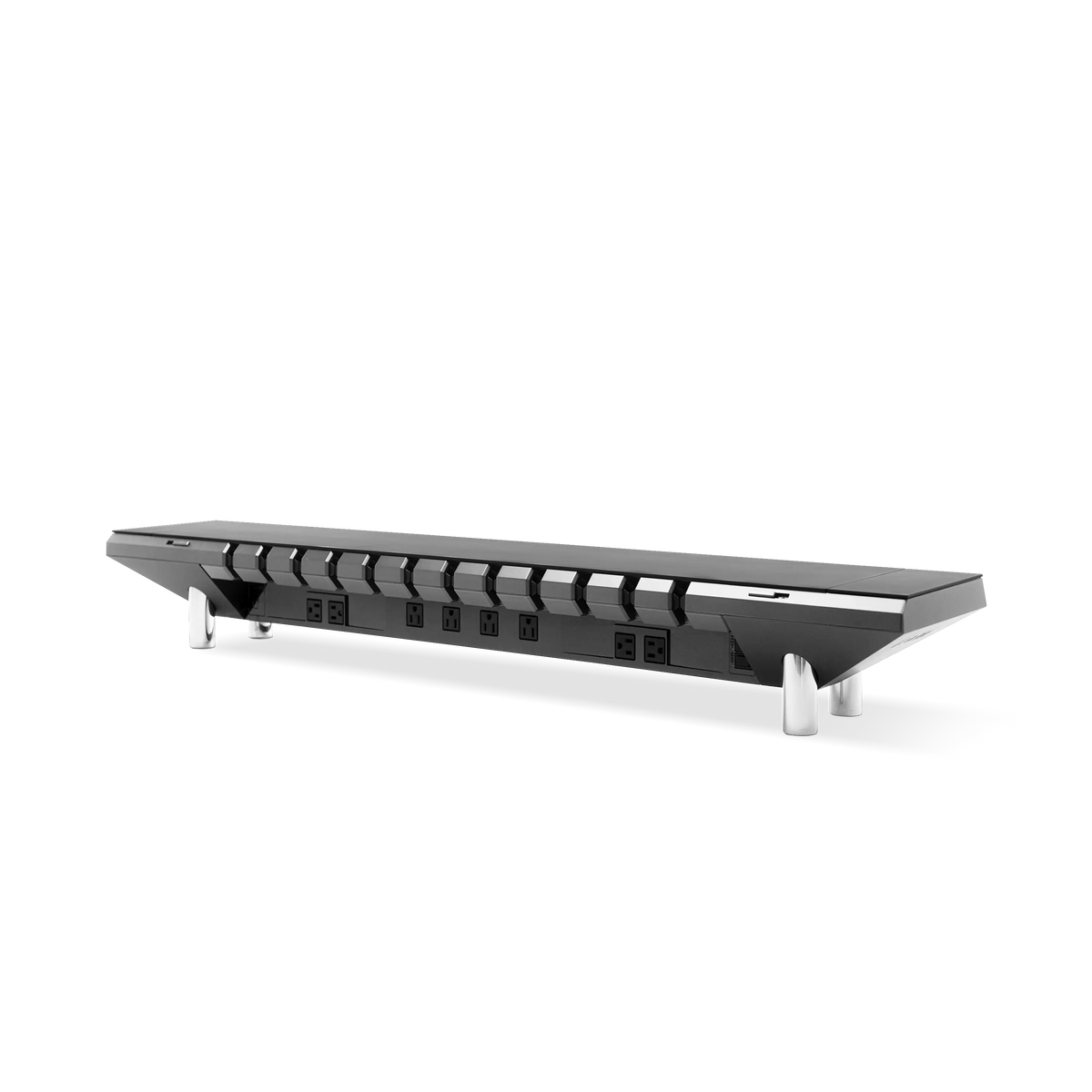
- Cámara de ocultación para fuentes de alimentación: una bandeja montada o una cavidad debajo del estante dimensionada para al menos cuatro fuentes de alimentación de portátil estándar más un concentrador USB. Esta cámara debe ser accesible sin desmontar el escritorio, de lo contrario se llena de polvo y se vuelve inaccesible en un año.
Eso es lo que significa la configurabilidad cuando se aplica a la infraestructura en lugar del acabado. El objetivo es pasar de una "maraña de cables" debajo del escritorio a una única línea arquitectónica, con un cable de suelo por escritorio y cada fuente de alimentación reparable sin herramientas. Esta es la capa donde la energía integrada del escritorio demuestra su valía, porque es la única capa que realmente no se puede atornillar después de que el escritorio esté contra la pared.

Fase 3: Superficie y envolvente acústica, donde la elección estética finalmente gana su lugar
Solo después de que la carga y la energía estén bloqueadas, permitimos la preferencia estética. La razón es simple: una elección de superficie es reversible. Una elección de carga o energía generalmente no lo es.
Cuando la capa de ingeniería es correcta, la elección de la superficie se convierte en una decisión de 30 minutos en lugar de 30 días. El aglomerado con inserciones roscadas preinstaladas (el estándar de escritorio Elevate) acepta un rango de tableros de 1,4–2,0 m × 0,6–0,8 m del mercado de accesorios, por lo que puede cambiar de un laminado negro mate a un borde de nogal de 25 mm sin volver a diseñar el marco. El patrón de inserción es la interfaz, no la madera.
Lo que la mayoría de los configuradores de escritorios personalizados omiten es el envolvente acústico. Un escritorio personalizado se encuentra en una habitación. La habitación tiene suelos duros, mamparas de vidrio, conductos de HVAC. Una losa de madera dura de 50 mm desnuda es una caja de resonancia. Si se combina con una columna de altura ajustable, un ciclo de elevación ruidoso se convierte en un anuncio para toda la oficina de planta abierta. El Hexcal Elevate funciona a ≤40 dB bajo carga, lo que sitúa la elevación por debajo del nivel de ruido conversacional de una oficina tranquila. Ese número no es estético. Es ingeniería acústica.
El principio: las elecciones de superficie nunca deben comprometer el envolvente acústico, y nunca deben requerir taladrar el escritorio. Las inserciones roscadas preinstaladas se encargan de eso, sin taladro, sin comprometer la capa de ingeniería subyacente.
Aquí también nos apartamos de la tendencia a la personalización. Una superficie de escritorio personalizada que necesita ser reemplazada cada 18 meses porque el acabado pasó de moda no es un escritorio personalizado. Es una superficie consumible que pretende ser infraestructura. Trate el escritorio como un componente de 10 años, no como una suscripción trimestral. Si un acabado le importa más que la capa de ingeniería debajo, está comprando muebles, no un escritorio.
Resumen de la regla de los 3: Tres ejes, tres subdecisiones, tres señales de alarma
Reuniendo las tres fases, una evaluación de escritorio personalizado abarca nueve subdecisiones. Aquí está la versión condensada para usar durante una revisión de adquisición.
| Eje | Subdecisión | Respuesta de Hexcal Elevate | Señal de alarma si falta |
|---|---|---|---|
| Carga y movimiento | Elevación de doble motor | Sí, accionamiento independiente Linak® Kick & Click™ | "Monofásico" o no especificado |
| Carga y movimiento | Capacidad de carga (escritorio nivelado) | 160 kg | "Alta resistencia" sin número |
| Carga y movimiento | Velocidad de elevación | 38 mm/s sin carga, proporcional bajo carga | Sin especificación de velocidad |
| Potencia y cables | Salida de un solo cable | Sí, canal integrado | Solo bandeja de cables externa |
| Potencia y cables | Bucle de servicio en el recorrido de elevación | Sí, canales de riel integrados | Cableado visible a altura máxima |
| Potencia y cables | Cámara de ocultación | Sí, bandeja debajo del escritorio, accesible | Sin almacenamiento debajo del escritorio |
| Superficie y acústica | Inserciones roscadas preinstaladas | Sí, no se requiere taladrar | "Taladrar para ajustar" requerido |
| Superficie y acústica | Clasificación acústica bajo carga | ≤40 dB | No especificado |
| Superficie y acústica | Rango de tamaño del escritorio | 1,4–2,0 m × 0,6–0,8 m | Solo un tamaño fijo |
Tres señales de alarma le indican que el configurador está vendiendo muebles, no infraestructura:
- No hay capacidad de carga por escrito. "Diseñado para uso intensivo" sin una cifra en kilogramos es una línea de marketing, no una especificación.
- No hay número acústico. Las columnas elevadoras son mecánicas; el silencio se diseña. Si el proveedor no puede publicar una cifra en dB, el ascensor será más ruidoso que su HVAC.
- Se requiere "perforar para ajustar". Un escritorio personalizado que se envía sin inserciones roscadas preinstaladas le ha transferido el trabajo de ingeniería a usted, el comprador.

Cuando la regla de los 3 no se aplica (el límite honesto)
Un marco es tan útil como sus límites conocidos. La regla de los 3 es para escritorios con una viga de soporte central y acceso de montaje debajo del escritorio, es decir, el formato de escritorio elevable de clase Elevate. No se transfiere limpiamente a otras tres categorías:
- Escritorios flotantes: las unidades voladizas montadas en la pared no tienen una superficie de montaje debajo del escritorio, por lo que toda la capa de cables y energía de la Fase 2 tiene que vivir en la cavidad de la pared. La regla sigue aplicándose, pero las decisiones de la Fase 2 se trasladan a la construcción.
- Convertidores de altura ajustables montados en la pared: se adaptan a una superficie existente, por lo que la carga y el movimiento están fijados por el convertidor y la elección de la superficie se convierte en el único eje restante. Aquí es correcto reordenar la prioridad alejándola de la regla de ingeniería de los 3.
- Unidades de esquina en forma de L sin viga de soporte central: las cargas voladizas en la esquina interior introducen tensión torsional que el sistema de bastidor Elevate no aborda. No hay una respuesta limpia de la Fase 1 para este factor de forma, por lo que los compradores deben esperar a los bastidores diseñados específicamente para esquinas antes de comprometerse.
Saber dónde se rompe la regla es la mitad del valor de la regla.
Cómo hablar con un proveedor de escritorios personalizados (tres preguntas)
Una vez que haya interiorizado la regla de los 3, las conversaciones con los proveedores se acortan. Tres preguntas distinguen a los configuradores serios de las salas de ventas que priorizan el acabado:
- "¿Cuál es la capacidad de carga a máxima extensión y con el escritorio nivelado, y cuál se publica?" Un proveedor serio publica ambas. Un proveedor que prioriza el acabado solo citará "alta resistencia".
- "¿Por dónde se enrutan los cables de alimentación cuando el escritorio está a máxima altura, y eso está documentado en el manual de montaje?" Un proveedor serio tiene un diagrama de bucle de servicio. Un proveedor que prioriza el acabado le dirá que "vista los cables con las bridas incluidas".
- "Si cambio la superficie del escritorio dentro de tres años, ¿necesito volver a taladrar, o las inserciones están estandarizadas?" Un proveedor serio tiene un marco agnóstico a la superficie del escritorio. Un proveedor que prioriza el acabado intentará venderle una superficie de repuesto.
Si obtiene respuestas claras a esas tres, el resto es cuestión de gusto.
Reflexiones finales: el escritorio personalizado es un componente para 10 años
La carrera de los configuradores en línea (madera, acabado, perfil de borde) es una conversación de 2018. La conversación de 2026 trata sobre las capas de ingeniería: carga y movimiento, energía y cables, superficie y acústica. La madera es reversible. La ingeniería no.
Si está evaluando un escritorio personalizado como un componente de 10 años en lugar de una renovación trimestral de la decoración, el escritorio elevable Hexcal Elevate está diseñado siguiendo la regla de 3: carga de doble motor de 160 kg, enrutamiento integrado de cables y energía, un rango de escritorio de 1,4 a 2,0 m con inserciones preinstaladas, ≤40 dB bajo carga. No es el escritorio personalizado más barato del mercado. Es el que cuya configurabilidad se mide en años, no en acabados.
Evite la tendencia a la personalización. Compre el escritorio que le permita reconfigurarlo en 2030, no el que se ve bien en 2026.
Por el equipo de Hexcal. El escritorio elevable Hexcal Elevate y el brazo de monitor Hexcal Heavy Duty mencionados en este artículo son productos diseñados por Hexcal. Los configuradores de escritorios personalizados citados (Chagrin Valley Custom Furniture, Ethan Allen, ErgoHide) se mencionan para comparar y no son productos Hexcal.