Desk Setup Trends 2026-2027: What Will Actually Last
Trend lists age faster than desks do. A color palette can be obsolete by the time a standing desk arrives, while a bad cable route can remain annoying for years. The useful question for desk setup 2026 is not what looks new in a photo. It is which decisions still work after the monitor changes, the desk moves, and a new role gets added to the same workspace.
This refresh keeps the article as a trends and predictions piece, not another generic desk setup guide. The filter is simple: a trend earns attention when it improves flexibility, serviceability, or comfort without making the setup harder to maintain.
Quick take: the desk setup trends worth carrying into 2027
- Modular workstations will replace single-purpose desk scenes.
- Large displays will make support and load planning more important.
- Power and cable routes will be treated as infrastructure, not decoration.
- One desk will keep serving work, creation, meetings, and play.
- Calmer materials and lighting will matter because they support long sessions, not because they photograph well.
How to judge a desk trend
Use the Replace. Move. Repair. test. Can a new device replace the old one without rebuilding the whole desk? Can the screen or desk move through its normal range without pulling a cable? Can a person reach the power source and repair one connection without opening the entire bundle? If the answer is no, the setup may be fashionable, but it is not durable.

Trend 1: modular systems instead of finished-looking scenes
The strongest setups are becoming systems that can change shape. A desk may start with one monitor, add a camera and speakers, then become a standing workstation or a shared creative space. Modularity means the next device has a mounting point, a power route, and a place to be stored before it arrives.
That is a more useful version of the old minimalist trend. The goal is not to remove everything from the desk. The goal is to keep only the things that are in use while giving the rest a defined location.
In practice, this favors adjustable desks, removable monitor support, under-desk storage, and cable routes that can be opened without destroying the layout. It also changes how product choices should be made: choose the part that preserves future options, not just the part that fills today's photo.
Product evidence: Elevate Standing Desk
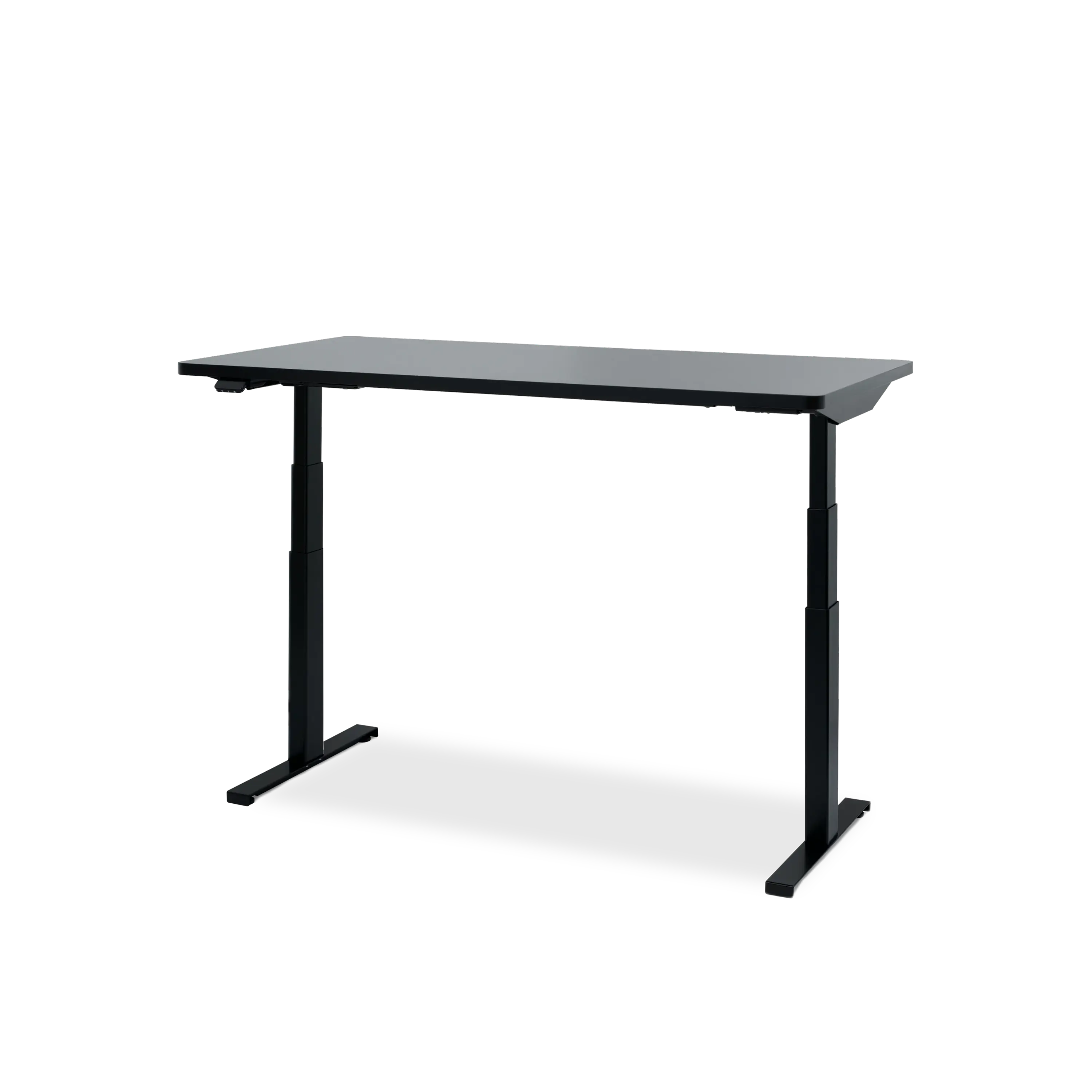
Hexcal Elevate Standing Desk is a useful example of the modular direction because the system is built around movement and expansion. Its documented height range is 620-1270 mm, with dual motors, four stored positions, anti-collision tilt sensing, and a 160 kg horizontal load rating. The cable detail matters as much as the lift: motor cables run through the frame rails, and the final desk route still needs enough slack for the full height range.
Trend 2: bigger screens, stricter support choices
Ultrawide and large-format displays are no longer unusual, but a bigger panel exposes weak support faster. The right question is not whether a mount looks minimal. It is whether the mount matches the screen's weight, curvature, VESA pattern, desk thickness, and movement range.
This also affects the visual trend toward clean open surfaces. A large screen only looks effortless when the support structure is doing its job and the cable route follows that structure. A display cable hanging from the rear edge is still visible clutter, no matter how carefully the desktop has been styled.
Product evidence: Heavy Duty Monitor Arm
For a single large or curved display, the Hexcal Heavy Duty Monitor Arm is the relevant product example. The current specification supports screens up to 57 inches, 2-27 kg for flat displays or 2-22 kg for curved displays, VESA 75x75 through 200x200, and clamp or grommet mounting. It requires two-person installation. Those constraints are the point: a clean large-screen setup starts with compatibility, not with a trend image.

Trend 3: cable management becomes serviceable infrastructure
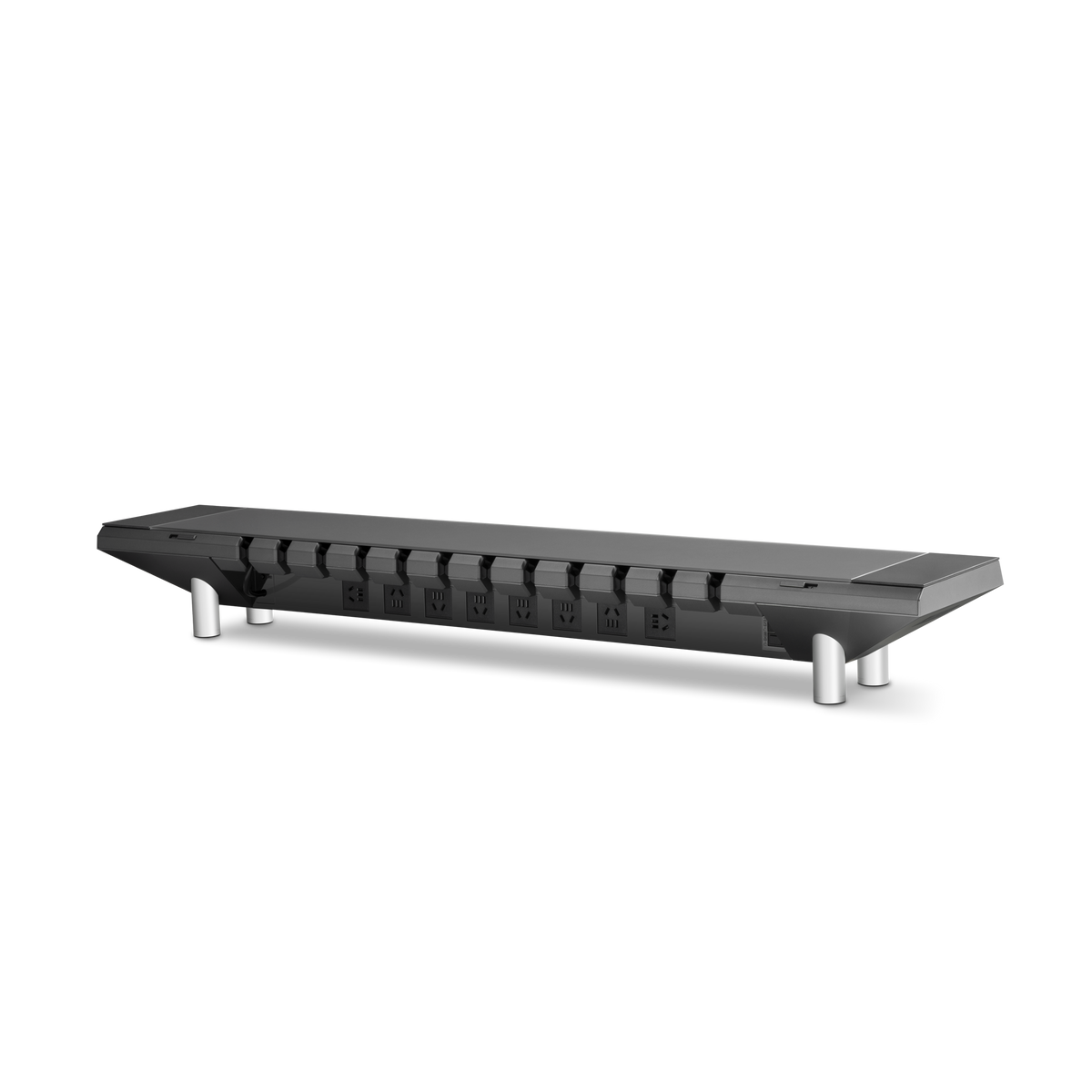
In 2025, many desk photos treated cable management as a final styling pass. The durable direction for 2026-2027 is different. Power, signal, and charging cables need known destinations, short service loops, and access to the connections people actually replace.
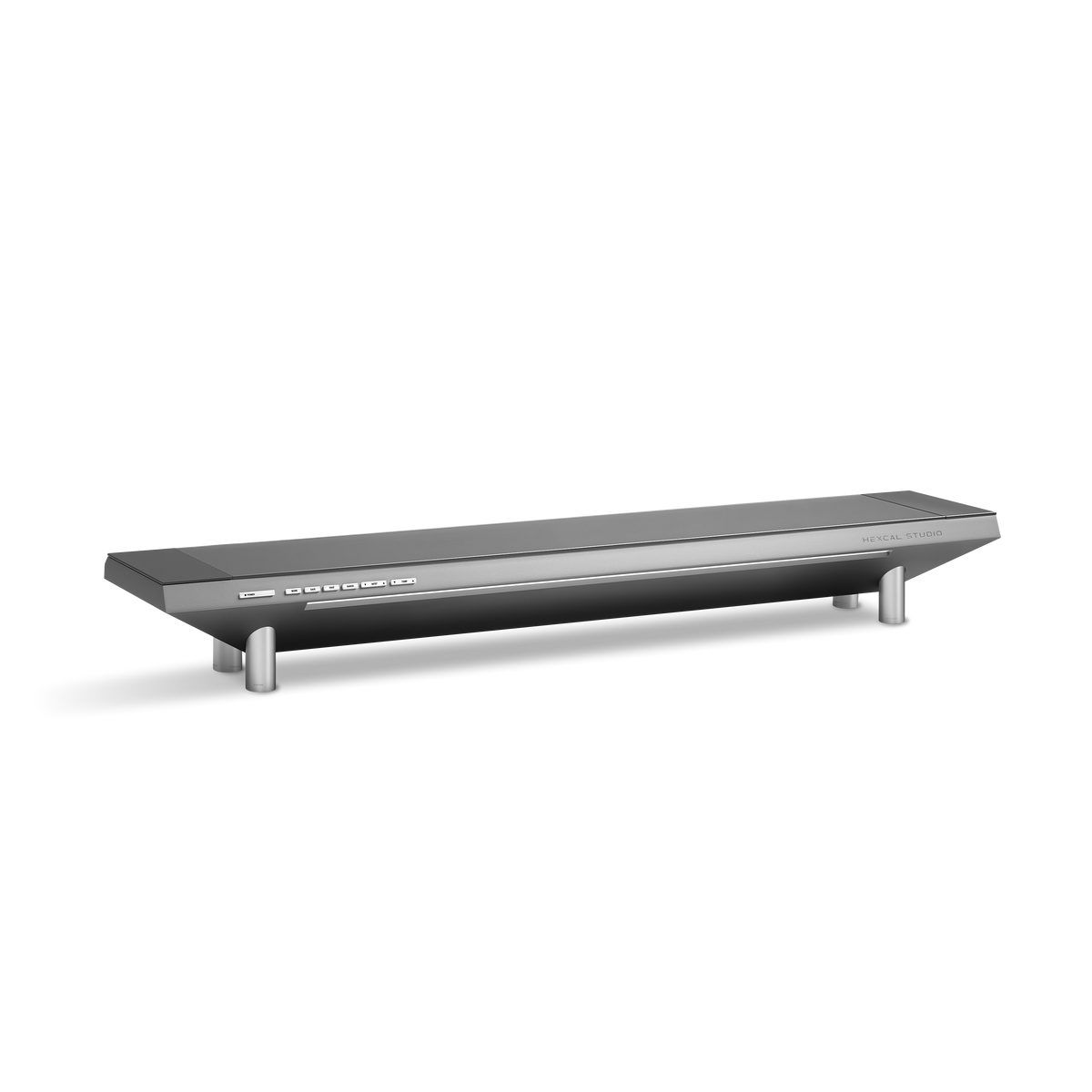
This is why a clean setup should be judged after a device swap, not only after the first tidy-up. A tray, channel, or integrated power platform earns its place when it lets someone add a monitor, replace an adapter, or unplug a device without pulling apart every other route. For the monitor-specific method, see our guide to organizing a monitor setup and hiding its cables. For the integrated platform version, see the first-party monitor riser test.
Trend 4: one desk, several roles
The desk setup is now expected to move between work, video calls, focused creation, gaming, and casual use. That does not mean every desk needs every accessory. It means the layout should switch roles without requiring a full teardown.
Keep the daily controls within reach. Put rarely changed power bricks and adapters into a defined storage zone. Leave a short path for the device that is connected only once a week. Put the microphone, camera, or portable display where it can be added without crossing the primary keyboard and mouse zone.
The best multi-role setups therefore look quieter, not busier. Their flexibility is hidden in mounting points, cable slack, storage, and clear zones.
Trend 5: calm materials and useful lighting
Natural finishes, neutral colors, and ambient lighting are still present, but the durable version is less theatrical. Materials should tolerate daily contact. Lighting should help the room change from focus to evening use without creating glare on the display. Accessories should support the way the desk is used rather than become a second display of purchases.
This is where the old minimalism advice needs an update. A desk can have a warm wood surface, a metal riser, a large monitor, and visible tools while still feeling calm if each item has a job and the cable route is controlled. Minimalism is a maintenance system, not an empty photo.
What will probably not last
- Buying a new color theme every time the desk feels stale, without fixing the movement or cable problem.
- Building a large monitor setup on a mount that has not been checked against weight, VESA, and desk thickness.
- Routing every cable into one sealed bundle that cannot be serviced.
- Choosing accessories that require a complete teardown when the desk changes height or role.
- Calling a setup ergonomic because it looks symmetrical, without checking screen height, reach, glare, and long-session comfort.
2026-2027 forecast
| Prediction | Why it should persist | What to verify |
|---|---|---|
| Modular desk ecosystems | New devices can be added without replacing the foundation | Mounting, storage, and power expansion paths |
| Large displays with purpose-built support | Screen size increases the cost of weak mounts and bad cable routes | Weight, VESA, curvature, desk thickness, and movement |
| Serviceable cable infrastructure | Adapters and devices will keep changing | Access, slack, labeling, and one-cable repair |
| Role-switching workspaces | One room has to support more kinds of work | Clear zones and fast, reversible changes |
FAQ
What are the biggest desk setup trends in 2026?
The durable trends are modular workstations, larger displays with better support, serviceable cable management, role-switching layouts, and calmer lighting and materials. The common theme is flexibility that survives daily use.
Are desk setup trends still focused on minimalism?
Yes, but the useful version of minimalism is less about owning fewer visible objects and more about giving every object a defined role and storage location. A dense workstation can still look calm when it is easy to maintain.
What should I prioritize when building a 2026 desk setup?
Choose the display support and desk movement first, then define power and cable routes. Add lighting and accessories after the core layout works through the full range of positions you use.
Are large monitors a good desk setup investment?
They can be, if the desk and mount support the screen's weight, size, VESA pattern, and viewing distance. A large display without the right support creates more instability and cable tension than productivity.
How do I make a desk setup last into 2027?
Keep the foundation modular, leave serviceable cable paths, protect the movement range of the desk, and avoid choices that require a full rebuild after one device changes. Test the setup after a real swap rather than judging it only when new.
Related guides
- Should I choose a monitor stand or monitor arm?
- Cable management for standing desks
- Monitor stands vs. monitor arms
- The first-party monitor riser and cable management test
The desk setup trend worth keeping is the one that makes tomorrow's change easier. Build for the next monitor, the next role, and the next repair, and the workspace will still feel current after the photo stops circulating.