Cómo solucionar el problema del "holgura": la gestión de cables en escritorios de altura regulable
A cable bundle can look perfect while the desk is down and pull against a monitor port halfway up. Plan standing desk cable management around the moving connections first. Identify which endpoints rise, check each complete route through the desk's permitted travel, and fasten the cables only after you know where the slack must go.
Cable slack is the spare length that lets a connection change position without becoming taut. A service loop is a deliberate, controlled section of that spare cable. Its shape matters: a loop that catches on the frame hasn't solved the problem, even if the cable is long enough.
There isn't a universal number of extra inches to leave. Outlet position, attachment points and arm movement change the required route. Use the following five-step route check on the equipment you intend to keep.
Step 1: Mark the fixed and moving endpoints
Follow each cable from one connector to the other. Record what it does and whether each end moves with the desktop. A display cable from a desk-mounted dock to a monitor is different from a display cable running to a PC on the floor.
Here's a planning example for a workstation with a floor-standing PC and a power strip installed beneath the moving desktop. The strip's mounting and use must be allowed by its manufacturer. These are proposed routes, not tested results.
| Connection | First endpoint | Second endpoint | Movement to check |
|---|---|---|---|
| Power strip supply | Wall outlet, fixed | Strip beneath desktop, moving | Desk travel between wall and moving attachment point |
| Display signal | Floor PC, fixed | Monitor, moving | Desk travel plus any monitor-arm adjustment |
| Keyboard data | Keyboard, moving | Floor PC, fixed | Desk travel along the selected route |
| Monitor power | Under-desk strip, moving | Monitor, moving | Local screen movement and connector access |
Add Ethernet, speakers or another display if they cross the same boundary. Don't assume a sleeve contains every connection just because it's the thickest bundle behind the desk.
If equipment locations are still undecided, complete the standing desk setup plan first. Moving the PC later can change several routes at once.

Decide where to put the PC before fixing these cable endpoints.
Step 2: Choose where the power connections live
Two common layouts produce different cable problems.
Power distribution moves with the desktop. When a suitable strip and its mounting arrangement are approved for this use, local power leads can remain near the devices they supply. The strip's supply cable then crosses from the moving desktop to the fixed wall outlet. Video, network and other connections to fixed equipment still need their own movement allowance.
This can reduce the number of power leads traveling toward the floor. It doesn't guarantee that only one cable leaves the desk.
Power or equipment stays on the floor. A floor-standing UPS or PC can remain in its intended location while the desktop rises. Each lead from that fixed equipment to a moving screen, dock or peripheral needs an adequate route. Include the UPS-to-device connections you actually use; a monitor power cable still changes position even when its plug is hidden behind the computer.
Keep a UPS in a location permitted by its own instructions. A cable tray's appearance or published load figure doesn't establish that it can carry that UPS or provide the required ventilation.
Choose the layout that preserves the functions you need. Replacing a working power arrangement just to produce a single visible cord adds little if it makes the UPS inaccessible or leaves the network cable too short.
Step 3: Check the route before fastening it
Start with the equipment and desk in the installation state specified by their instructions. Lay out the proposed cable path with accessible connectors and temporary, releasable supports where appropriate. Check length along that path; measuring a straight line from the wall to the screen misses the distance used by bends and attachment points.
Then assess the permitted operating travel. Follow the desk instructions for operating it while observing the route, keeping clear of moving components. Check the highest and lowest positions you will use and the path between them. Stop if a cable begins to tighten, drag or catch. Don't use a connector as a travel stop.
At the higher position, look for tension at both ends and at the last fixed attachment. At the lower position, see where the spare length settles. A generous loop can fall across a foot, enter the chair's path or slip behind an obstruction. Midway through travel, a loop can meet a bracket that neither endpoint check revealed.
An arm-mounted screen adds another variable. Check its intended adjustment separately, including the combination of a raised desk and the screen pulled toward you. Use the cable manufacturer's bending limits and the equipment's routing instructions; tightening a tie until the cable looks straight isn't a useful acceptance test.
How much extra cable does the route need?
Compare the usable cable length with the longest required path, including the bends and access specified for that equipment. The desk's vertical rise alone is not that path length: the outlet's position and attachment points change the route.
Suppose an assumed route needs 1.2 m with the desk lowered and 1.8 m at the highest intended setting. A cable providing 1.5 m of usable length cannot serve both positions, even though it reaches at the lower one. A 2 m cable has 0.2 m beyond the assumed longest path; that arithmetic does not establish that its connector access, bending limits or lowered loop are suitable. Check those before selecting it.
These are planning values, not a recommended cable size. If an actual cable fails the route check, change the route or select a cable that supports both the required length and the equipment's signal or power specification.

Step 4: Reserve space for the tray and the person using the desk
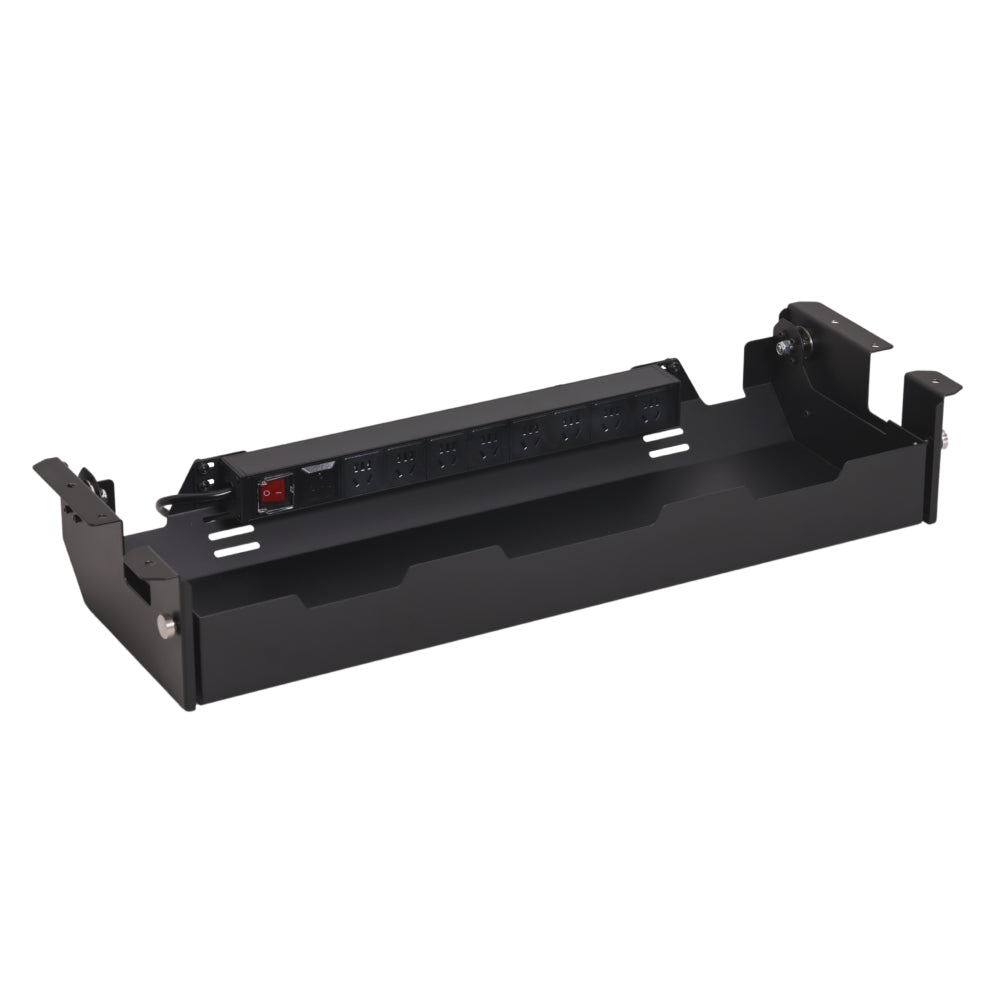
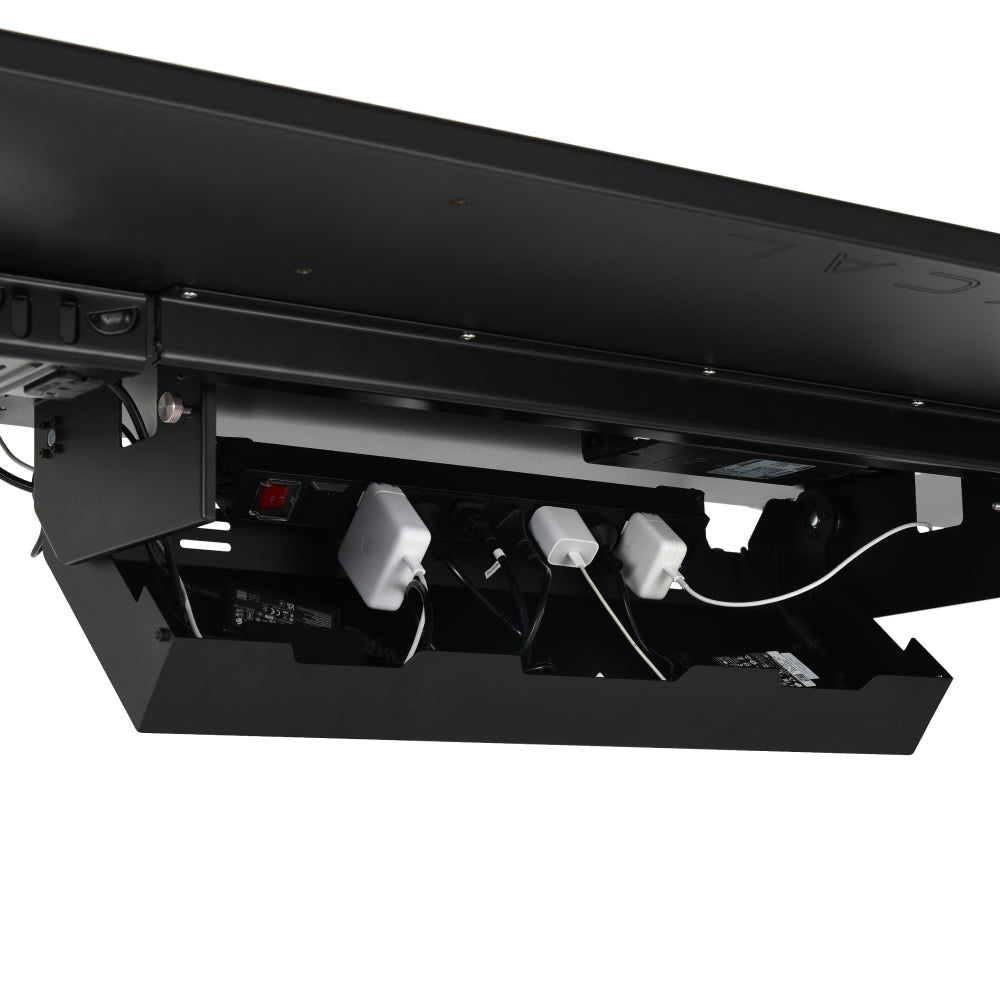
A tray can hold stationary sections of the moving cable arrangement while leaving the travel loop outside it. Choose its location after mapping the desk frame and the cables' exit direction. The Hexcal Under Desk Cable Management Tray is an option to assess against your actual mounting surface and equipment. Its presence doesn't establish that every power arrangement fits.
Include the space needed to open or service the tray. A lid that meets an arm clamp can trap the very cable you intend to replace. An adapter can fit inside while its protruding plug prevents closure.
Keep seated knee space and drawer movement on the same plan. A cable loop placed directly behind a drawer may stay clear when the drawer is closed and get caught when you reach for something. The standing desk cable tray fit guide covers the container and installation checks in more detail.
Fasten the route in sections you can release. Leave the planned movement allowance at the boundary between fixed and moving equipment, rather than distributing random slack across the whole desk.
Step 5: Replace one cable before calling the arrangement finished
Pick the cable you're most likely to change: perhaps a display lead or the connection to a daily-use laptop. Can you identify both ends, reach them and release the relevant supports without removing unrelated equipment?
Labeling the ends makes this easier. So does leaving daily connections outside concealed storage. Follow equipment instructions when disconnecting or replacing a lead, then repeat the route check for the replacement. A longer connector housing can change a route even when the cable's advertised length is unchanged.
The monitor cable maintenance guide explains how to keep individual connections serviceable. For long-term use, keep working cables that meet the required functions and route. Buy a replacement for a measured problem, not for a matching color alone.
Fix the failure you found
| What happens | What to change before using that travel again |
|---|---|
| Cable tightens before the desk reaches the desired height | Reassess the route or obtain a suitable cable with enough usable length and the required signal or power capability |
| Spare cable lands in the chair or foot path | Change the supported loop position while preserving the required movement allowance |
| Loop catches midway through travel | Move the exit or attachment point away from the obstruction; check the revised full path |
| Tray hides a connector you need regularly | Reposition that connection or choose storage with adequate access |
A clean seated view is only one part of the result. Finish when the intended movement has a clear path and the next cable change remains a small job.