Ideas de iluminación para escritorios: por qué una barra de luz para monitor es mejor que otra lámpara de escritorio

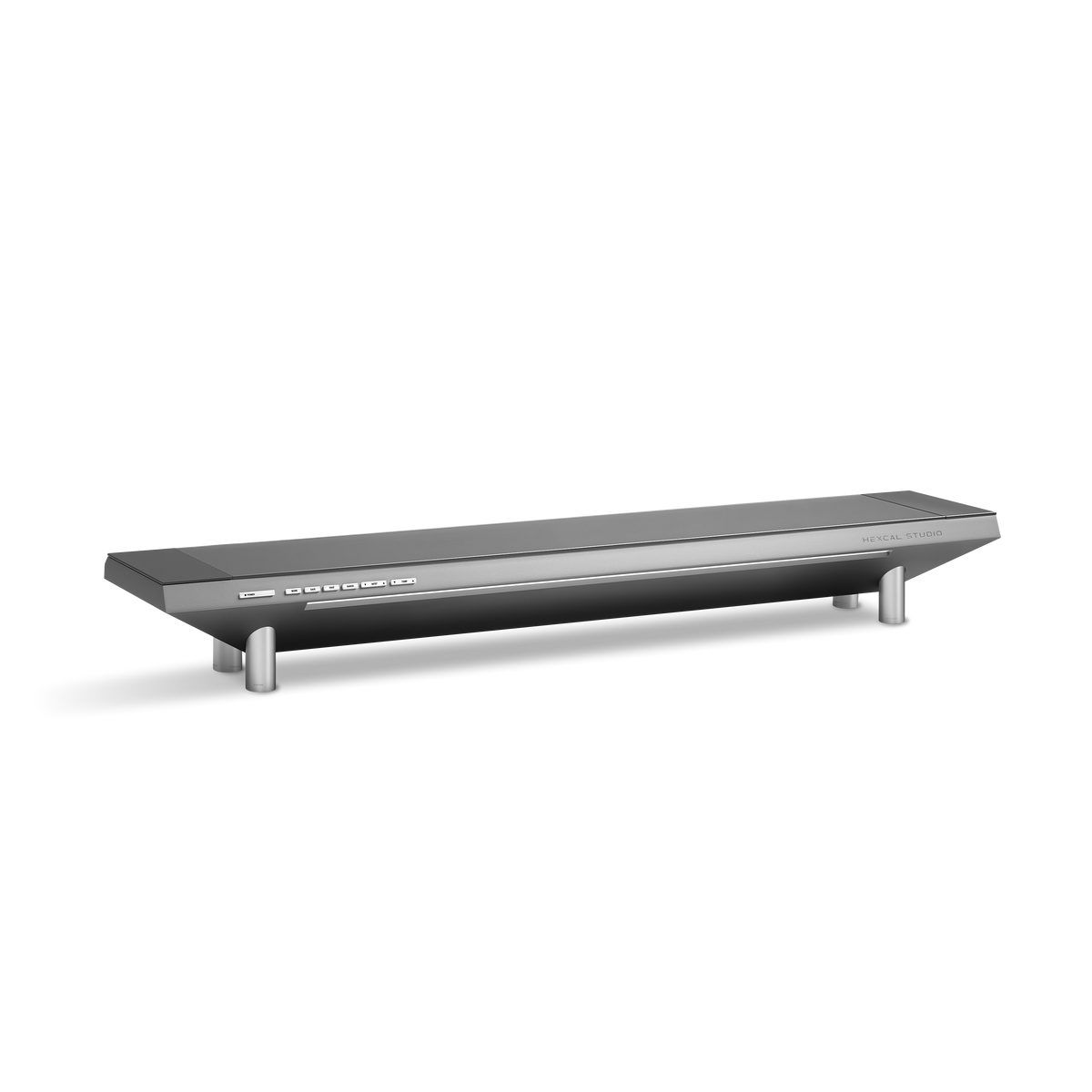
La mayoría de las ideas de iluminación para escritorios fallan por la misma razón: añaden más luz a un escritorio que no necesita más luz. La pantalla frente a usted ya es un panel de 300 nits que dispara fotones a su cara durante ocho horas. Atornille una lámpara de escritorio brillante al lado y no habrá resuelto nada. Ha introducido una segunda fuente de luz que compite con la primera, proyectando un reflejo fuerte en el tercio superior de su pantalla y obligando a sus pupilas a arbitrar el contraste. La respuesta convencional a un espacio de trabajo tenue es "compre una lámpara más brillante". La respuesta correcta es colocar una cantidad menor de luz exactamente en el lugar correcto y mantenerla completamente fuera de la pantalla. Ese es todo el argumento a favor de una barra de luz para monitor, y es por eso que una plataforma como la Hexcal Studio integra su iluminación en la estructura en lugar de dejarle colocar otra lámpara.
Puntos clave
- La guía general de iluminación de oficinas se sitúa en torno a los 300-500 lux en el escritorio para trabajos con pantalla y papel; más allá de eso, la luz ambiental adicional tiende a añadir deslumbramiento a la pantalla en lugar de claridad.
- Una barra de luz para monitor gana debido a su diseño óptico asimétrico: el haz se dirige hacia abajo y hacia adelante sobre el teclado y el escritorio, nunca hacia atrás hacia el panel que causa reflejos.
- Para un trabajo sostenido frente a la pantalla, una temperatura de color media suele ser la más cómoda: lo suficientemente cálida como para evitar el azul clínico de los LED de luz diurna, lo suficientemente fría como para mantener el texto nítido.
- Elija una barra con clip si desea que una pantalla se ilumine y nada más; elija una plataforma integrada (Hexcal Studio) si desea que la iluminación, la energía y el enrutamiento de cables se resuelvan como un sistema único.
- La iluminación integrada no es adecuada para un escritorio flotante montado en la pared sin superficie para una base o chasis. Esa configuración aún necesita una barra montada con abrazadera.

Nivel 1: Diagnostique el problema antes de añadir un solo vatio
Antes de comprar algo, mida lo que tiene. La guía general de iluminación de oficinas sitúa la iluminancia cómoda del escritorio entre 300 y 500 lux para trabajos mixtos con pantalla y papel, y una vez que se supera ese rango, los resultados se invierten. La razón es contraintuitiva: más luz ambiental aumenta el brillo de todo alrededor de su monitor, lo que aplana el contraste de la propia pantalla y le obliga a aumentar el brillo de la pantalla para compensar. Una aplicación gratuita de luxómetro para teléfono le dirá en treinta segundos si su escritorio está poco iluminado (por debajo de 300 lux), correctamente iluminado o inundado. El modo de fallo común no es un escritorio demasiado oscuro. Es uno iluminado de manera desigual, con una fuente de luz brillante en el techo detrás de usted que proyecta un reflejo en el cristal.
Este es el paso de diagnóstico que la mayoría de las guías de iluminación de escritorios omiten. Pasan directamente a las listas de productos. La solución para "reflejos en mi pantalla" casi nunca es "más lúmenes". Es reubicar la luz debajo y delante de la línea de visión, que es precisamente el trabajo para el que se diseñó una barra de luz para monitor.

Nivel 2: El haz asimétrico, lo que realmente hace una barra de luz
Una barra de luz para monitor es un accesorio LED lineal que descansa sobre el bisel superior de su pantalla. Su característica definitoria no es que ahorre espacio en el escritorio, aunque lo hace; es el diseño óptico asimétrico. En lugar de irradiar luz en un cono simétrico como una lámpara de escritorio, la óptica proyecta el haz hacia abajo y hacia adelante, sobre el teclado y la superficie del escritorio, mientras protege la pantalla detrás de una línea de corte dura. No llega luz al panel, por lo que no hay reflejos que reboten en sus ojos.
Una lámpara de escritorio no puede hacer esto de forma fiable. Su brazo articulado le da flexibilidad, pero esa misma flexibilidad significa que el cono de luz está a un ligero empujón descuidado de extenderse por su pantalla. Consejo: si ya tiene una lámpara y se niega a reemplazarla, colóquela ligeramente detrás y a un lado del teclado, nunca al lado o detrás del monitor, donde se reflejará directamente en sus ojos. Es una solución provisional, no una solución.

Nivel 3: Temperatura de color y el mito de la luz diurna
La tercera variable es la temperatura de color, medida en Kelvin, y es donde la mayoría de las ideas de iluminación de escritorios se equivocan al perseguir la "luz diurna". Un LED de luz diurna de 6500 K se ve productivo en una sala de exposiciones y se siente clínico a las 9 p. m. Para un trabajo prolongado frente a la pantalla, una temperatura de color de rango medio suele ser la opción más cómoda: lo suficientemente cálida como para suavizar el tono azul, lo suficientemente fría como para mantener el texto nítido y evitar quedarse dormido. La jugada seria es la temperatura ajustable, para que el escritorio se caliente a medida que la habitación se oscurece.
Este es exactamente el punto en el que una plataforma integrada supera a una barra fija. La iluminación integrada del Hexcal Studio Plus ofrece tres modos discretos, cálido, frío y luz diurna, en un rango completo de 2700 K a 6500 K con brillo ajustable, por lo que la misma superficie que alimenta sus dispositivos también ajusta su propio brillo. Una barra con clip de temperatura única no puede seguir el ritmo de la habitación. Una configuración ajustable es el tipo de configuración con la que deja de jugar después de la primera semana, porque la luz ya coincide con la hora en lugar de obligarle a elegir entre demasiado azul y demasiado tenue.

La regla de los 500: una arquitectura de trabajo, no una lista de compras
Uniendo los tres niveles se obtiene una regla de funcionamiento simple que llamamos la Regla de los 500. Apunte a aproximadamente 300–500 lux medidos en la superficie del escritorio, entregados por una fuente de luz posicionada delante y debajo de su línea de visión, ajustada a una temperatura de color de rango medio para la mayor parte de la jornada laboral. Toda buena decisión de iluminación de escritorio es una variación de esa frase. Una barra de luz para monitor la satisface de forma nativa. Una lámpara de escritorio la satisface solo con una colocación disciplinada. Una luz de techo casi nunca la satisface, porque está detrás de usted y apunta a la pantalla.
Observe lo que no es esta arquitectura. No son artilugios RGB estacionales que se atornillan para una foto navideña y se desenchufan en enero. La iluminación del espacio de trabajo es infraestructura, una parte fija de cómo funciona el escritorio todos los días durante años, y debe especificarse una vez y dejarse sola, de la misma manera que se piensa en la alimentación de un escritorio o su cableado. Si ya está construyendo una configuración de escritorio minimalista, la iluminación no es un accesorio que se agrega al final; es uno de los tres o cuatro sistemas que definen si el escritorio funciona en absoluto.
Barra con clip vs. Plataforma integrada: La comparación honesta
Aquí está la parte que la mayoría de los artículos evitan, porque están vendiendo un solo producto. Una barra de luz de monitor independiente y una plataforma de escritorio integrada resuelven problemas superpuestos con diferentes alcances, y la respuesta correcta depende completamente de cuántos otros sistemas de escritorio esté tratando de arreglar. A continuación, se presenta la comparación, con las ventajas y desventajas claramente expuestas, incluidas las nuestras.
| Dimensión | Barra de luz de monitor con clip | Plataforma integrada (Hexcal Studio) |
|---|---|---|
| Lo mejor para | Iluminar una pantalla y nada más | Iluminación + alimentación + gestión de cables como un solo sistema |
| Control de brillo | Excelente (haz asimétrico) | Excelente (campo integrado sin sombras) |
| Ajuste de color | Varía según el modelo; unidades baratas fijas | 2700K–6500K, tres modos (Studio Plus) |
| Huella en el escritorio | Cero (se sujeta al bisel) | Reemplaza el soporte y la regleta de enchufes |
| Lo que no hace | Sin suministro de energía, sin gestión de cables | No es una barra con clip; no es un accesorio de bisel |
Lea esa última fila con atención, porque es una divulgación, no una línea de ventas. El Hexcal Studio no envía una barra con clip que se posa en su monitor. Su iluminación es un campo sin sombras incorporado en la plataforma, con más de 1.000 configuraciones en el Studio insignia y tres modos ajustados en el Studio Plus, diseñado para iluminar la superficie de trabajo desde el lado del escritorio. Si una barra superior del monitor es el accesorio específico que desea, un clip dedicado es la coincidencia más literal, y se lo diríamos.
Dónde la iluminación integrada vale la pena y dónde no
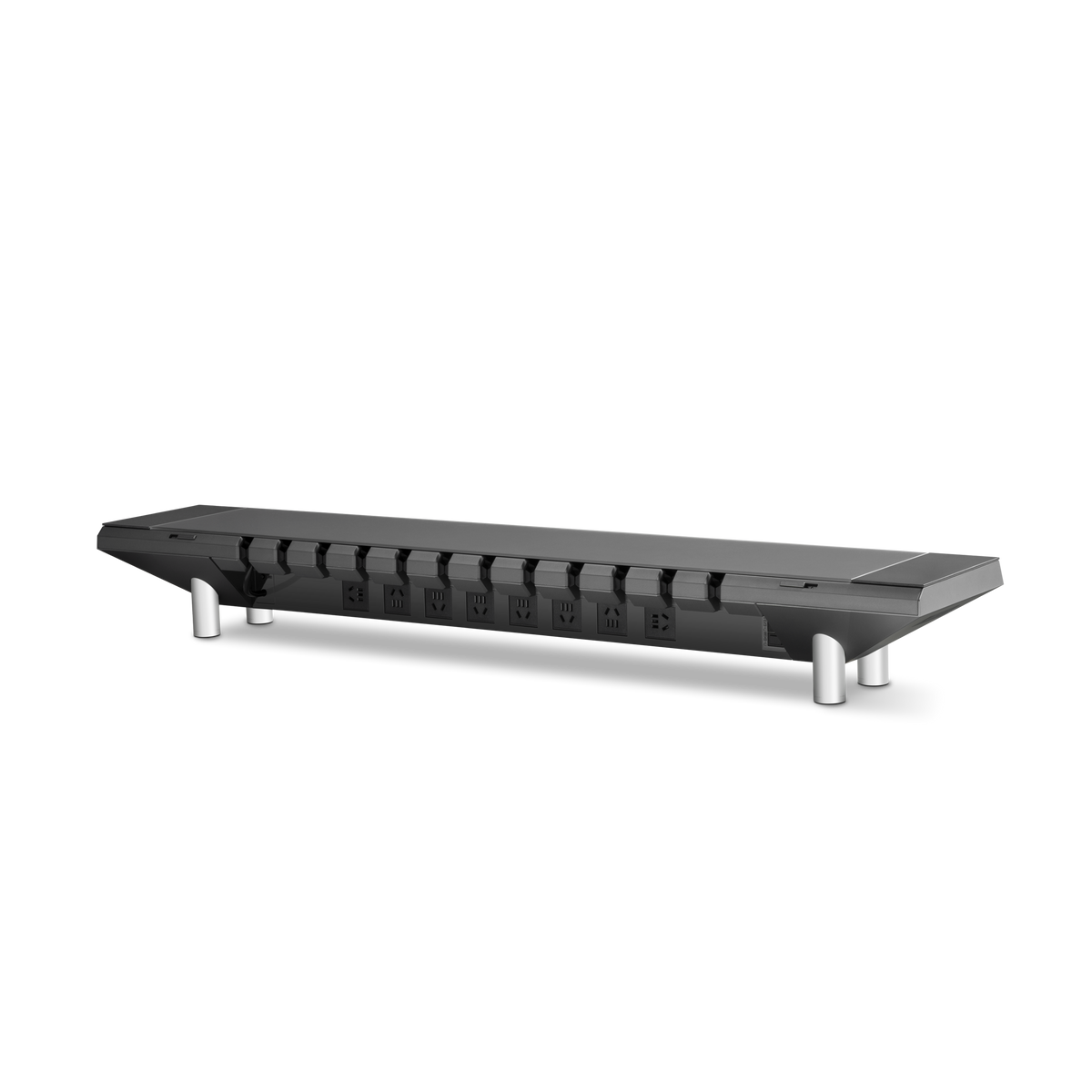
Hexcal Studio, Hexcal Studio Plus y el brazo de monitor de alta resistencia Hexcal son diseñados y fabricados por Hexcal; no se trata de un resumen imparcial de terceros, y no pretendemos lo contrario. La razón por la que integramos la iluminación en la plataforma en lugar de vender una barra separada es que la iluminación nunca fue el único sistema defectuoso en un escritorio. El Studio Plus cuenta con una arquitectura de potencia total de 160 W con un puerto USB-C de 100 W y cuatro tomas de corriente continua de 65 W, por lo que la superficie que ajusta su luz de 2700 K a 6500 K también alimenta su computadora portátil, monitor y periféricos desde una sola entrada. El Studio insignia tiene 1440 W de potencia distribuida bajo la misma superficie que alberga su iluminación. Reemplazar una lámpara, una regleta y un lío de cables con una sola plataforma convierte tres sistemas molestos en uno en el que deja de pensar.
El límite es igual de importante. La iluminación integrada necesita una superficie, un soporte o chasis sobre el que se asienta la plataforma. Es la elección incorrecta para un escritorio flotante montado en la pared sin espacio para una base, donde una barra con abrazadera o una luz montada en el brazo es la respuesta honesta. También es excesivo si la iluminación es genuinamente lo único que desea arreglar y su alimentación y cableado ya están gestionados. Si está considerando una reconstrucción completa, combine la decisión de iluminación con la forma en que está manejando la alimentación integrada del escritorio, porque los dos sistemas comparten el mismo chasis y resolverlos juntos es más barato que resolverlos dos veces. Para el camino todo en uno, el Hexcal Studio Plus es la plataforma a considerar: luz ajustable, alimentación USB-C de 100 W y gestión de cables especificada como un solo sistema en lugar de tres compras.

Por el equipo de Hexcal.