Soporte o brazo para monitor: ¿Cuál elegir para tu escritorio?

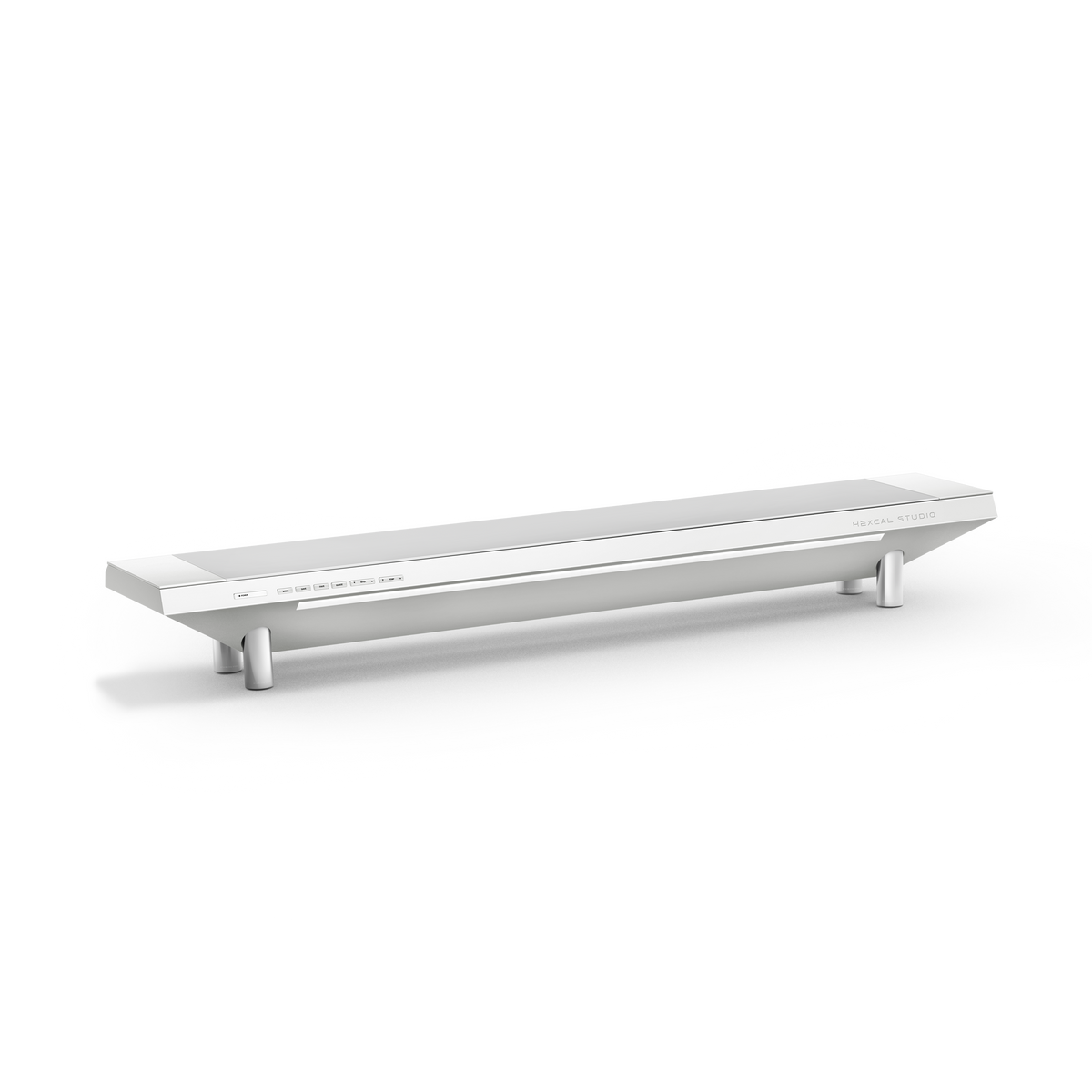
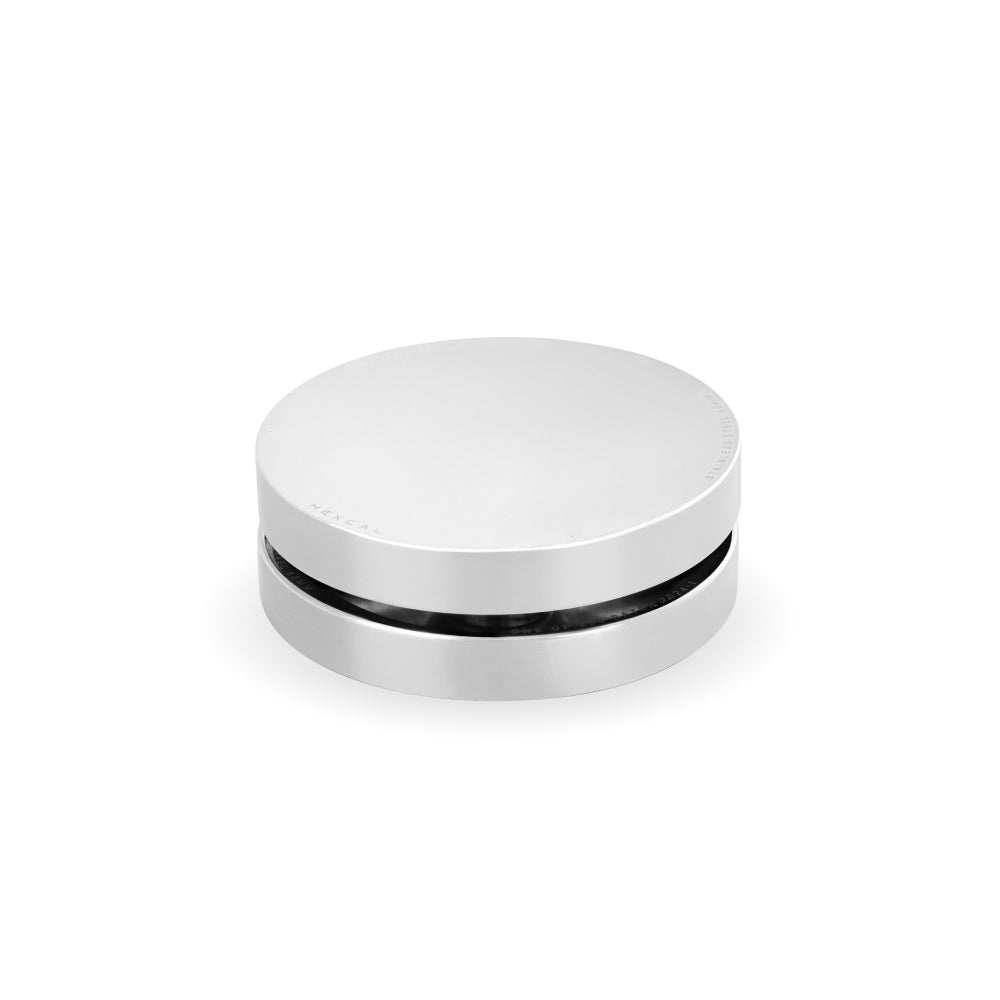
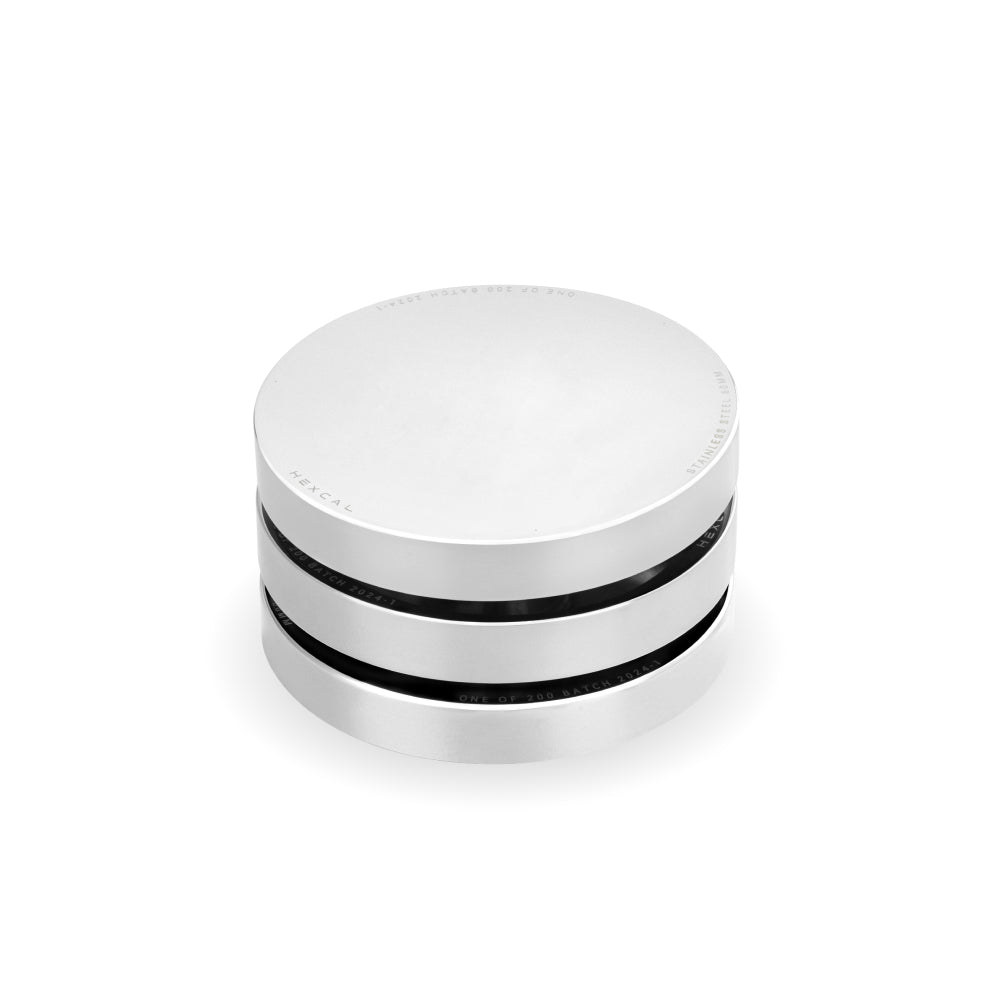
La mayoría de la gente resuelve la cuestión del soporte de monitor frente al brazo de monitor revisando fotos de escritorios y copiando la configuración que parece más limpia. El consejo de compra convencional hace esto al revés. Una foto limpia no te dice nada sobre si un soporte realmente se ajustará a tu pantalla, soportará tu escritorio o se ubicará a una altura que tu cuello pueda tolerar durante ocho horas. La elección se establece por tres cosas que puedes medir antes de gastar nada: el patrón de montaje en la parte posterior de tu pantalla, cómo está construido tu escritorio y con qué frecuencia tu pantalla necesita moverse realmente. Si haces esto bien, la decisión se resuelve sola. Un soporte es una infraestructura que compras una vez, no un accesorio impulsado por la moda, por lo que vale la pena elegirlo basándose en la evidencia en lugar de la estética. Y si tu respuesta resulta ser ninguna de las dos, un elevador fijo como el Hexcal Studio es la tercera opción que la mayoría de las comparaciones olvidan.
Conclusiones clave
- Un brazo de monitor requiere una pantalla compatible con VESA; la mayoría de los monitores de 24 a 32 pulgadas utilizan el patrón VESA de 75×75 o 100×100 mm, pero muchos paneles delgados o económicos no tienen orificios VESA, y esos solo pueden usar un soporte.
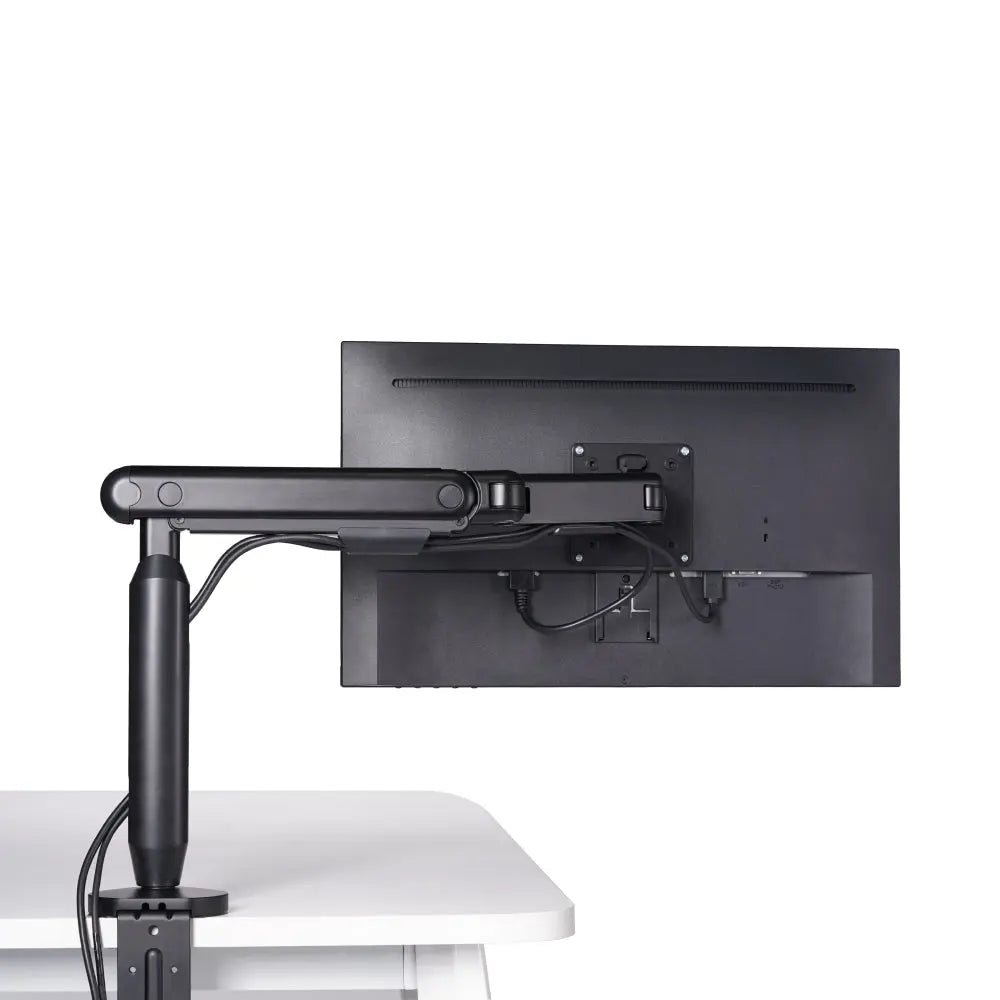
- Un soporte de monitor recupera la profundidad del escritorio y puede añadir almacenamiento o energía; un brazo de monitor recupera completamente el espacio y permite que la pantalla flote, se incline y gire.
- La construcción del escritorio decide la posibilidad de montaje: los soportes de abrazadera necesitan un borde trasero plano (el brazo de monitor individual Hexcal se ajusta de 10 a 80 mm con abrazadera, de 10 a 35 mm con ojal), y los escritorios flotantes o de vidrio a menudo no admiten ninguno de los dos.
- Elige un brazo si reposicionas la pantalla a diario, usas pantallas duales o triples, o quieres recuperar la superficie del escritorio; elige un soporte si tu pantalla rara vez se mueve o si tu pantalla no tiene montaje VESA.
- El precio escala con la capacidad: los brazos de entrada comienzan alrededor de $79, los brazos de alta resistencia alrededor de $129, los elevadores básicos cuestan aproximadamente $20-$60, y un elevador de grado de estación de trabajo como el Hexcal Studio cuesta $899.
- La ergonomía es el desempate: las directrices de Oregon OSHA sitúan la parte superior de la pantalla a la altura de los ojos o ligeramente por debajo, a una distancia aproximada de un brazo; ambas soluciones pueden lograr esto, pero solo un brazo se reajusta sobre la marcha.

Qué resuelve realmente un soporte de monitor
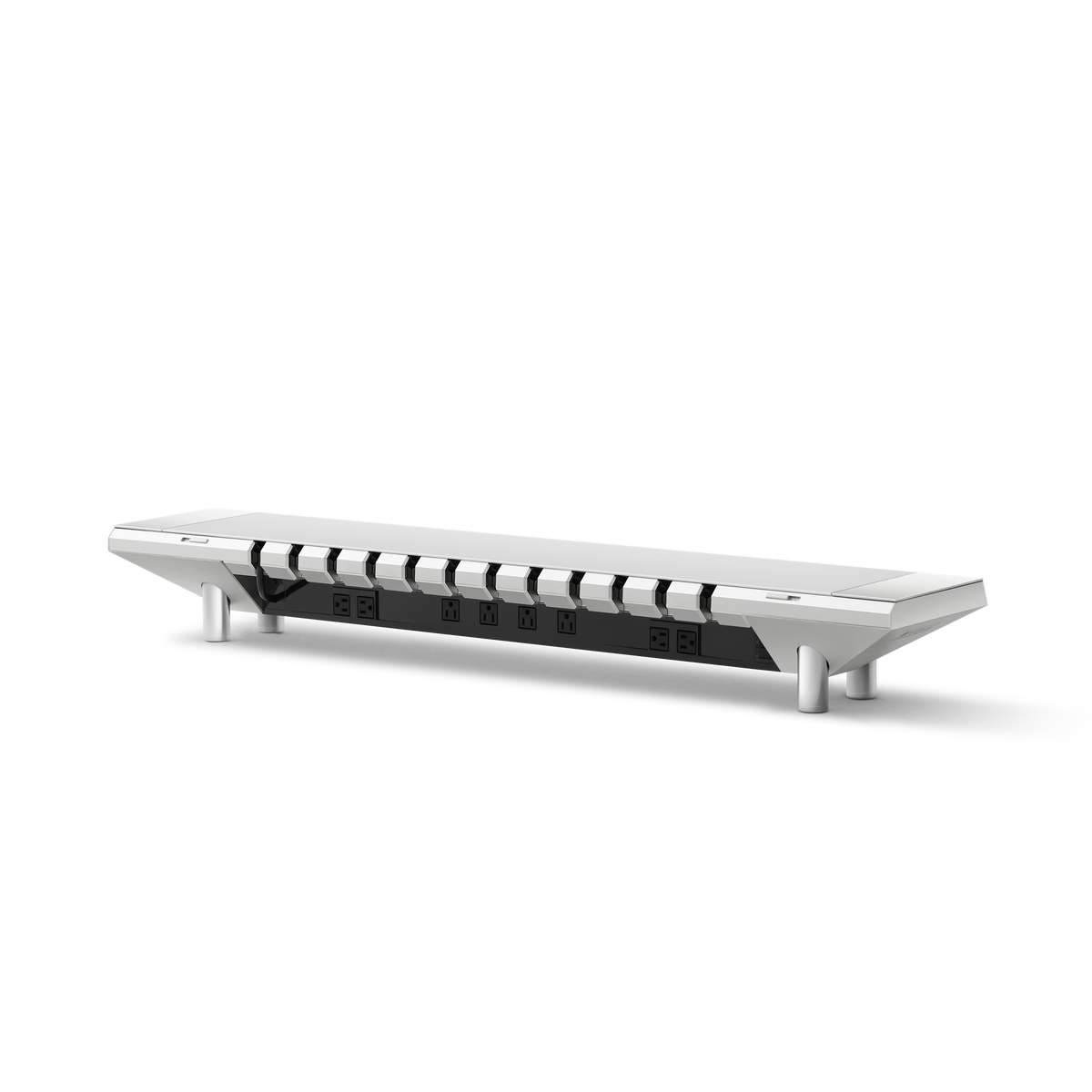
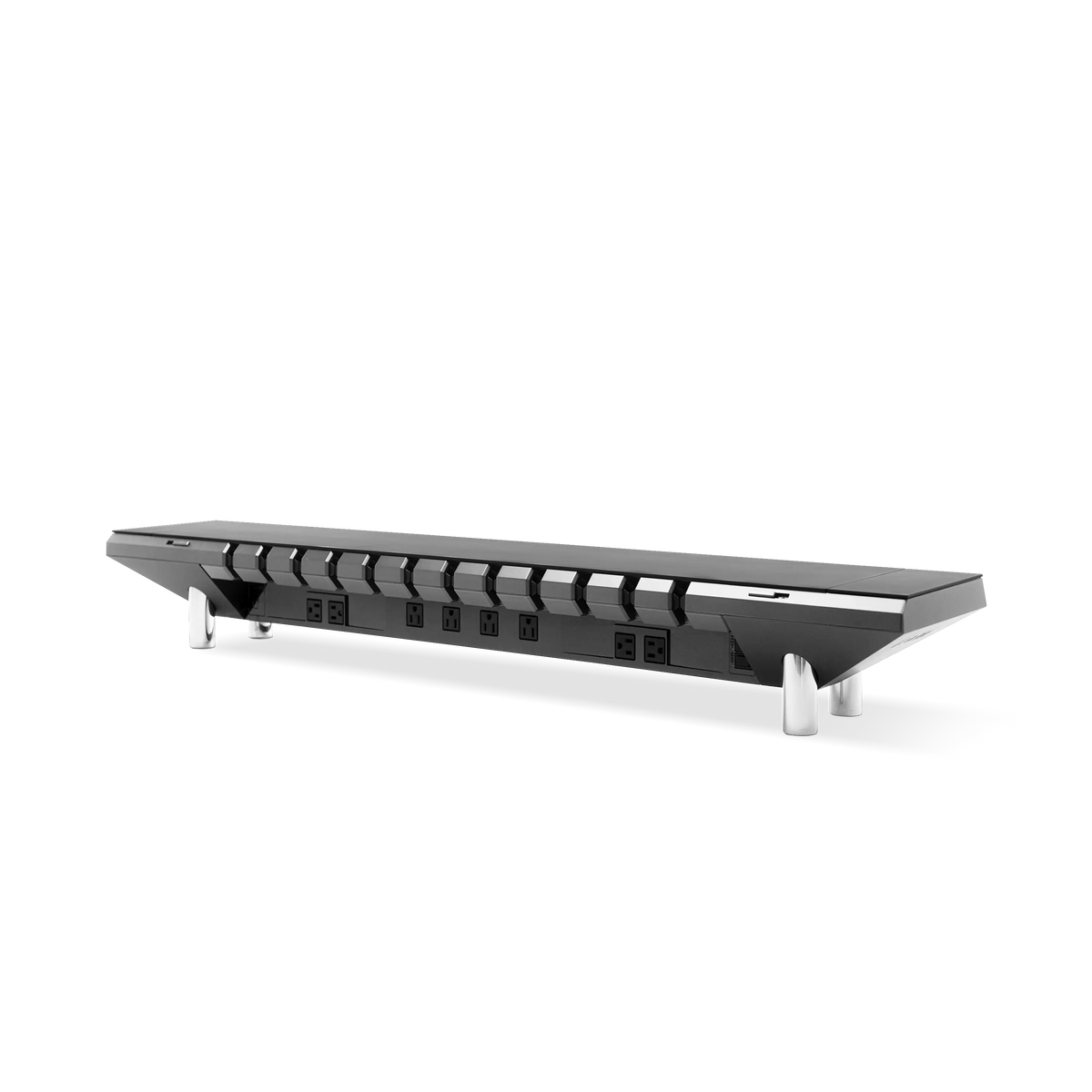
Un soporte de monitor, también llamado elevador, se coloca sobre el escritorio y eleva la pantalla una cantidad fija. Su función no es la decoración. Hace tres cosas concretas: eleva el panel a la altura de los ojos, recupera la profundidad del escritorio debajo de la pantalla y, en los modelos integrados, consolida el desorden que se acumula en un escritorio. Un elevador simple te da la altura y poco más. Un soporte de grado de estación de trabajo va más allá: el Hexcal Studio trata el elevador como infraestructura, integrando el enrutamiento de cables, 1.440 W de energía distribuida y una iluminación de tareas ajustable en el mismo chasis sobre el que se asienta el monitor, con una superficie clasificada para 46 kg (101 lb). La contrapartida es la honestidad sobre el movimiento. Un soporte mantiene una posición: ajustas la altura una vez, y esa es la altura que obtienes.
Esta es la herramienta adecuada con más frecuencia de lo que admite la gente que se basa en las fotos de escritorios. Una pantalla que permanece en un solo lugar, un monitor sin orificios de montaje o un escritorio que preferirías no perforar, todo apunta a un soporte. El elevador también funciona como estante, razón por la cual las búsquedas de "estante de escritorio" y "elevador de monitor con almacenamiento" siguen aumentando.

Qué resuelve realmente un brazo de monitor
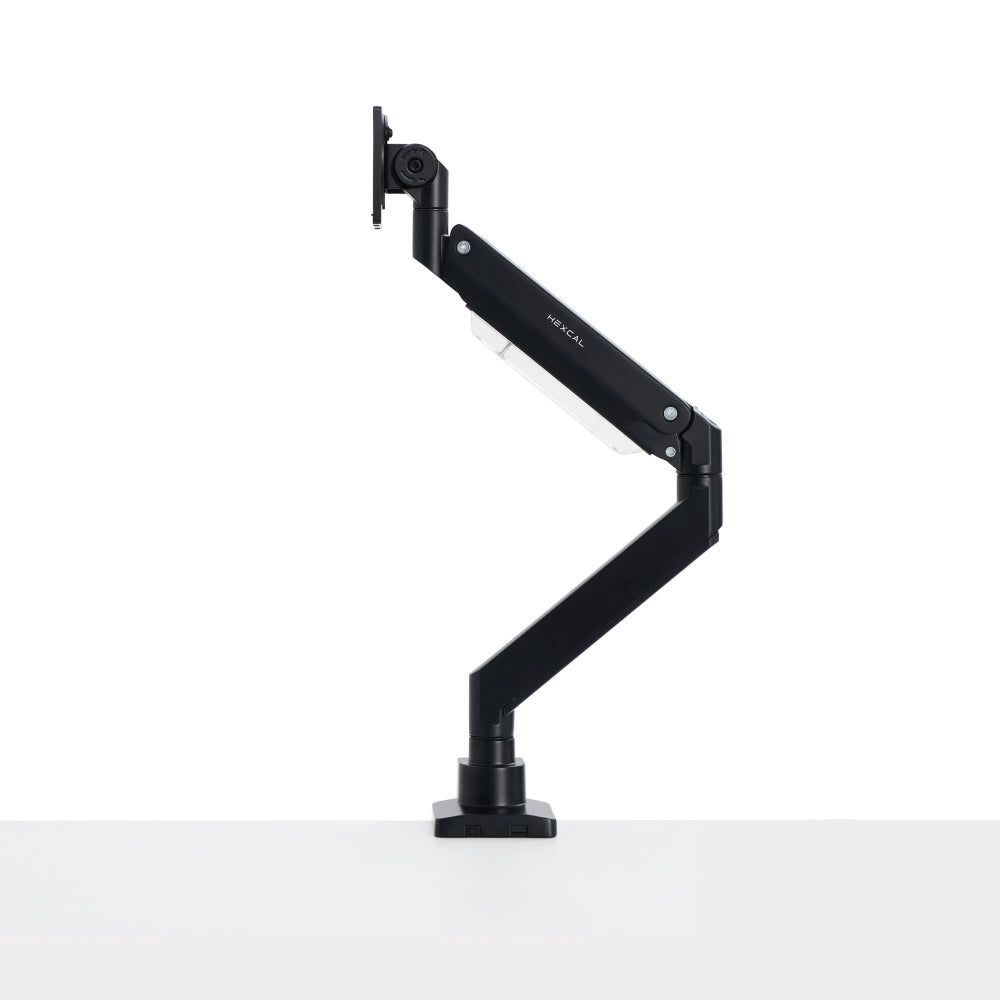
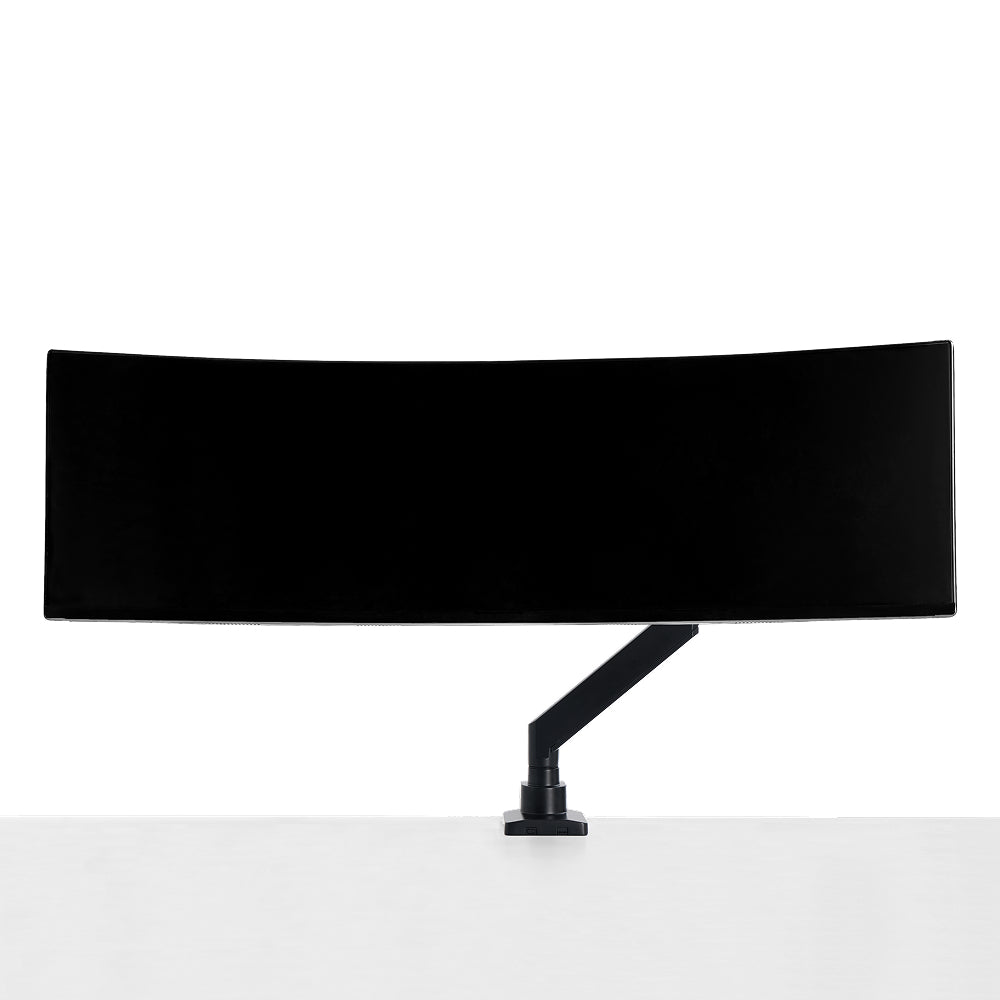
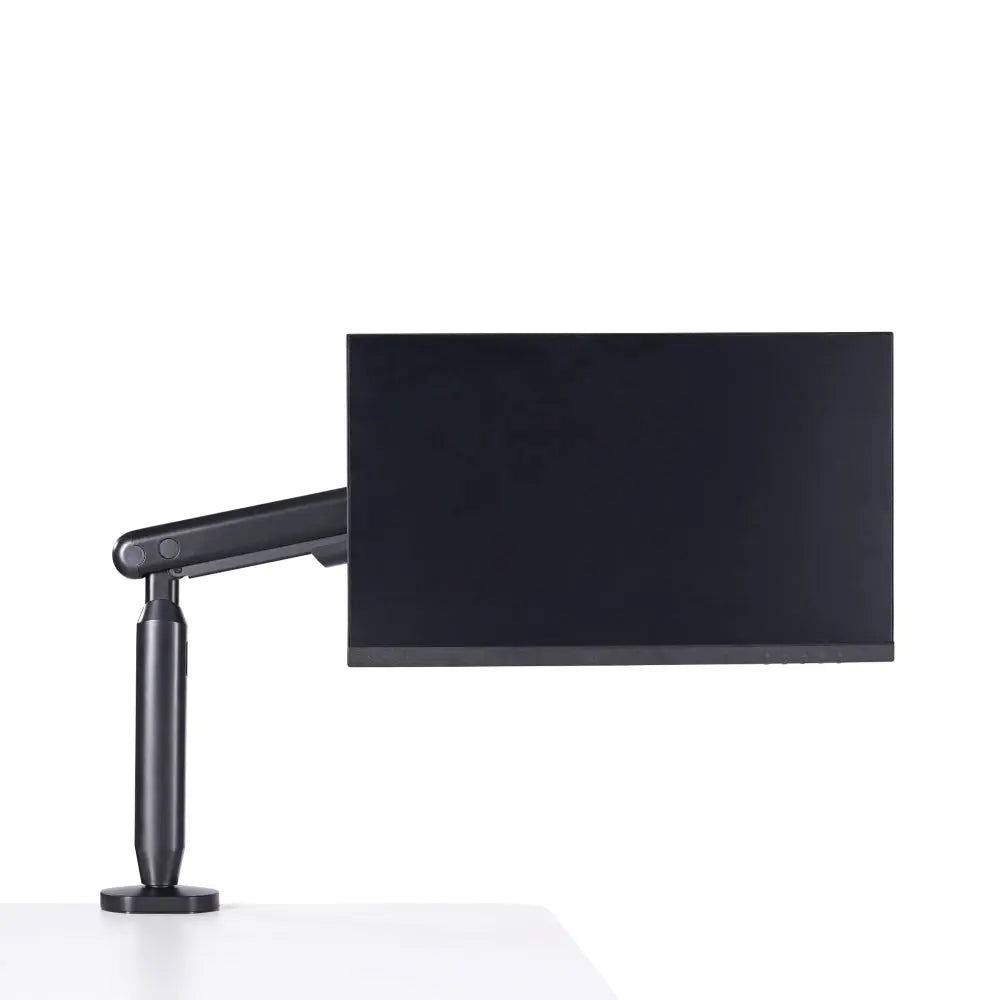
Un brazo de monitor se atornilla a la parte trasera de la pantalla a través de sus orificios VESA y la sujeta en voladizo desde una abrazadera o un ojal pasante. La pantalla flota. Ese único hecho impulsa todas las ventajas: el espacio del escritorio debajo del monitor desaparece, el panel se mueve en altura, inclinación y giro, y una segunda o tercera pantalla puede compartir el mismo punto de anclaje. Un brazo de contrapeso de resorte de gas mantiene cualquier posición que le configures mecánicamente, de modo que el resorte hace el trabajo en lugar de la fricción, y la pantalla permanece en su lugar entre ajustes.
El problema es que un brazo solo es compatible en la medida en que tu monitor y tu escritorio lo permitan. Sin patrón VESA, no hay brazo. Sin borde plano para abrazadera o acceso a ojal, no hay montaje fácil. Esos no son casos excepcionales; son las dos primeras preguntas que hay que hacer, que es exactamente lo que hace el marco que se presenta a continuación.

El marco de tres restricciones
Considera la compra como un problema de compatibilidad, no de estilo. Tres restricciones, verificadas en orden, eliminan las respuestas incorrectas antes de que el gusto entre en juego. Cada una es algo que puedes confirmar con una cinta métrica y la hoja de especificaciones de tu monitor.
Restricción 1: ¿Tu monitor tiene un soporte VESA?
Esta es la puerta de entrada para los brazos de monitor. El estándar de Interfaz de Montaje de Pantalla Plana (FDMI) de la Asociación de Estándares de Electrónica de Video define los patrones de orificios en la parte posterior de una pantalla. El común, VESA MIS-D, especifica un patrón de orificios de 75×75 mm o 100×100 mm y cubre la mayoría de los monitores estándar. Los paneles más grandes y pesados usan patrones más anchos como MIS-E (200×100 mm) o MIS-F (200×200 mm y más). El Brazo de Monitor Individual Hexcal está diseñado para el rango de 75×75 y 100×100 para pantallas de hasta 35" y de 3 a 11 kg; el Brazo de Monitor de Alta Resistencia Hexcal se extiende a 200×200 y una carga de 27 kg para pantallas planas o 22 kg para pantallas curvas de hasta 57".
Aquí está el límite que esconden las fotos de marketing: muchos monitores delgados, de diseño vanguardista y económicos se envían sin orificios VESA en absoluto, o los ocultan detrás de un soporte de fábrica no removible. Si tu pantalla no tiene un patrón VESA utilizable, la pregunta del brazo está cerrada, y un soporte o elevador es tu única opción. Revisa la parte posterior del panel, o su hoja de especificaciones, antes de cualquier otra cosa.
Restricción 2: ¿Cómo está construido tu escritorio?
Un brazo tiene que agarrar algo. Los dos mecanismos estándar son una abrazadera que muerde el borde trasero del escritorio y un ojal que introduce un poste a través de un agujero en la superficie. Ambos dependen de hechos físicos sobre tu escritorio. El Brazo de Monitor Individual Hexcal sujeta escritorios de 10 a 80 mm de grosor y se monta con ojal en superficies de 10 a 35 mm de grosor; el brazo de alta resistencia sujeta de 10 a 45 mm y se monta con ojal de 10 a 60 mm. Mide el borde de tu tablero antes de asumir que encajará. Las tapas de vidrio, los estantes flotantes delgados y los escritorios voladizos de pared a menudo fallan ambas pruebas: demasiado delgados, demasiado frágiles o sin borde trasero accesible.
Un soporte para monitor evita todo esto. Coloca todo su peso sobre la superficie y no requiere nada de la estructura o el borde del escritorio. Para los inquilinos que no pueden perforar, para los escritorios con acabados que se niegan a rayar con abrazaderas, o para las configuraciones donde una gestión ordenada de los cables del escritorio importa más que una pantalla flotante, el soporte gana solo por su instalación.
Restricción 3: ¿Cuánto se mueve tu pantalla?
El movimiento es donde colisionan la ergonomía y el tipo de producto. La guía de Oregon OSHA para estaciones de trabajo de computadora sitúa la parte superior de la pantalla al nivel de los ojos o ligeramente por debajo, con la zona de visualización principal un poco por debajo de la altura directa y la pantalla a una distancia de un brazo. La conclusión práctica es que la visualización cómoda es un rango, no una única altura mágica, y tu posición ideal cambia con tu silla, tu postura y si te sientas o te pones de pie.
Un soporte fijo establece una buena posición y la mantiene. Esto es suficiente si te sientas de la misma manera todos los días en un escritorio de altura fija. En el momento en que agregas una rutina de sentarse y levantarse, compartes el escritorio o cambias entre trabajo concentrado y una videollamada, la pantalla debe seguirte, y solo un brazo se reajusta sobre la marcha. El brazo de monitor individual Hexcal ofrece una inclinación de +60°/–60° y un giro de +90°/–90° con un alcance de 483 mm (19"), precisamente para que el panel pueda seguir tu mirada durante el día en lugar de obligar a tu cuello a compensar.
Soporte vs. brazo: las especificaciones lado a lado
Ejecuta tus respuestas a través de las tres restricciones, luego usa los números para dimensionar el producto real. Esta tabla compara un elevador fijo con las dos clases de brazos en las dimensiones que deciden la compra, con todas las cifras de Hexcal tomadas de las especificaciones actuales del producto.
| Dimensión | Elevador fijo (Hexcal Studio) | Brazo de monitor único | Brazo de monitor de alta resistencia |
|---|---|---|---|
| Precio (USD) | $899 elevador de estación de trabajo (elevadores básicos ~$20–60) | $79.20 | $129 |
| Tamaño de pantalla | Cualquiera (se sienta debajo de la pantalla) | Hasta 35" | Hasta 57" ultrapanorámica |
| Capacidad de carga | 101 lb (46 kg) superficie | 3–11 kg (6.6–24 lb) | 27 kg plano / 22 kg curvo |
| VESA requerido | Ninguno | 75×75 / 100×100 | 75×75 hasta 200×200 |
| Espacio en el escritorio | Ocupa profundidad bajo la pantalla; añade almacenamiento, energía, iluminación | Liberado; pantalla flotante | Liberado; pantalla flotante |
| Ajustabilidad | Altura fija, ajustada una vez | Inclinación +60/−60°, giro +90/−90°, alcance 483 mm | Inclinación +60/−20°, giro +90/−90° |
| Montaje en escritorio | Descansa sobre la superficie, no se necesita ninguno | Abrazadera 10–80 mm / ojal 10–35 mm | Abrazadera 10–45 mm / ojal 10–60 mm |
| Instalación | Colocar en el escritorio, sin herramientas | Una persona | Dos personas |

Cuál se adapta a tu situación
Las especificaciones te dicen lo que cada opción puede hacer; esta tabla relaciona las configuraciones comunes del mundo real con la opción más adecuada. Encuentra la fila que coincide con tu escritorio y lee a lo largo.
| Tu situación | Mejor ajuste | Por qué |
|---|---|---|
| El monitor no tiene orificios VESA | Soporte / elevador | Un brazo no puede conectarse físicamente |
| Pantalla única, rara vez movida, escritorio de altura fija | Soporte / elevador | Una buena posición es todo lo que necesitas, además de almacenamiento y enrutamiento de cables adicionales |
| Alquiler o escritorio sin taladros ni abrazaderas | Soporte / elevador | Se asienta en la superficie, no requiere nada de la estructura del escritorio |
| Rutina de sentarse y levantarse o escritorio compartido | Brazo de monitor | La pantalla sigue tu postura durante el día |
| Pantallas duales o triples | Brazo de monitor | Un anclaje, movimiento completo, espacio completamente recuperado |
| Panel grande o pesado (34"+, curvo, ultrawide) | Brazo de alta resistencia | Necesita un patrón VESA más ancho y una mayor capacidad de carga (hasta 200×200, 27 kg) |

Dónde encaja Hexcal y dónde no
Aclaración: Studio, el brazo de monitor único y el brazo de monitor de alta resistencia son todos diseños y construcciones de Hexcal, así que lee esta sección como el fabricante explicando su propia gama en lugar de una reseña independiente. Hexcal construye para ambas respuestas porque ambas respuestas son correctas según tus limitaciones. Si el marco te orienta hacia una posición fija con almacenamiento, energía e iluminación integrados, el Hexcal Studio es el elevador diseñado para eso, a $899. Si te orienta hacia el movimiento, el brazo de monitor único cubre pantallas VESA de 75/100 de hasta 35" por $79.20, y el brazo de monitor de alta resistencia sube a VESA de 200×200 y una carga plana de 27 kg para paneles más grandes por $129.
Los límites importan tanto como el ajuste. Un brazo de cualquier marca, incluyendo Hexcal, no ayudará a un monitor sin montaje VESA, un escritorio de vidrio demasiado delgado para sujetar o un estante flotante sin borde trasero. Un elevador no te dará seguimiento de sentarse y levantarse ni recuperará el espacio debajo de la pantalla. Empareja la herramienta con la restricción, no con la foto. Si no estás seguro de tu inclinación, comienza midiendo tu patrón VESA y el grosor del borde de tu escritorio, luego compara el brazo de monitor individual, el brazo de monitor de alta resistencia o el Hexcal Studio con esos dos números.

Consideraciones finales
Un soporte de monitor y un brazo de monitor no son rivales que compiten por el mismo trabajo. Son dos respuestas a una misma pregunta: ¿cómo debe sostenerse esta pantalla? La respuesta correcta está dictada por la parte trasera VESA de tu pantalla, la construcción de tu escritorio y la cantidad de movimiento que necesita tu pantalla. Elige la restricción y el producto se elige solo. El escritorio que funciona no es el que se parece a la foto; es el que está construido en torno a lo que puedes medir y construido para durar más que la tendencia que lo inspiró.